Year-Over-Year (YoY) Rental Report
1. Introduction
The Year-over-Year (YoY) Rental Report in the Storagely Reporting Engine allows users to compare rental performance across different years, providing valuable insights into rental trends and business growth.
This report streamlines the process of analyzing historical rental data, eliminating the need to manually pull multiple reports from your facility management software for different time periods.
2. Navigating to the YoY Rental Report
To access the YoY Rental Report:
- Log in to your Storagely Dashboard.
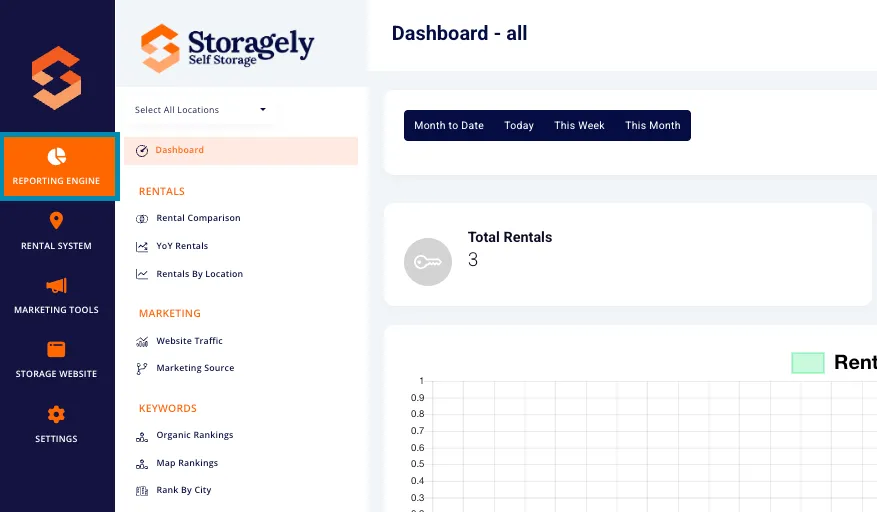
- In the left sidebar menu, click on Reporting Engine.
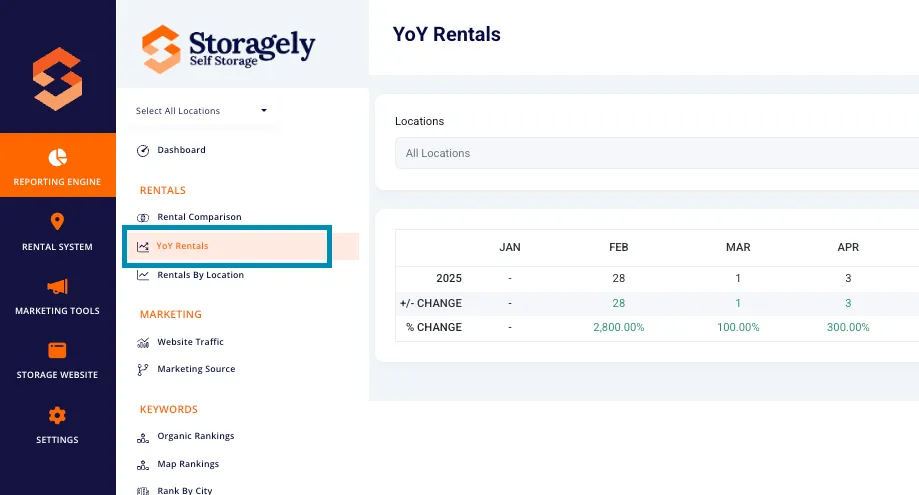
- Select YoY Rentals from the list.
3. Understanding the Interface
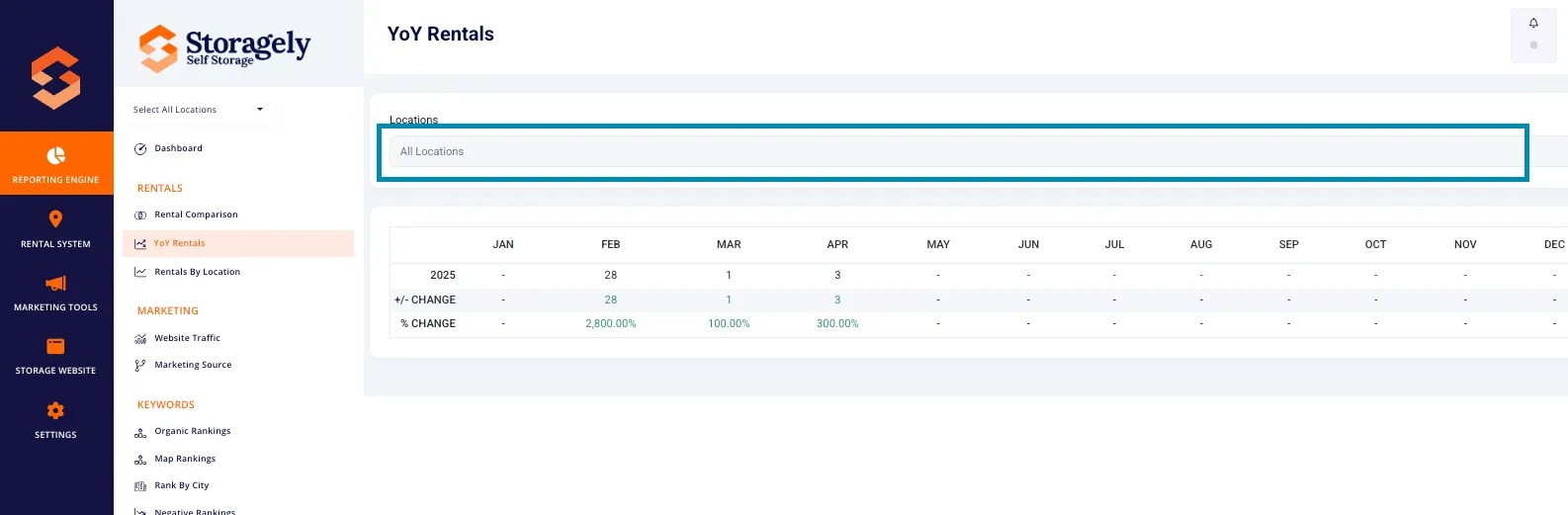
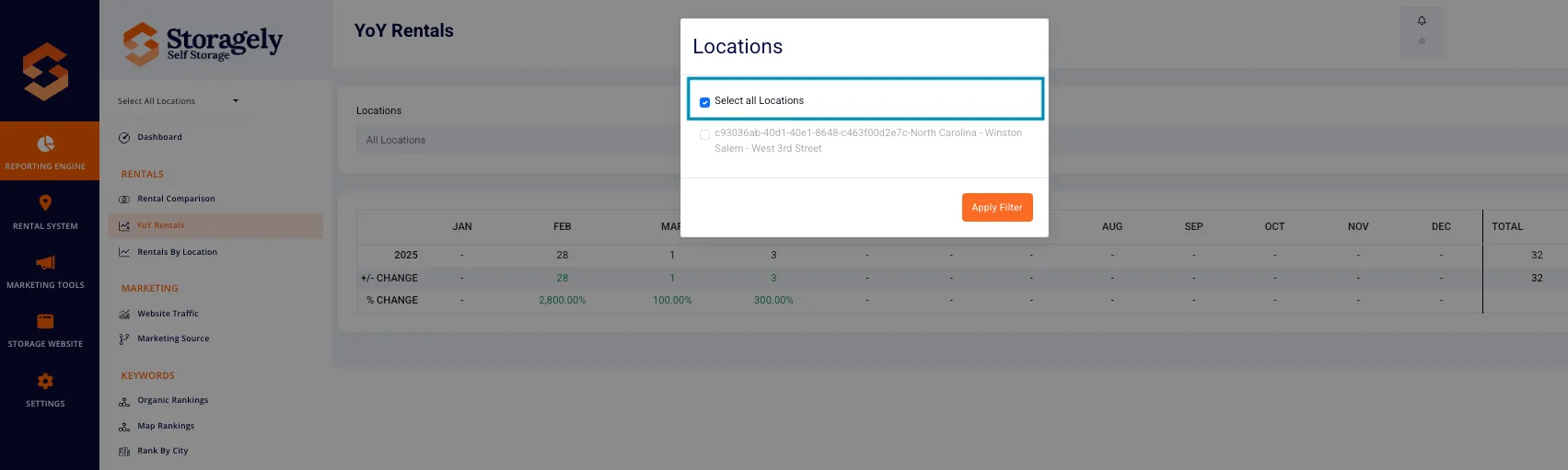
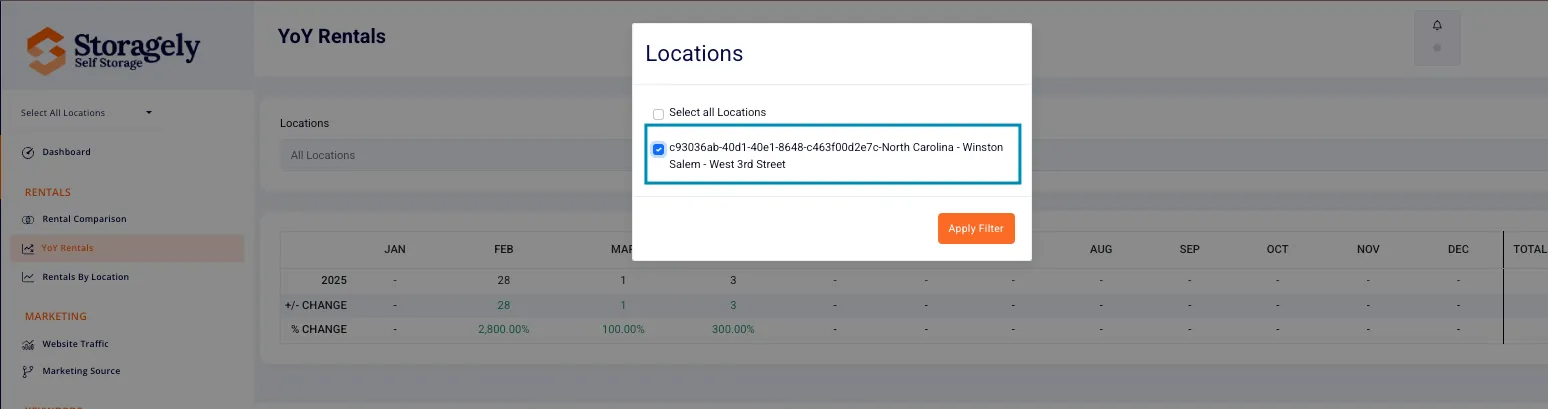
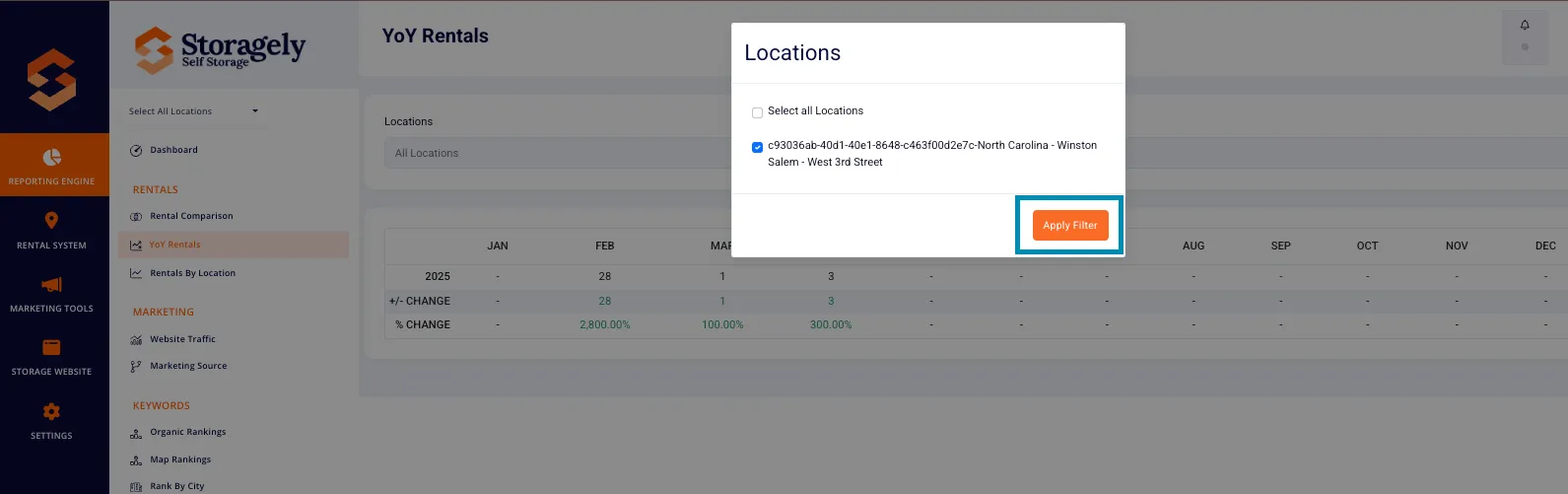
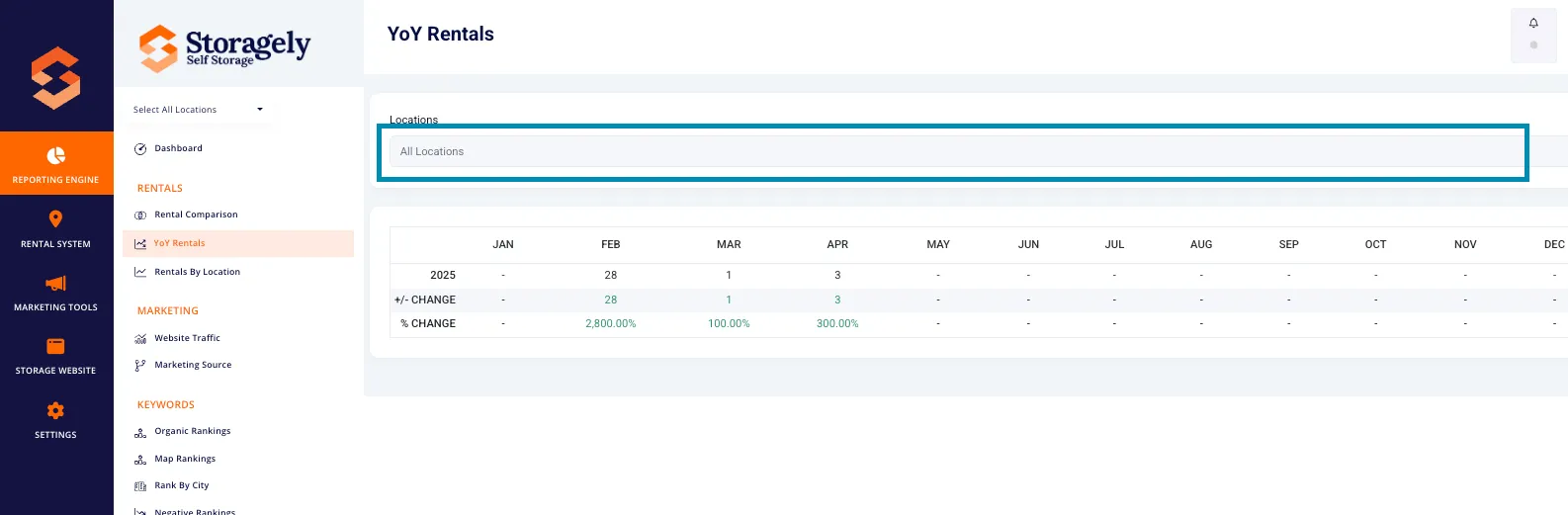
Users can obtain data for a single location or all locations using the dropdown menu that appears after clicking Locations directly above the table. This feature allows for customized reporting at the facility level or across the entire business portfolio. Once the facilities you wish to view data have been selected, confirm your selection by clicking the Apply Filter button in the bottom right corner of the dialogue box.
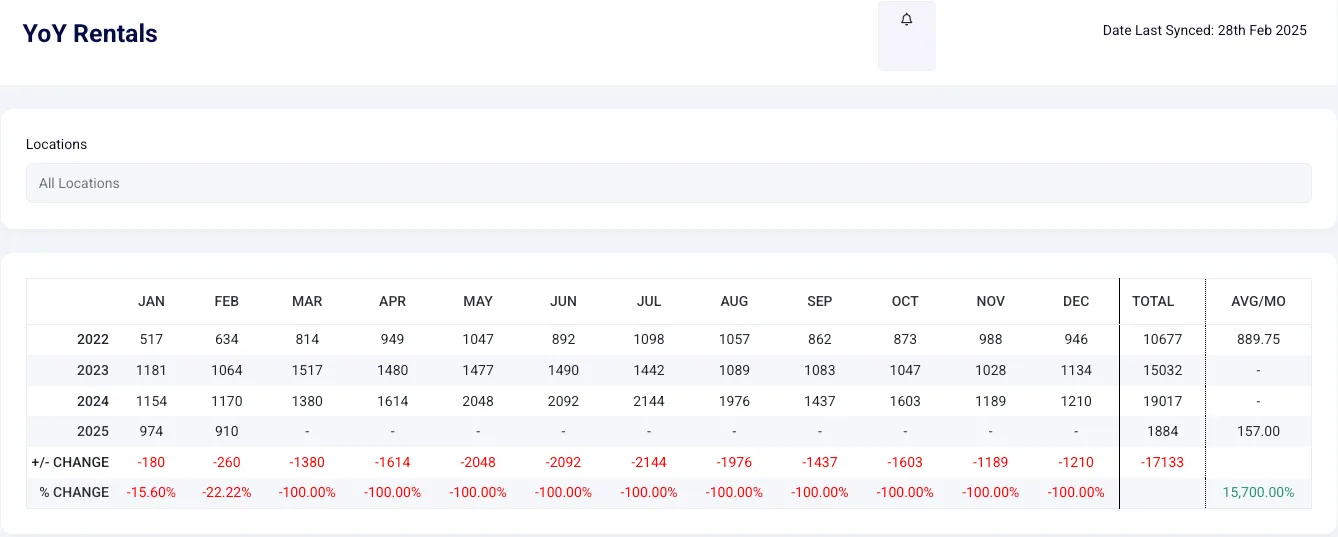
The report provides a comparative analysis of rental data, showing:
- Current Year Rentals: The number of rentals during the selected time period.
- Previous Year Rentals: Rentals recorded in the same time period from the previous year(s).
- YoY Change (+/-): The numeric difference in rentals between the two most recent years.
- Percentage Change: The growth or decline in rentals as a percentage.
4. How to Use the YoY Rental Report
Use the location dropdown at the top to filter data by a specific facility or view all locations.
Compare rental performance across multiple years and the two most recent years (this year and last year) using the YoY Change and Percentage Change values.
5. Best Practices for Data Analysis
- Compare multiple years to identify long-term growth patterns.
- Use Percentage Change to measure business expansion or contraction.
- Analyze seasonal trends to optimize pricing and marketing strategies.
- Investigate anomalies in rental activity to address operational challenges.
Important Note on Location Changes: When reviewing Year-over-Year rental data, be sure to consider whether any locations have been added or removed from your Storagely platform within the last 12 months. Including newly added locations or failing to exclude removed ones may skew your YoY results, making it appear as though rentals increased or decreased when the variance is due to a change in the number of active facilities—not performance trends. To ensure a true year-over-year comparison, factor out any facilities that did not exist on the platform during both time periods being compared.
6. FAQs & Troubleshooting
Q1: Why don’t I see data for certain locations? A: Ensure the correct location is selected in the dropdown menu and is appearing under Locations above the data table.
Q2: How can I reset my filters? A: Refresh the page or manually reset filters by selecting a new date range new location or group of locations from the Locations field above the data table and then clicking the Apply Filter button in the dialogue box.
Q3: Can I export the YoY Rental Report? A: Not at this time, but we intend to allow exporting of data in a future release.
As always, if you have any questions during this process, our Customer Success Team is here to help. The best way to reach us is by submitting a support ticket.