Google Ads Scraper (For Administrators & Internal Team Members)
1. Overview
The Google Ads Scraper in the Storagely Dashboard is an advanced tool designed exclusively for Storagely administrators and internal team members. This tool automates the process of collecting Google Ads data, providing insights into ad performance, competitor activity, and keyword effectiveness for self-storage businesses.
⚠ Important Notice:
- This feature is NOT accessible to facility operators.
- It is intended for internal analysis and competitive research.
- Use the tool responsibly to ensure compliance with Google’s terms of service.
2. Accessing the Google Ads Scraper
Since this feature is restricted, only authorized Storagely administrators can access it.
Steps to Access Google Ads Scraper
- Log in to the Storagely Dashboard.
- Navigate to Account Settings > Google Ads Scraper.
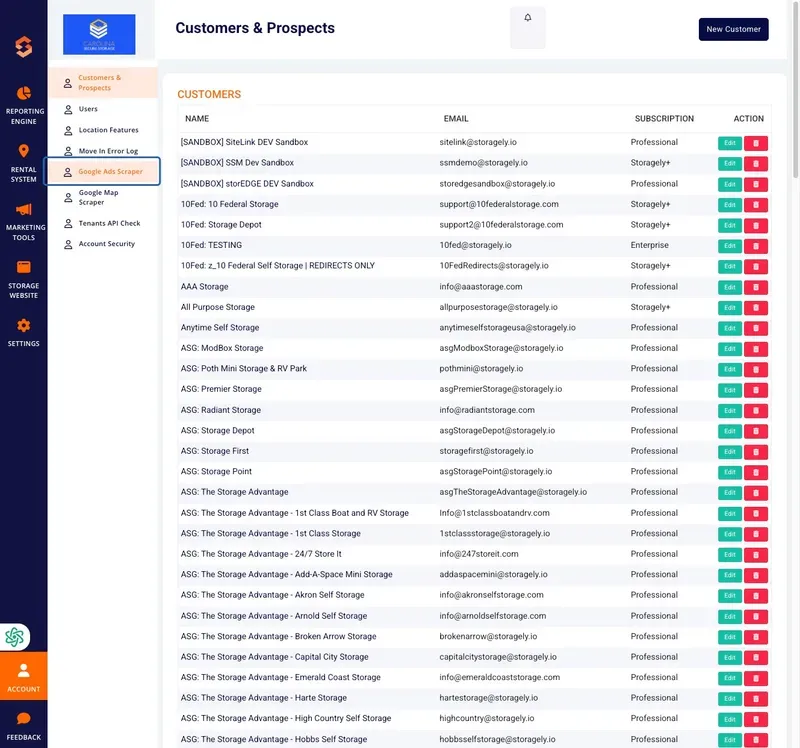
- If access is denied, contact a Storagely system administrator.
3. Using the Google Ads Scraper
The Google Ads Scraper allows users to extract advertising data based on keywords and locations, helping administrators analyze ad visibility, competitor bidding strategies, and paid search trends.
A. Entering Search Parameters
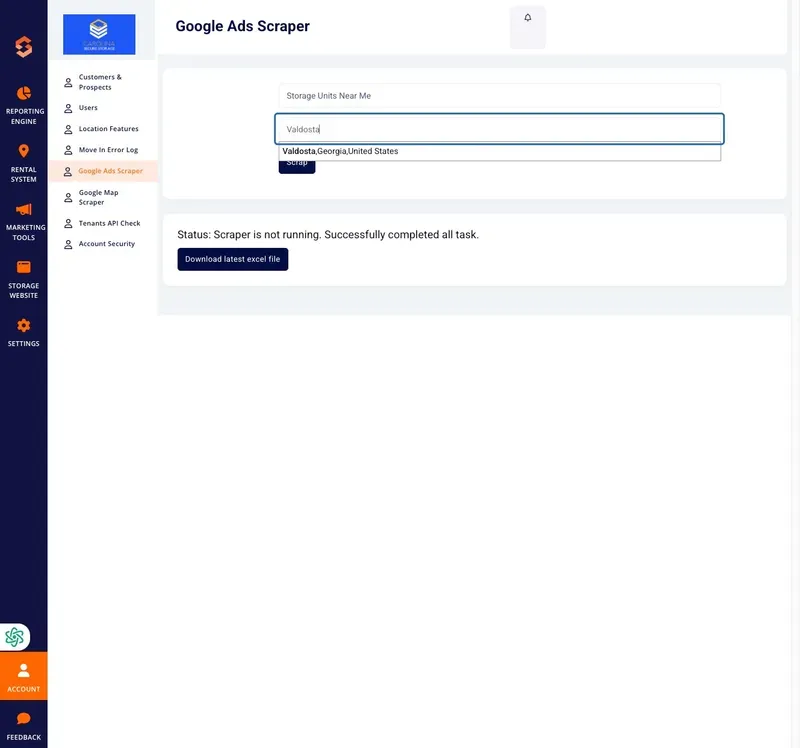
- Keyword Input:
- Enter a specific keyword or keyphrase related to self-storage services (e.g., "self-storage near me," "climate-controlled storage").
- Location Input:
- Enter a city or region to target Google Ads data for a specific geographic area.
B. Running the Scraper
- After entering the required search parameters, click the "Scrap" button.
- The system will retrieve Google Ads data, including:
- Ad Titles & Descriptions
- Displayed URLs
- Advertisers (Competitor Listings)
- Landing Pages & CTA Analysis
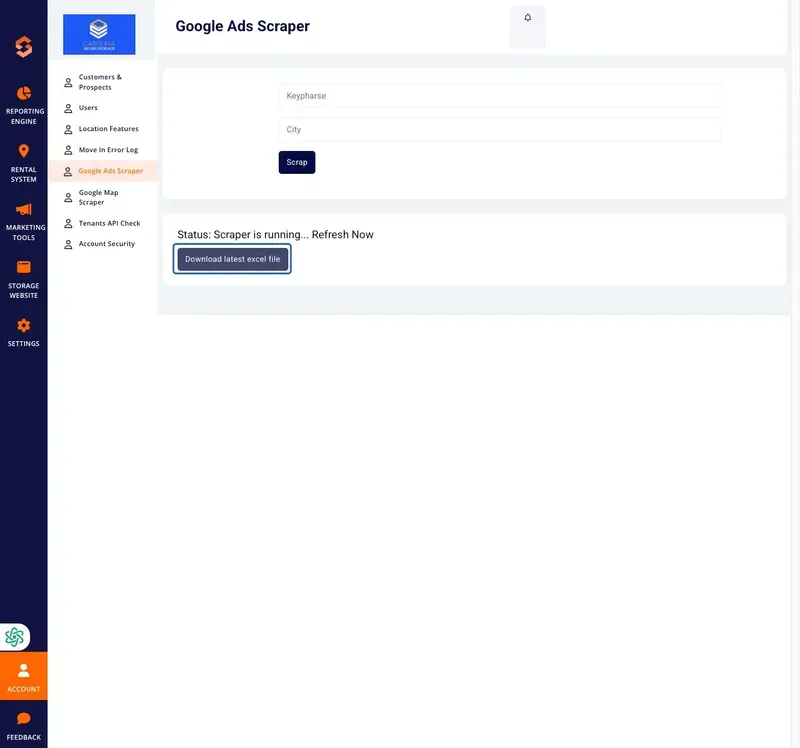
- Once complete, a status message will confirm whether the scraper successfully retrieved data.
4. Downloading Scraped Data
- After a successful scrape, locate the "Download latest Excel file" button.
- Click the button to download a detailed report in Excel format.
- Open the file to analyze competitor strategies, ad copy, and bidding trends.
5. Troubleshooting & FAQs
Issue | Possible Cause | Solution |
|---|---|---|
Scraper is not running | System process is idle | Ensure proper search parameters and retry |
No ads found for keyword/location | Limited ad activity in selected area | Try a broader keyword or a different location |
Download button not available | No recent successful scrapes | Run a new scrape and try again |
Access Denied | User permissions not enabled | Contact a Storagely administrator |
6. Best Practices for Google Ads Scraping
✅ Use targeted keywords that match high-intent search queries. ✅ Monitor competitor ad trends to adjust marketing strategies. ✅ Download and analyze reports regularly for actionable insights. ✅ Ensure ethical use of scraped data to comply with platform guidelines.
For further assistance, please reach out to your direct supervisor.