How To: Export a Calcumate Interaction Report
5 min
Background:
You can easily review how users are interacting with your Calcumate tool by exporting a CSV report directly from your Calcumate dashboard. This report helps you analyze engagement, track recommendations, and identify trends in customer behavior.
Step 1: Sign In
- Log in to your Calcumate account at https://calcumate.co/ using the credentials provided by Storagely.
If you don’t have your credentials or are unable to sign in, please reach out to Storagely Support for assistance.
Step 2: Access Reporting
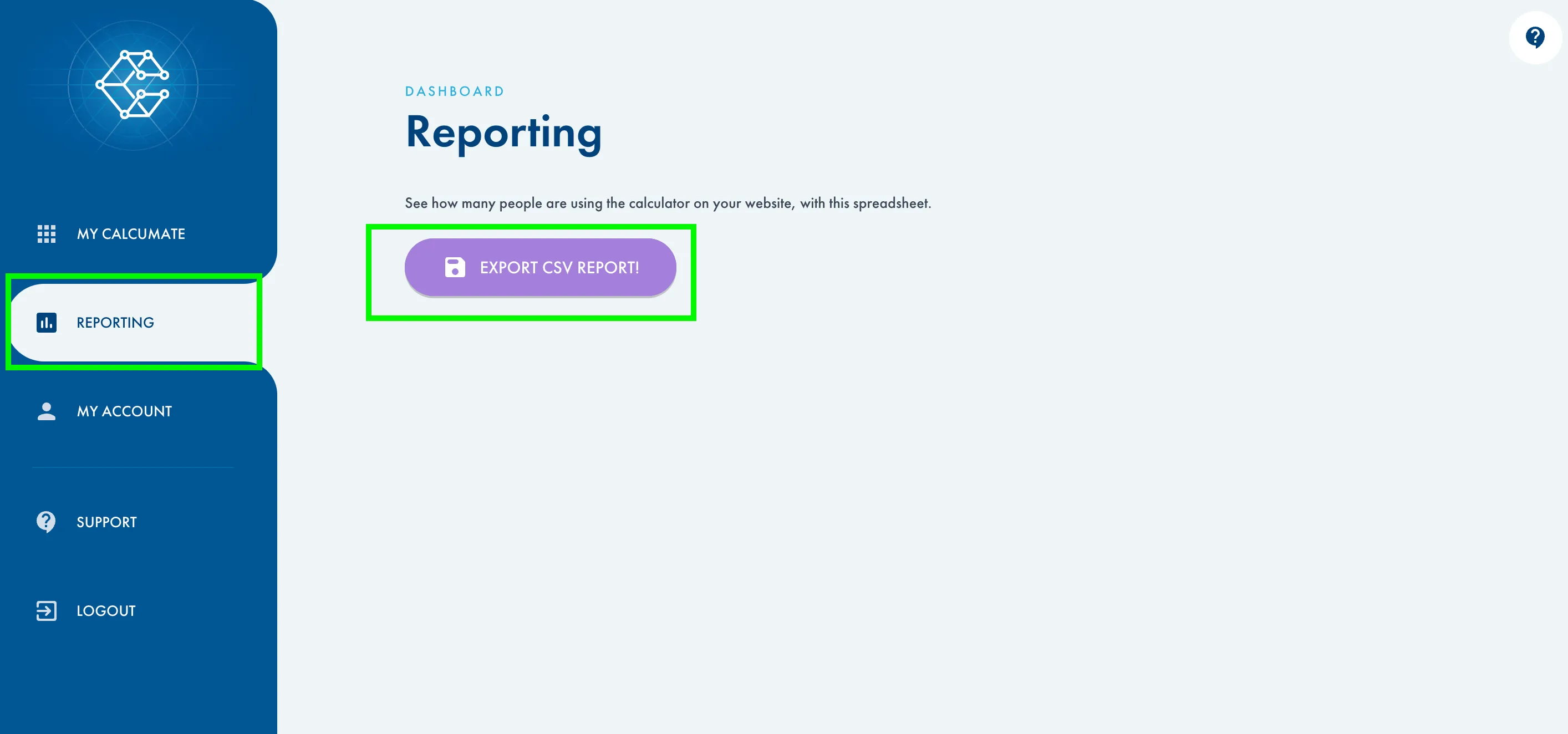
- Once signed in, navigate to the menu on the left-hand side of your screen and click Reporting.
Step 3: Export the Report
- In the Reporting section, click the Export CSV Report! button.
- This will automatically download a CSV file to your computer.
Step 4: Review the Data
- Open the downloaded CSV file in your preferred spreadsheet program (e.g., Excel, Google Sheets, Numbers).
- The report includes detailed information about each user interaction, including:
- Date & Time – When the user interacted with the Calcumate tool.
- Recommended Unit – The unit size or type suggested to the user.
- Selected Items – The items the user added to the tool to determine their storage needs.
- Location Name – The Calcumate location where the interaction occurred.
Best Practices
- Export reports regularly to track engagement trends over time.
- Use the “Recommended Unit” and “Selected Items” data to identify which unit sizes are most in demand.
- Review activity by location to see which facilities generate the most interaction.
As always, if you have any questions during this process, our Customer Success Team is here to help. The best way to reach us is by submitting a support ticket.
Have a question?
Our super-smart AI, knowledgeable support team and an awesome community will get you an answer in a flash.
To ask a question or participate in discussions, you'll need to authenticate first.