Feedback Button / Storagely Help Center
Overview
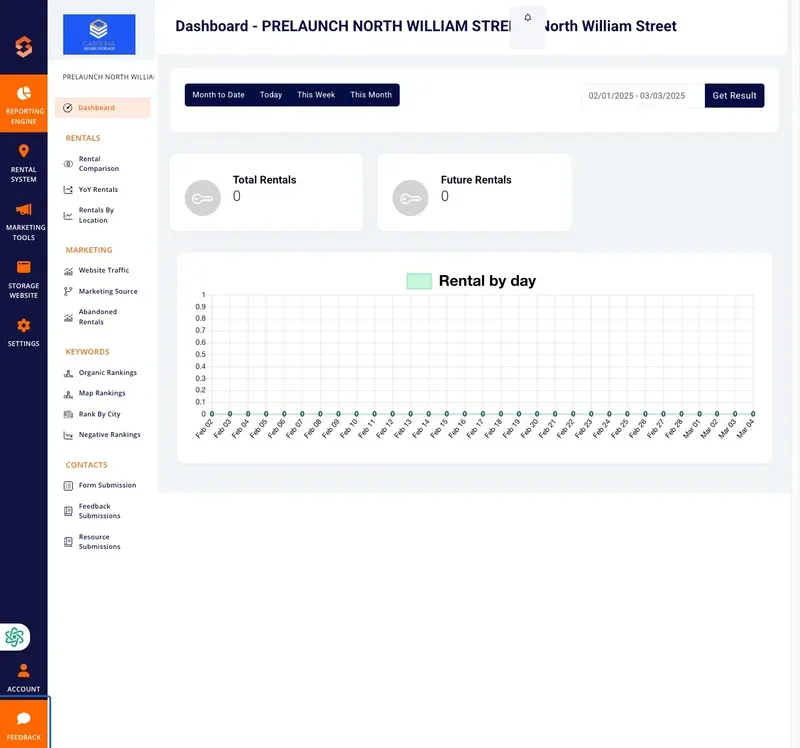
The Feedback Button in the Storagely Dashboard allows users to quickly submit support tickets or feedback to the Storagely team. This feature directs users to the Storagely Help Center, where they can enter details about their issue, request assistance, or provide suggestions for platform improvements.
Accessing the Feedback Button
- Log in to the Storagely Dashboard.
- Locate the "Feedback" or "Help" button, typically at the bottom-right corner of the dashboard.
- Click the button to be redirected to the Storagely Help Center.
Submitting a Support Ticket
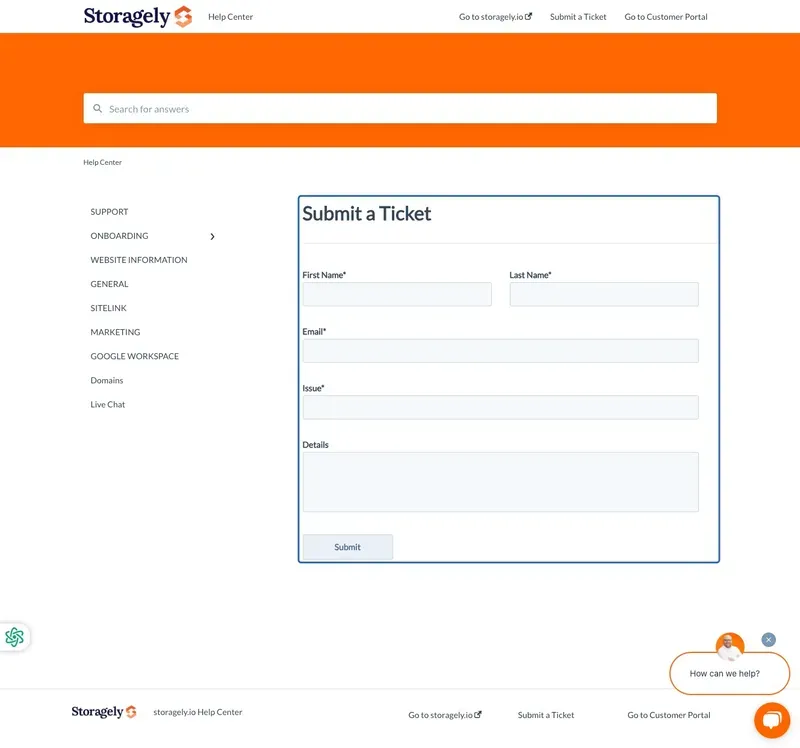
Once redirected to the Storagely Help Center, users can submit a support ticket by following these steps:
Step 1: Fill in Your Information
- First Name & Last Name – Enter your full name.
- Email Address – Provide your email for follow-up communication.
Step 2: Describe the Issue
- Issue Type – Select the category that best describes your request (e.g., Technical Issue, Feature Request, Billing Inquiry).
- Details – Provide a clear and detailed description of the issue or feedback.
Step 3: Submit the Ticket
- Click the "Submit" button.
- A confirmation message will appear indicating that your request has been received.
- The Storagely team will review your request and respond via email.
Tracking Submitted Requests
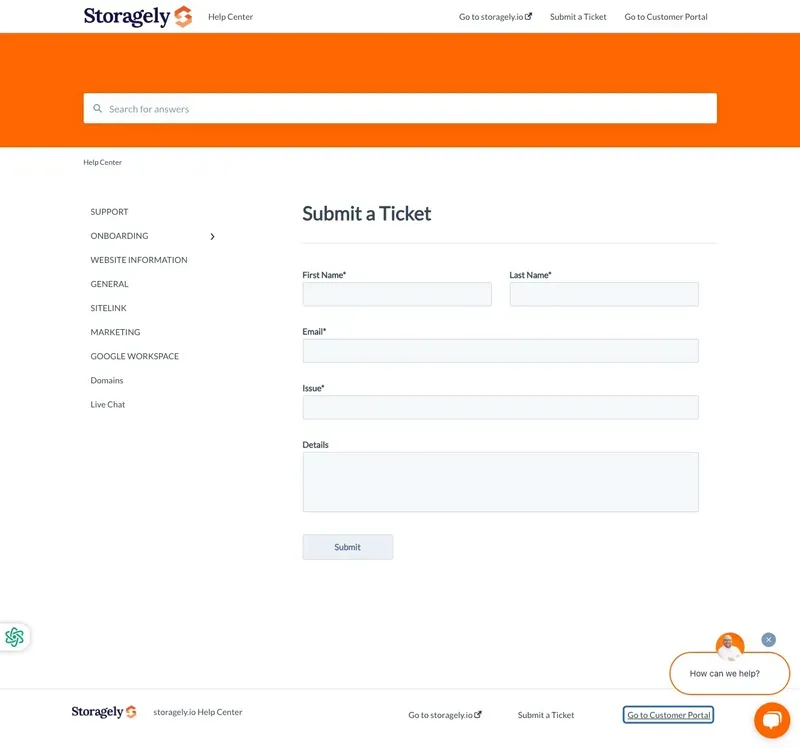
- Users can check the status of their submitted requests by navigating to the Customer Portal in the Help Center.
- Updates and responses from the Storagely team will be sent to the email provided in the request form.
Troubleshooting & FAQs
Issue | Possible Cause | Solution |
|---|---|---|
Feedback Button Not Visible | Browser settings or permissions issue | Refresh the page or check if pop-ups are blocked |
No Confirmation Email Received | Incorrect email entered | Double-check the email address before submitting |
Unable to Submit a Ticket | Required fields left blank | Ensure all fields are completed before clicking submit |
No Response from Storagely Support | Processing delay | Check spam/junk folder for updates, or follow up via the Help Center |
Best Practices for Submitting Feedback
✅ Provide as much detail as possible to ensure a faster resolution. ✅ Attach screenshots or examples if applicable. ✅ Use a clear subject line when describing the issue. ✅ Follow up via the Help Center if you haven’t received a response within the expected timeframe.
As always, if you have any questions during this process, our Customer Success Team is here to help. The best way to reach us is by submitting a support ticket.