URL Redirects Setup
9 min
Overview
The URL Redirects feature in the Storagely Dashboard allows operators to manage and update old or outdated URLs, directing visitors to new or current pages. This is critical for maintaining SEO rankings, ensuring users don’t land on broken pages, and supporting marketing campaigns with clean, branded links.
How to Access URL Redirects
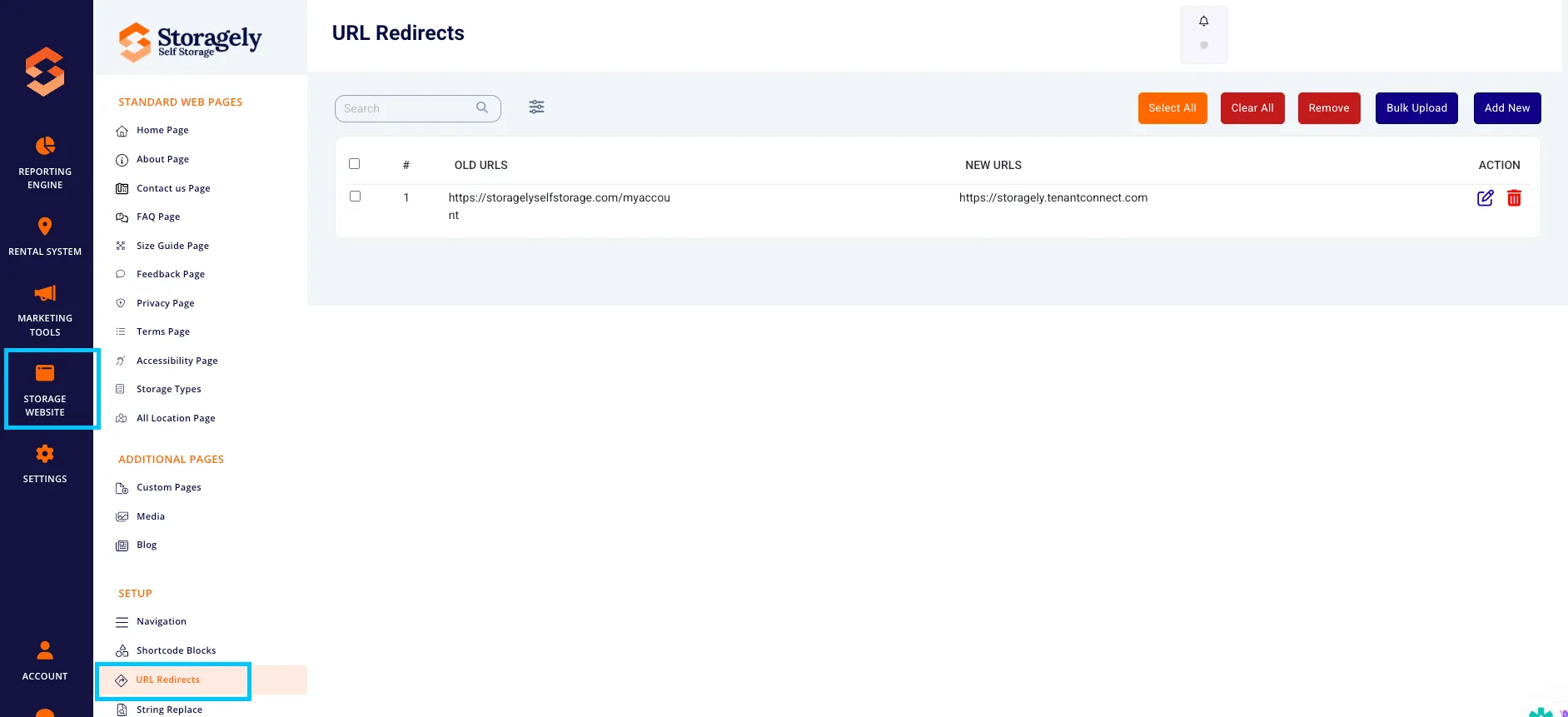
- From the left-hand navigation, click Storage Website.
- Select URL Redirects from the setup options.
Key Features
Add New Redirect
To manually add a redirect:
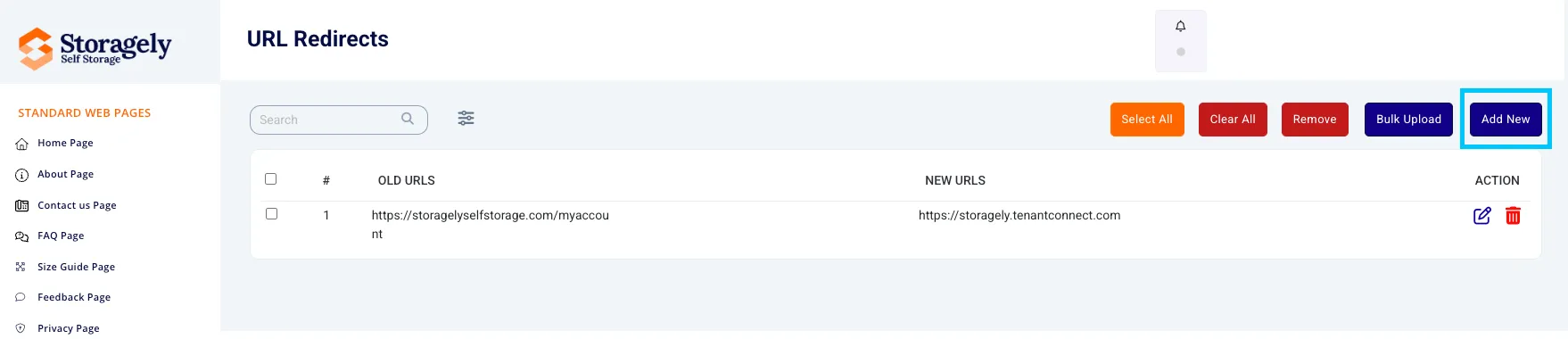
- Click the “Add New” button.
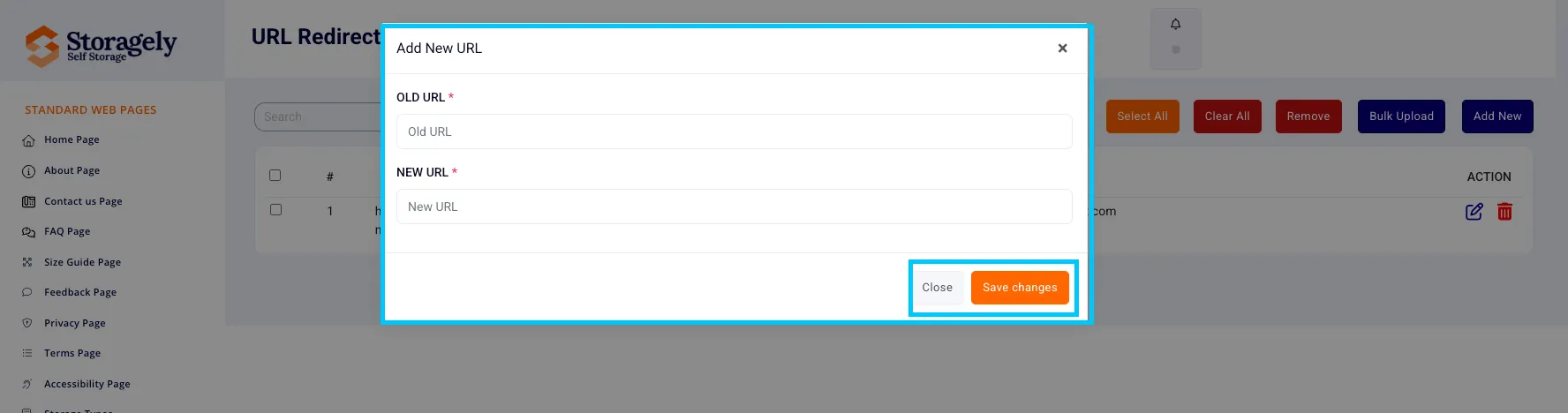
- Enter the Old URL (the original/previous URL).
- Enter the New URL (the current destination).
- Click Save Changes.
Tip: Use relative paths (e.g., /about-us) unless redirecting to an entirely different domain.
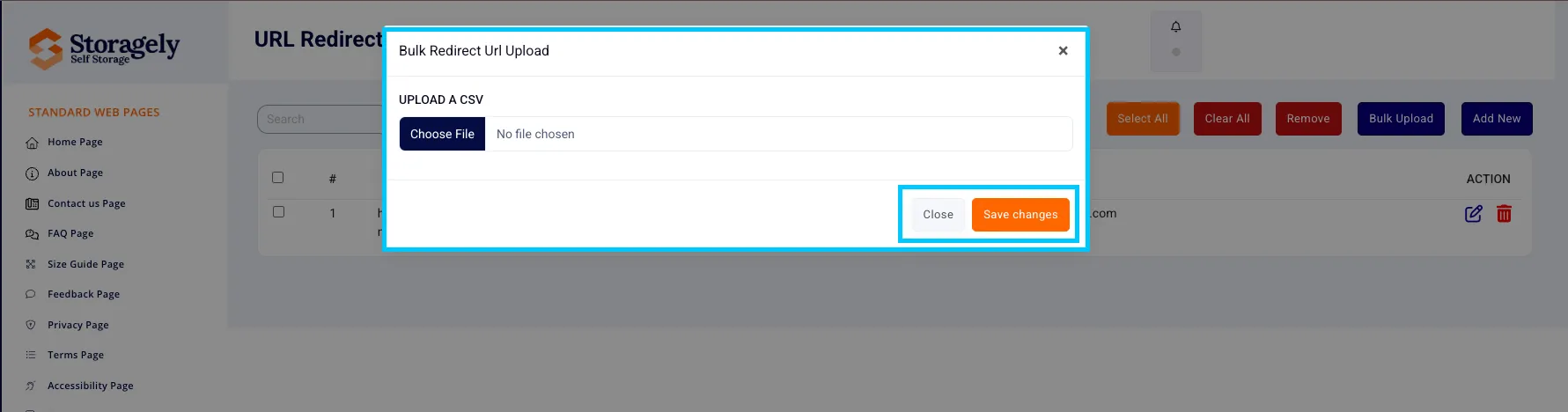
Bulk Upload Redirects
For importing multiple redirects:
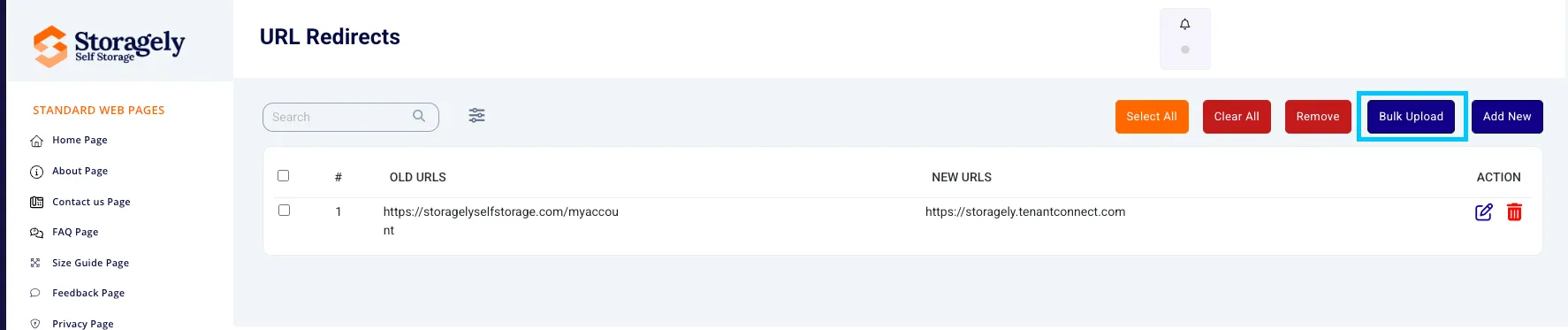
- Click “Bulk Upload”.
- Use the provided CSV template format.
- Upload your file and review the entries.
- Submit to apply redirects across your site.
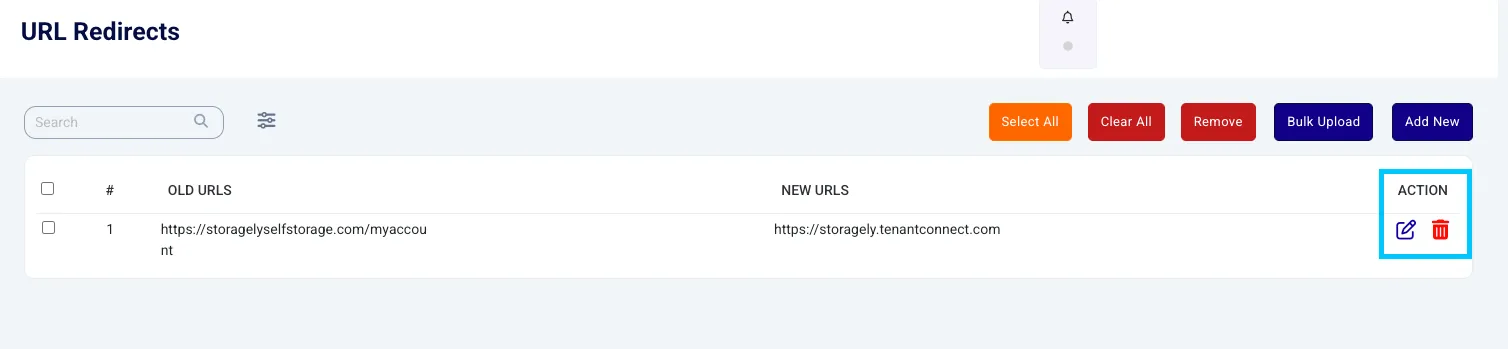
Edit or Remove Redirects
Each redirect entry includes options to:
- Edit – Update old or new URLs as needed.
- Delete – Remove a redirect that’s no longer needed.
You can also:
- Use the search bar to find specific redirects.
- Select multiple rows using checkboxes to clear or remove in bulk.
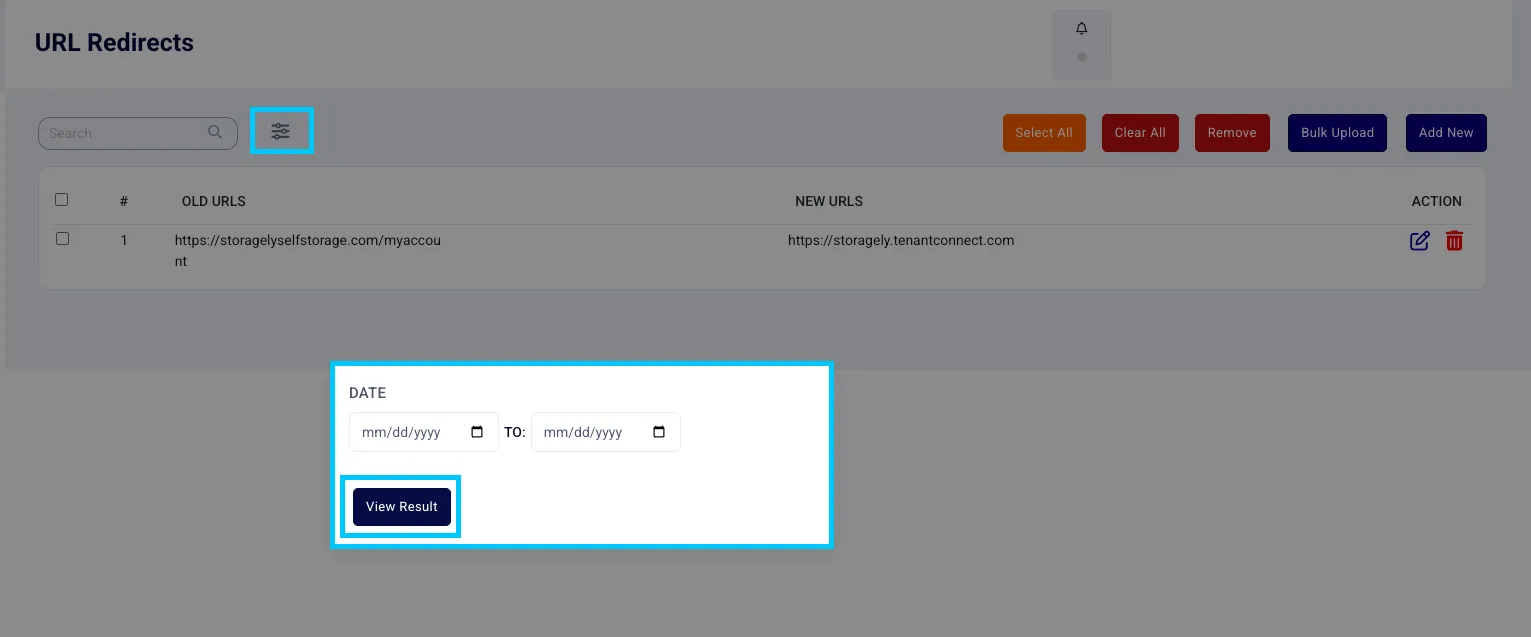
Filtering by Date
To filter redirects created within a certain date range:
- Click the filter icon (sliders).
- Choose a “From” and “To” date.
- Click “View Result” to apply the filter.
Best Practices for URL Redirects
- Always test redirects after creating them.
- Redirect URLs that are no longer active or were changed due to rebranding, restructuring, or content updates.
- Keep your redirect list clean—remove outdated ones that are no longer in use.
- Avoid redirect chains (URL A → B → C). Redirect A directly to C where possible.
- Monitor web traffic for 404 errors and set up redirects where necessary.
Common Use Cases
- Rebranding or changing page names
- Consolidating duplicate content
- Fixing typos in previously published URLs
- Redirecting legacy URLs from previous systems or platforms
Troubleshooting
- Old URL not redirecting?
- Make sure it matches exactly what users would visit (including www or non-www).
- New URL not loading?
- Ensure the destination URL exists and is live.
- Redirect not saving?
- Check for formatting issues or duplicate entries.
As always, if you have any questions during this process, our Customer Success Team is here to help. The best way to reach us is by submitting a support ticket.
Have a question?
Our super-smart AI, knowledgeable support team and an awesome community will get you an answer in a flash.
To ask a question or participate in discussions, you'll need to authenticate first.