How to Ensure Customers Can Complete Checkout When Insurance Is Not Required or Available:
Overview:
If your facility offers parking units (such as vehicle, RV, or boat storage), customers may encounter issues completing the online checkout process when insurance is not allowed for the unit type. This article explains how to configure your Storable Edge settings so customers can complete checkout successfully when insurance is not available.
Why This Happens
In Edge, insurance can be globally required for all rentals. However, this setting can interfere with the checkout process for parking or vehicle storage units, which typically don’t require insurance. If parking units aren’t properly excluded, customers may be blocked from completing their rental online.
How to Ensure Customers Can Check Out Successfully
Follow the steps below to ensure your settings are properly configured so customers can complete checkout without issues.
1. Confirm the Insurance Requirement Is Enabled
- Log in to your Storable EDGE account.
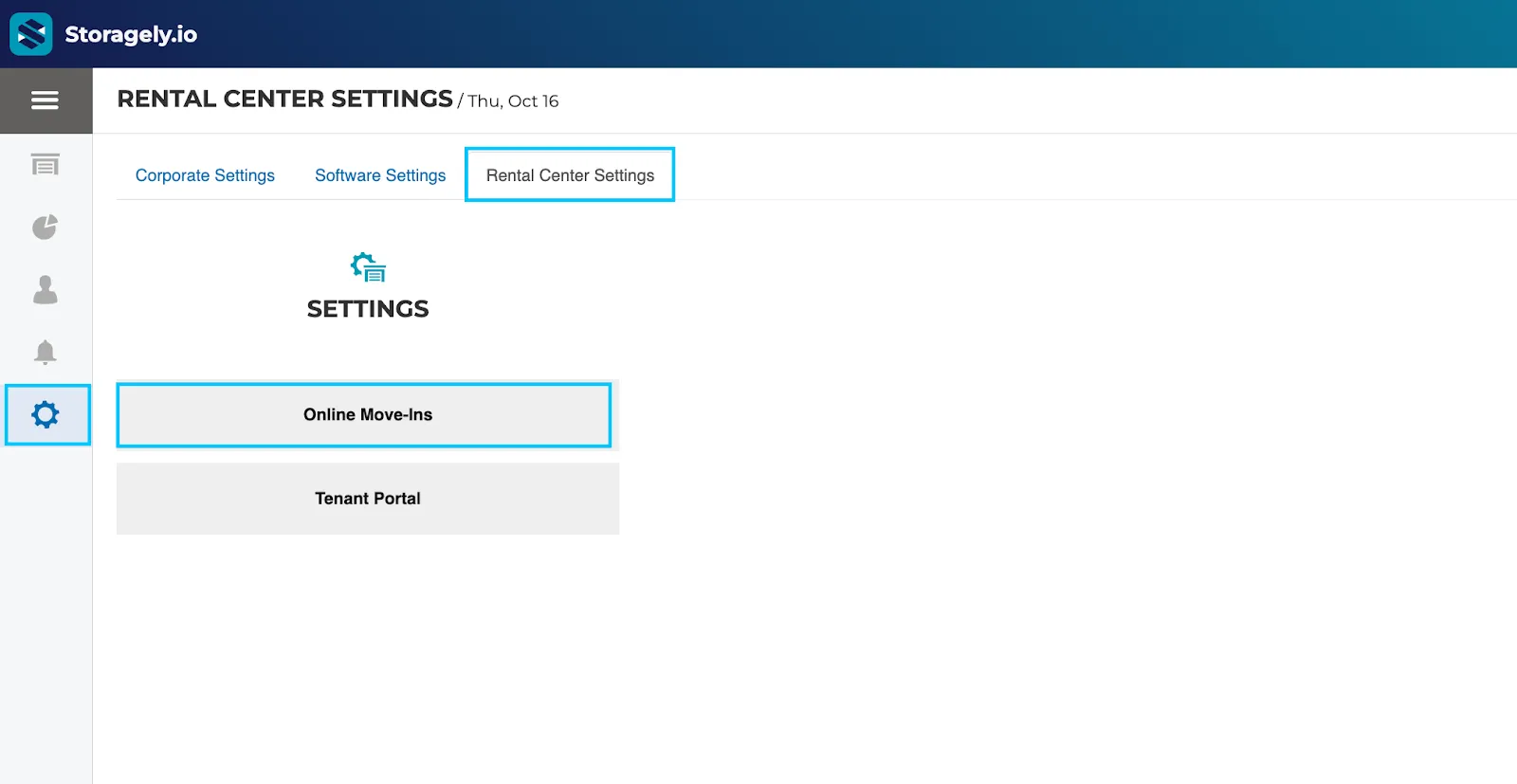
- Navigate to Settings > Rental Center Settings Tab > Select “Online Move-Ins”.
- Scroll down to confirm that ‘Require insurance for move-in’ is set to Yes.
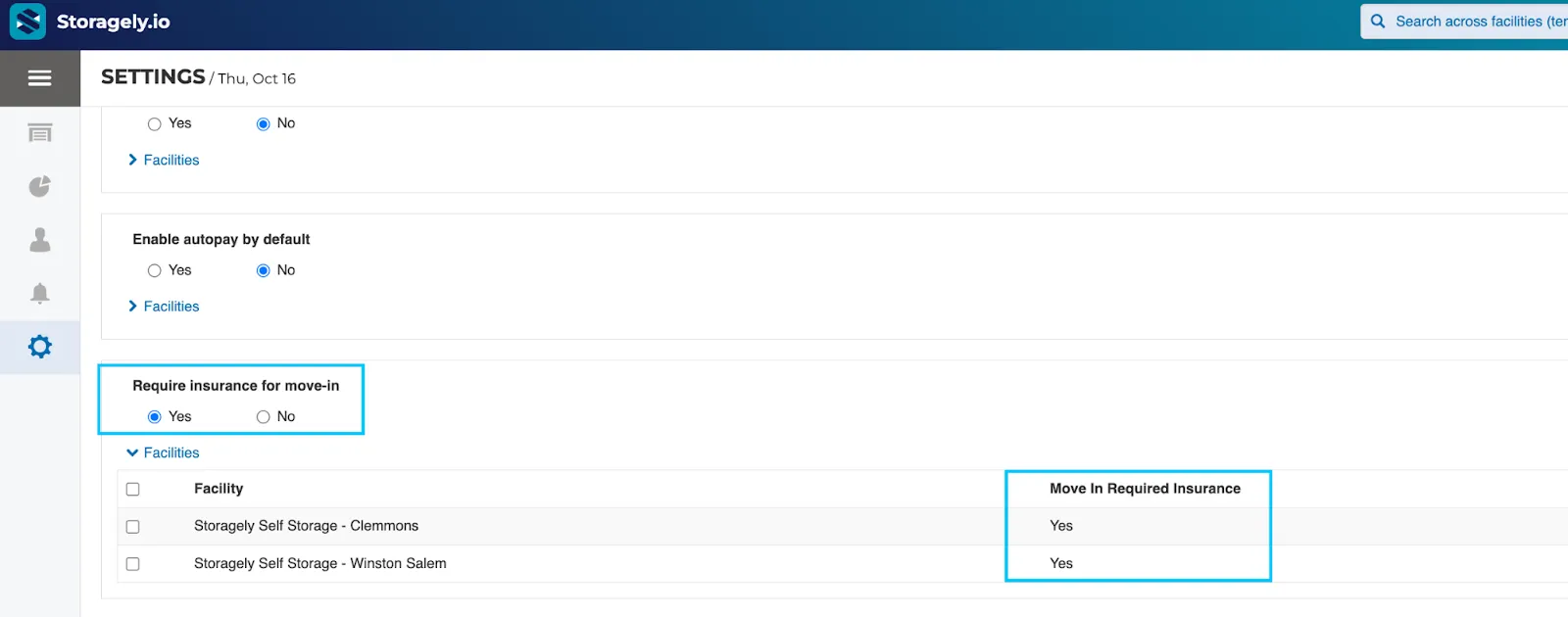
✅ This ensures insurance remains mandatory for standard self-storage units, while allowing you to create exceptions for parking unit types.
2. Exclude Unit Types from the Insurance Requirement (if applicable)
- Log in to your Storable EDGE account.
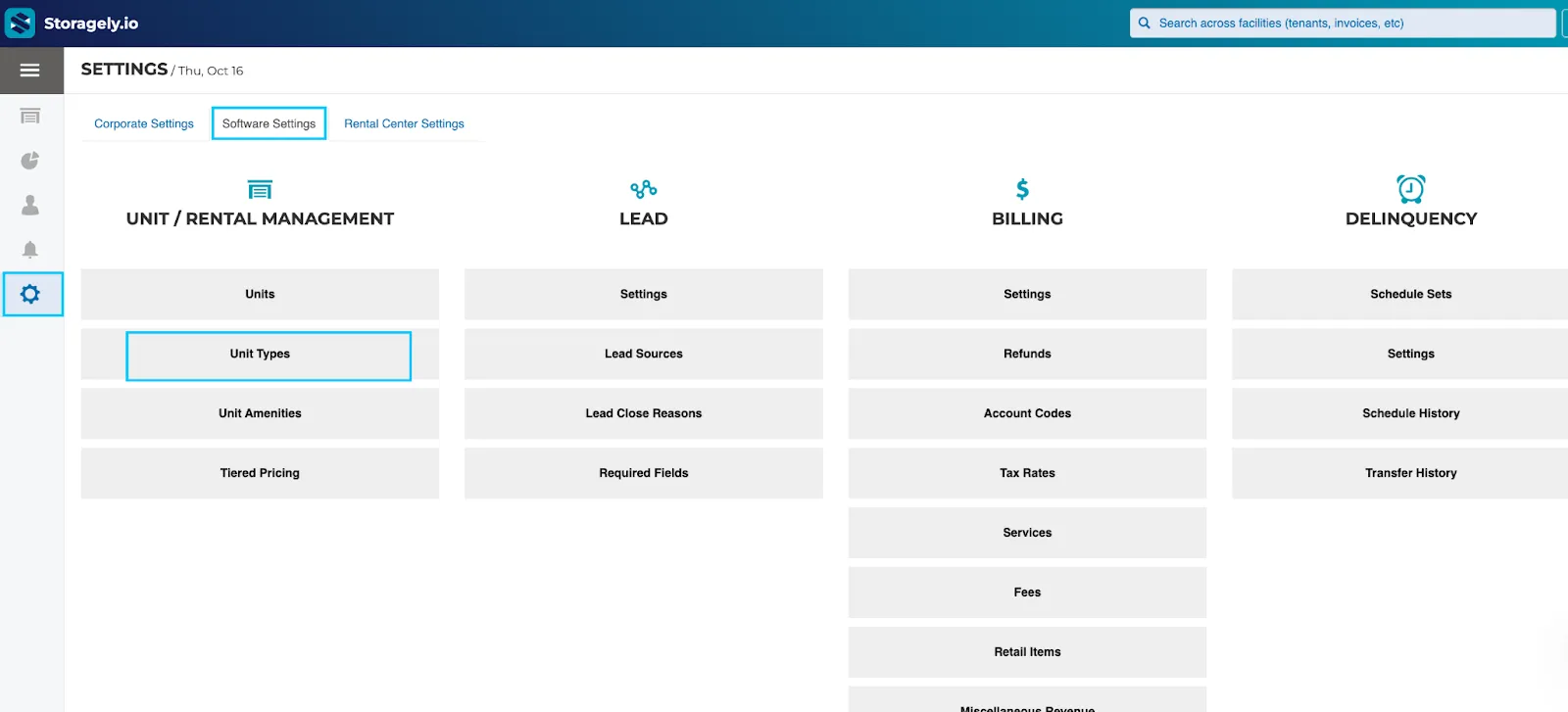
- Go to Settings > Software Settings > Unit Types.
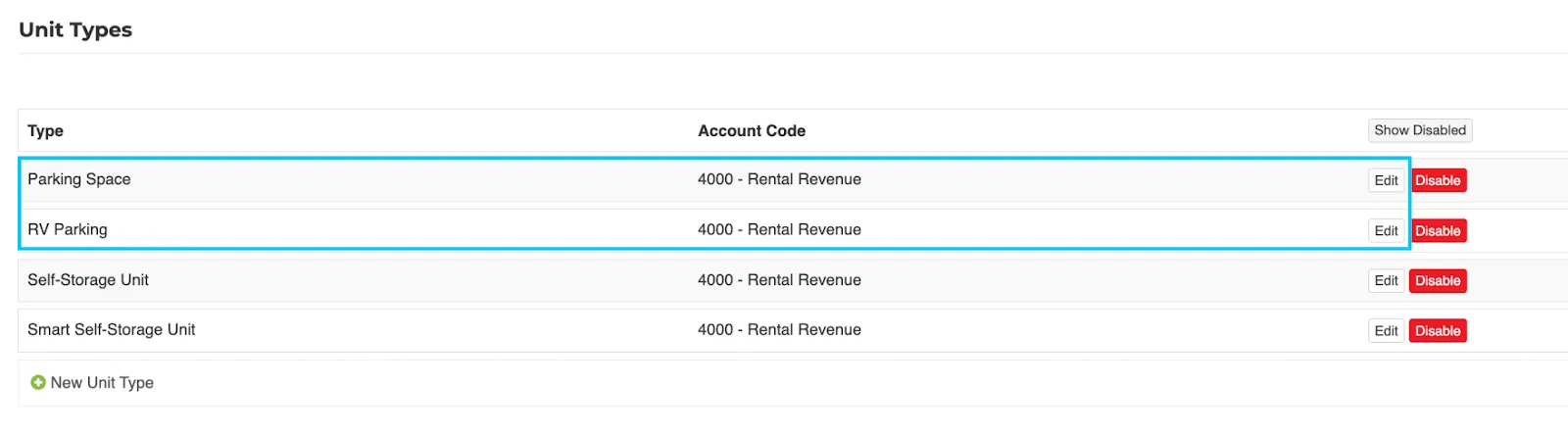
- Locate your unit type (e.g., Outdoor Parking, RV Storage, Boat Storage) > Click Edit.
- Find the Exclude from Insurance Requirement > Uncheck the box to exclude this unit type from insurance requirements > Click Save Changes.
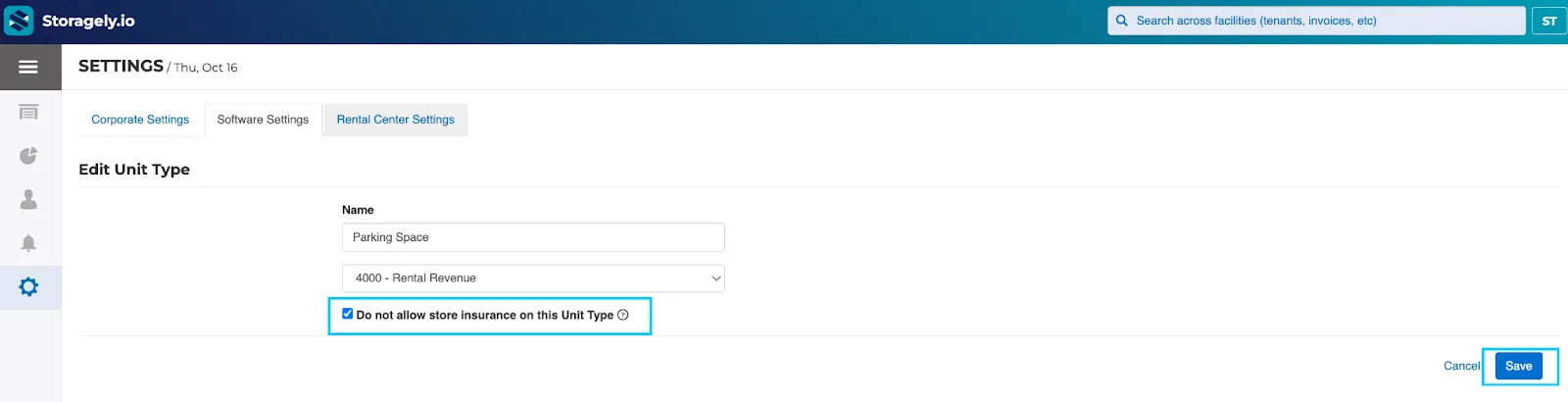
3. Allow Tenants to Provide Their Own Insurance
If you allow customers to use their personal insurance instead of purchasing a facility policy, confirm this option is turned on:
- Log in to your Storable EDGE Corporate account.
- Go to Settings > Software Settings tab > Insurance.
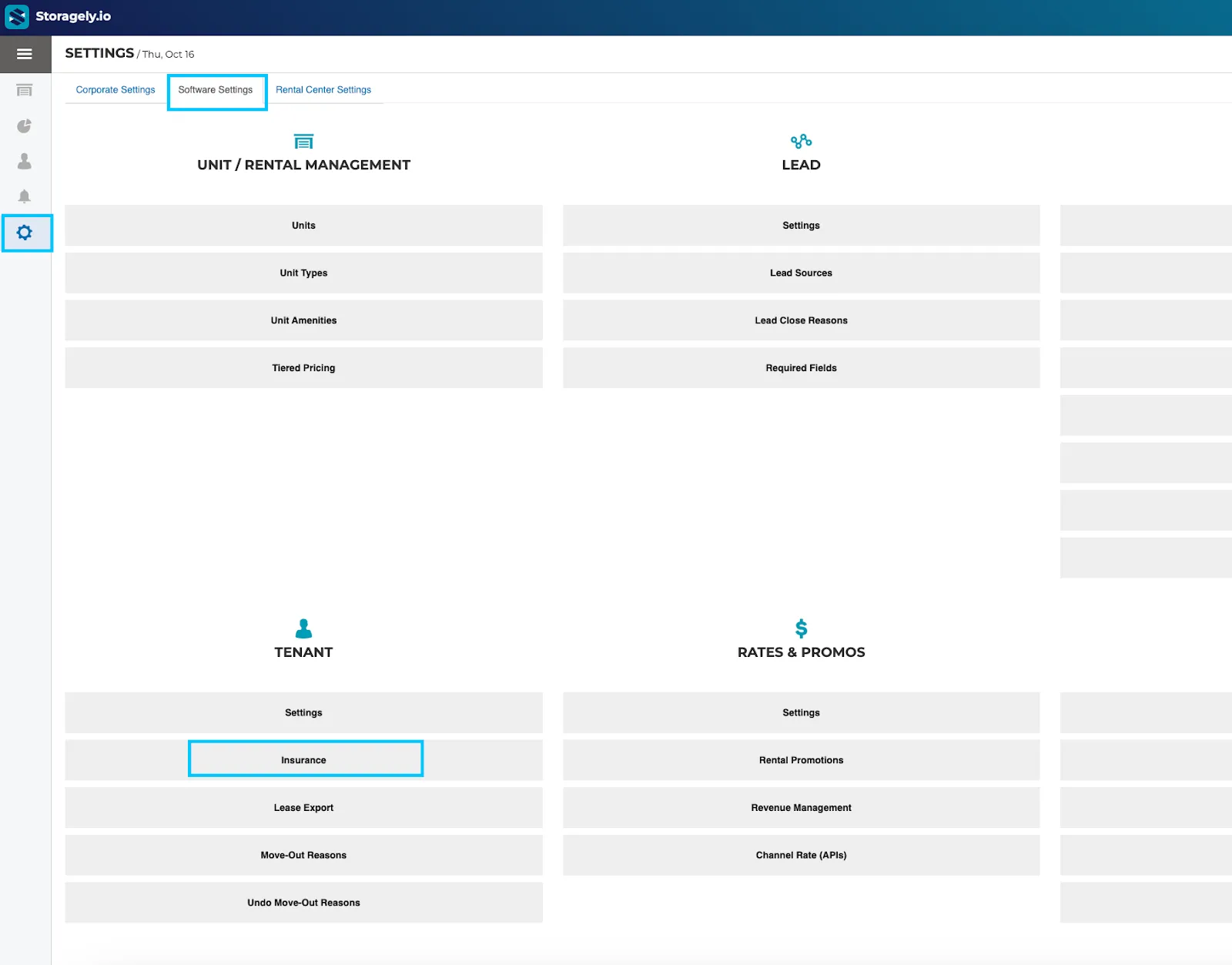
- Click on the ‘Settings’ tab > Verify that Allow Tenants to Provide Their Own Insurance is set to Yes. Save your changes.
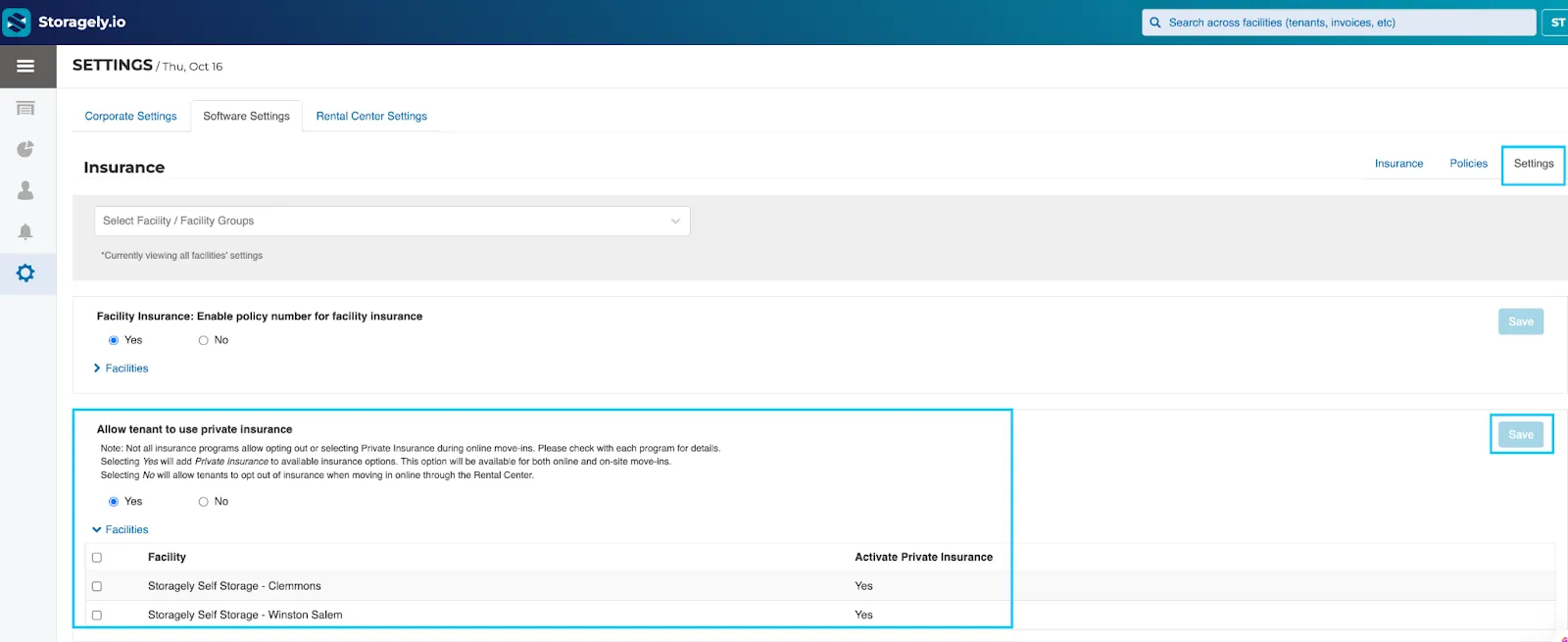
✅ This ensures that tenants can still complete checkout by entering their own policy details, even if they’re renting a unit type that typically requires insurance.
4. Enable “I Have My Own Insurance” in the Storagely Dashboard
If your facility allows tenants to use their own insurance, make sure this option is available during checkout in the Storagely dashboard:
- Log in to your Storagely Dashboard.
- Navigate to Settings > Rental System tab > Choose the location from the drop-down menu.
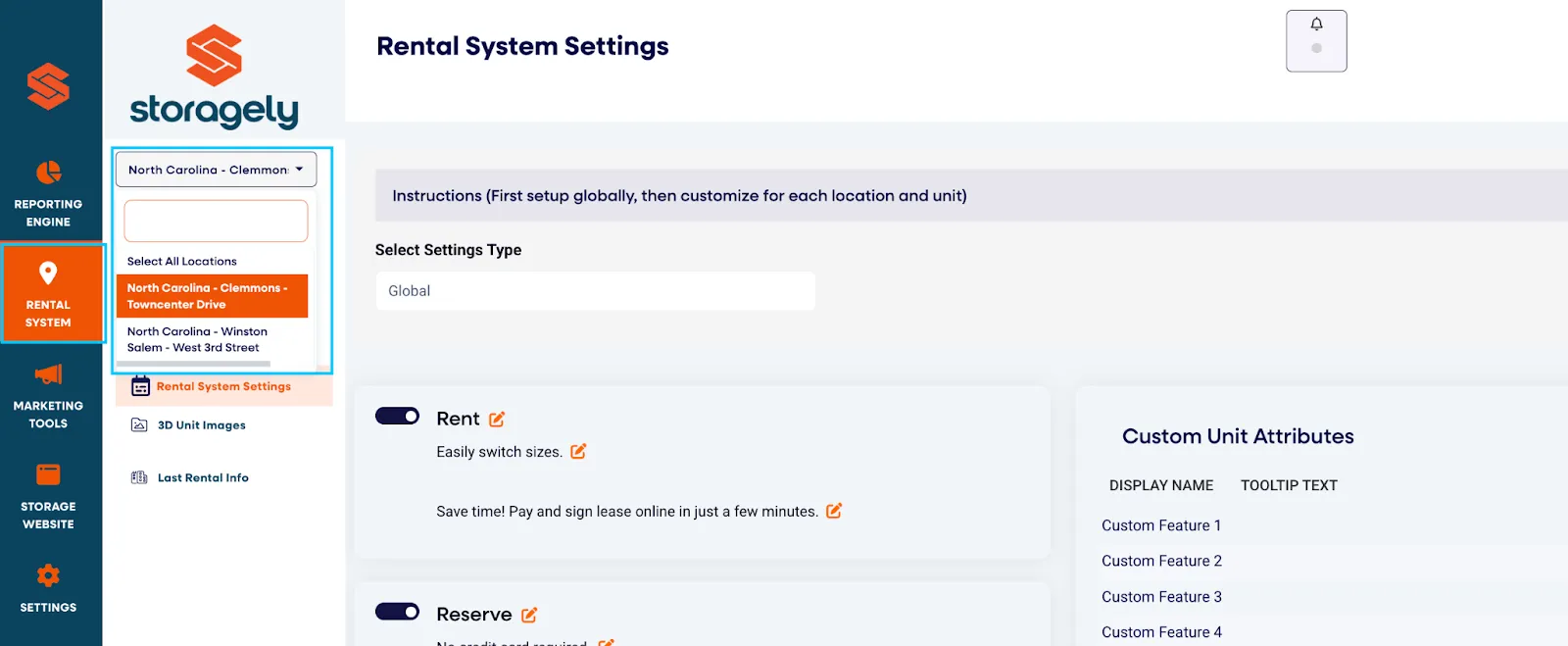
- Click on the “Location Settings” tab and scroll down to locate the “I will provide my own insurance” toggle on the right side of the screen. Ensure it's toggled “On”. Save your settings.
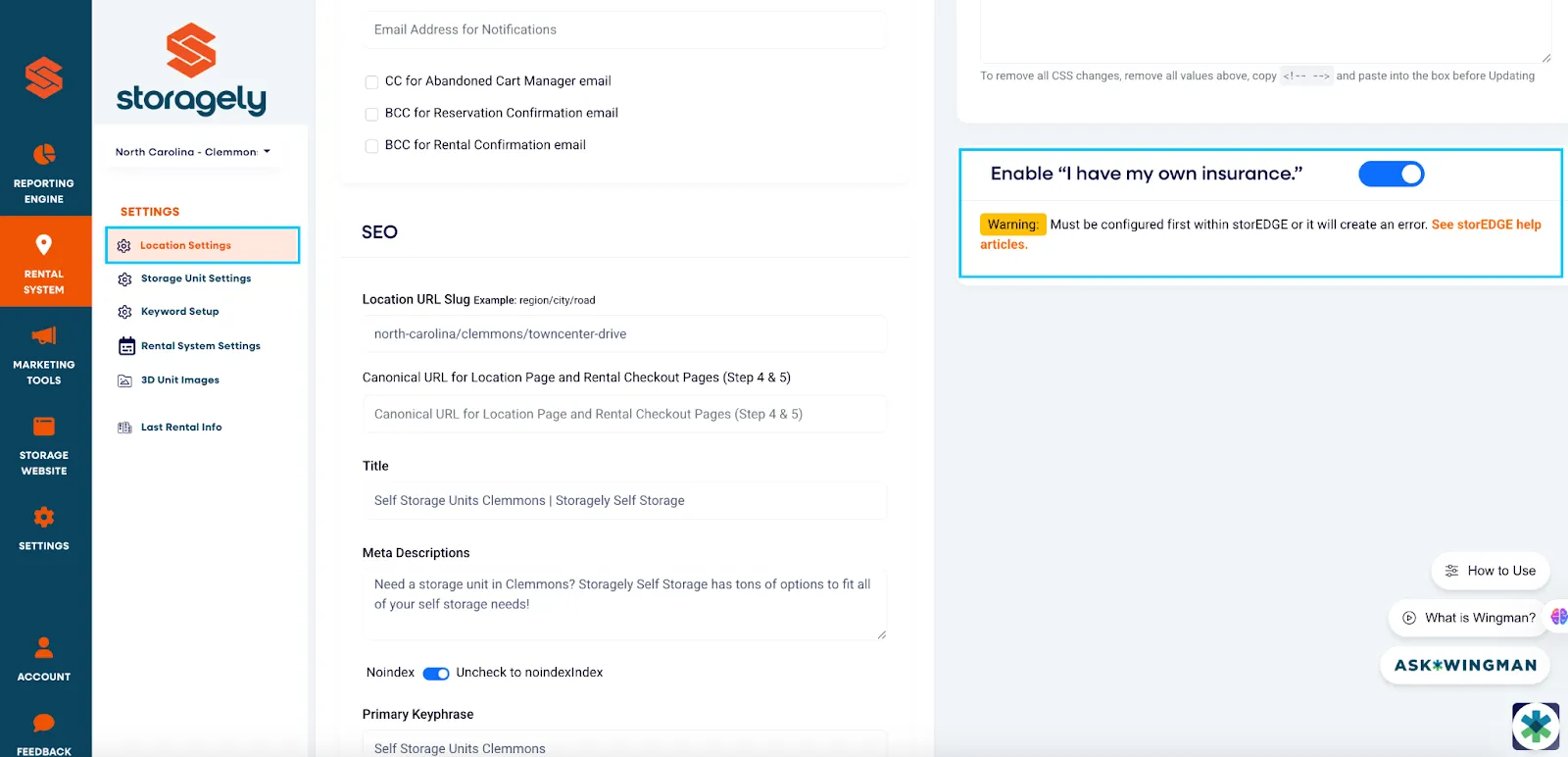
After making your changes, navigate to the Settings tab in the Storagely Dashboard.
- Click Data Sync from the left-hand menu.
- At the top of the page, click the ‘Synchronization’ button under Sync Storable EDGE Locations.
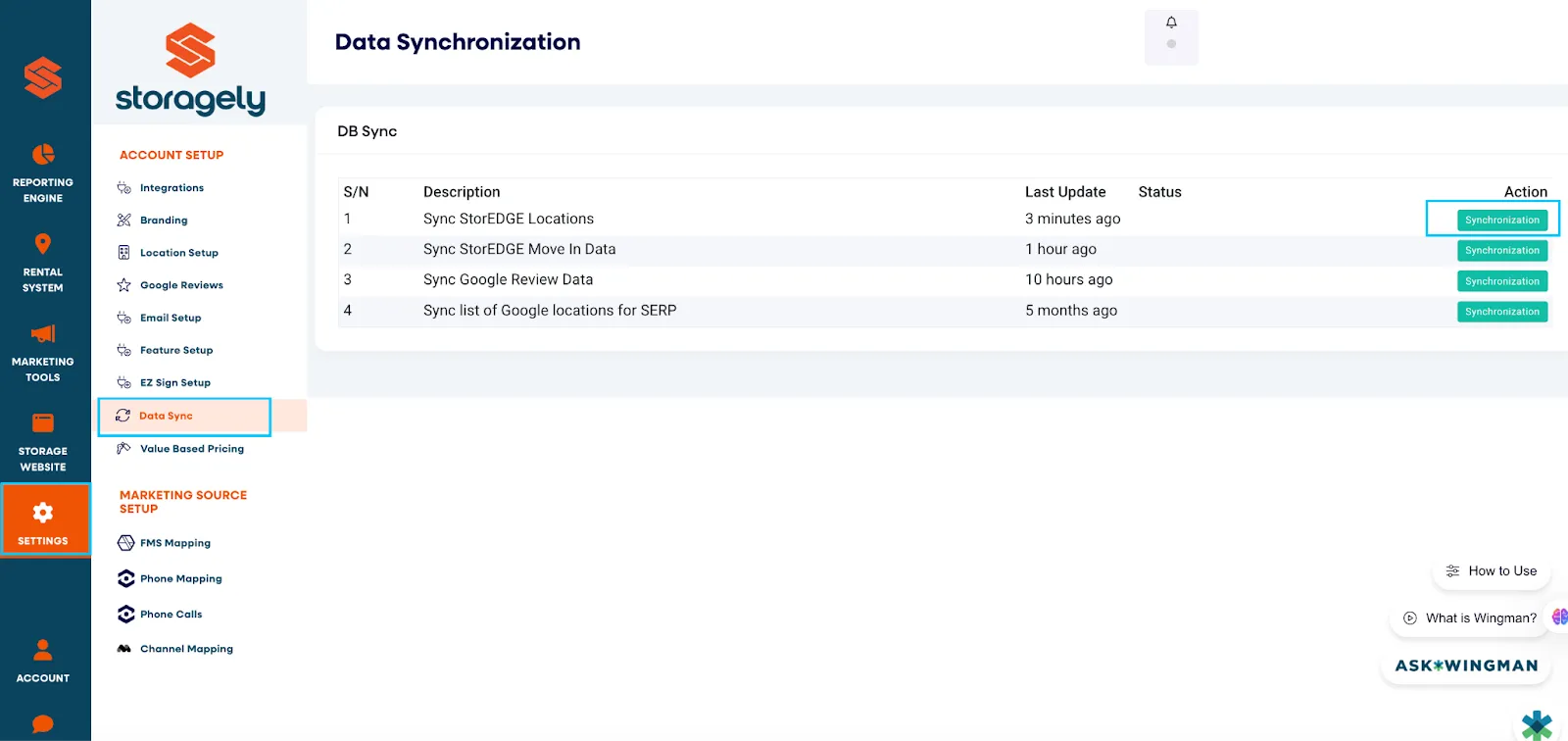
🕒 This may take a few minutes, depending on the number of locations. Once complete, your updated settings will be reflected on your website.
Once enabled, tenants will see the option “I have my own insurance” during checkout, allowing them to continue without selecting one of your offered insurance plans.
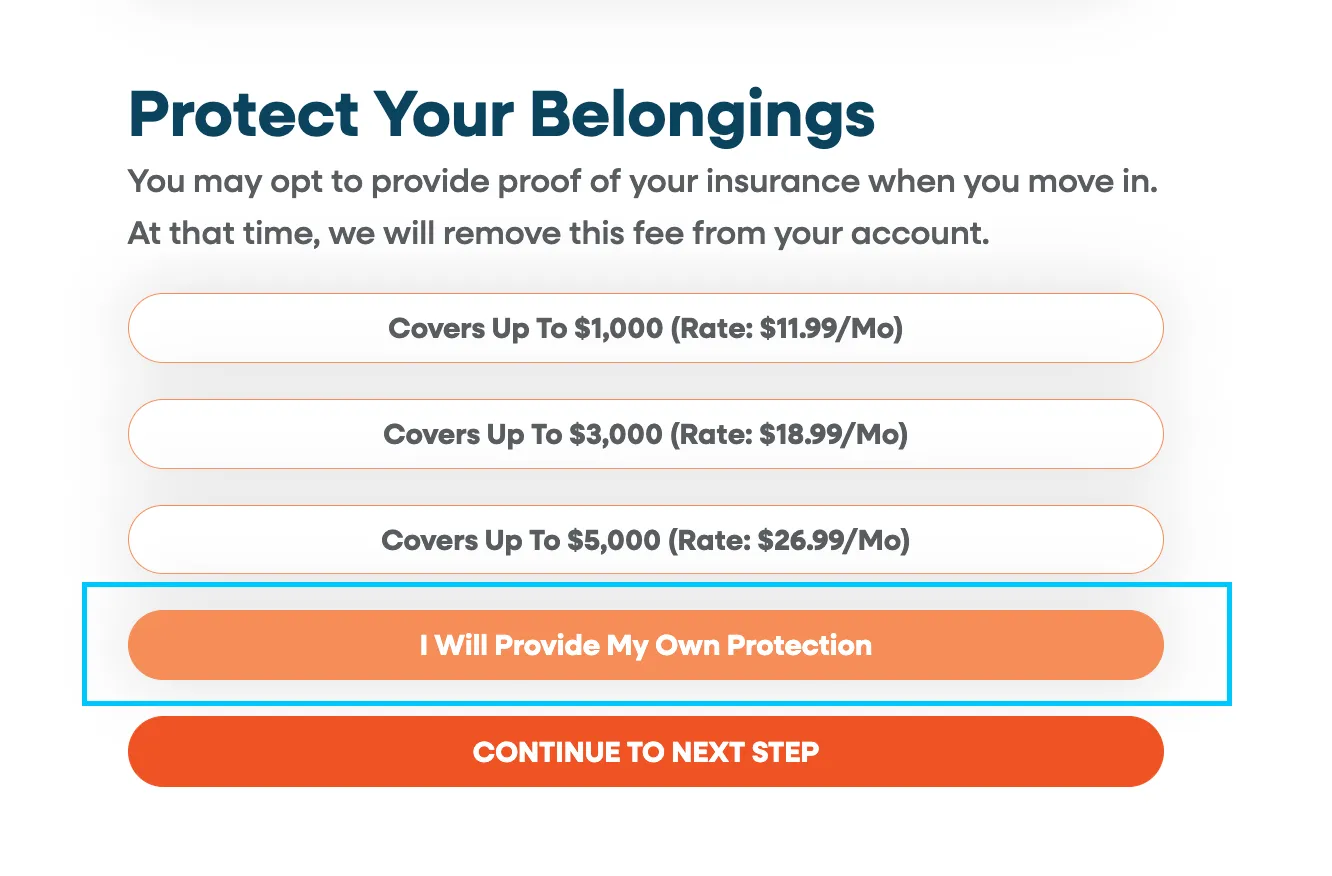
🧪 Test the Checkout Flow After Making Changes
After updating your insurance or unit type settings, perform a test rental through your website to confirm that the checkout process works as expected.
✅ Use a unit that previously had issues. ✅ Check that customers can proceed without insurance (for parking units) or are prompted correctly (for storage units).
This helps ensure that customers won’t encounter errors during the checkout process.
Best Practices
✅ Regularly review your unit type and insurance configurations—especially after adding new units or categories.
✅ Train staff to understand how insurance exceptions work so they can assist customers quickly.
✅ Document all configuration changes for internal tracking and audit purposes.
✅ Re-test rental flow anytime you make significant edits to insurance or unit type settings.
Summary
To ensure customers can complete checkout when parking insurance isn’t available:
✅ Keep Require Insurance for Move-In set to Yes in Edge.
✅ Exclude parking unit types from the insurance requirement (if applicable).
✅ Enable the option to allow tenants to use their own insurance.
✅ Run a data sync to reflect changes on your live website.
✅ Test the rental flow to confirm checkout works as expected.
With these configurations, customers can successfully complete checkout for parking units while maintaining required insurance for standard storage units.
As always, if you have any questions during this process, our Customer Success Team is here to help. The best way to reach us is by submitting a support ticket.