Troubleshooting Payment Processing Issues in Your Rental System
Troubleshooting Payment Processing Issues in Your Rental System
Storagely’s rental system is designed to collect customer payment information and securely pass it to your Facility Management Software (FMS) for processing. Storagely does not process payments directly.
If a payment fails, it’s important to understand where the issue originates and how to troubleshoot it effectively. This article will guide you through:
- What happens during the payment process
- Common reasons for payment errors
- Step-by-step troubleshooting
- When and how to escalate to your payment processor or FMS
🔄 How Payment Processing Works
When a tenant submits a payment through your Storagely rental system:
- The tenant enters their payment information (e.g., credit card).
- Storagely securely passes that information to your FMS.
- Your FMS handles payment processing using your configured payment processor.
Storagely does not process or authorize payments. We act as a bridge between your customer and your FMS.
⚠️ Common Causes of Payment Failures
Most payment issues are caused by problems with the customer’s payment method, such as:
- ❌ Insufficient funds
- 💳 Expired card
- 🔢 Incorrect card number or CVV
- 📍 AVS mismatch (billing address doesn’t match bank records)
- 🚫 Bank declined the transaction
🛠 Basic Troubleshooting Steps
Follow these steps before escalating to your payment processor:
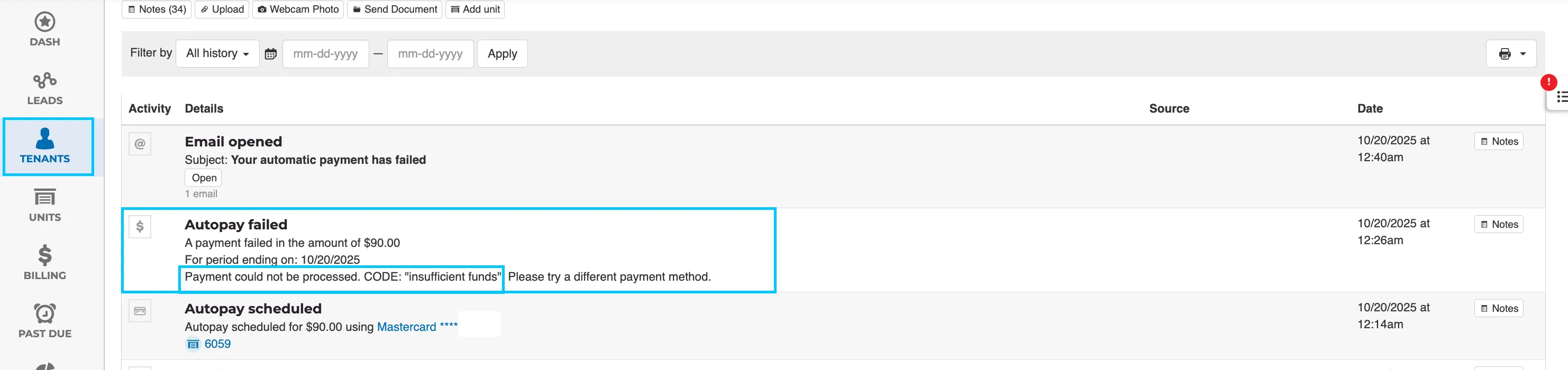
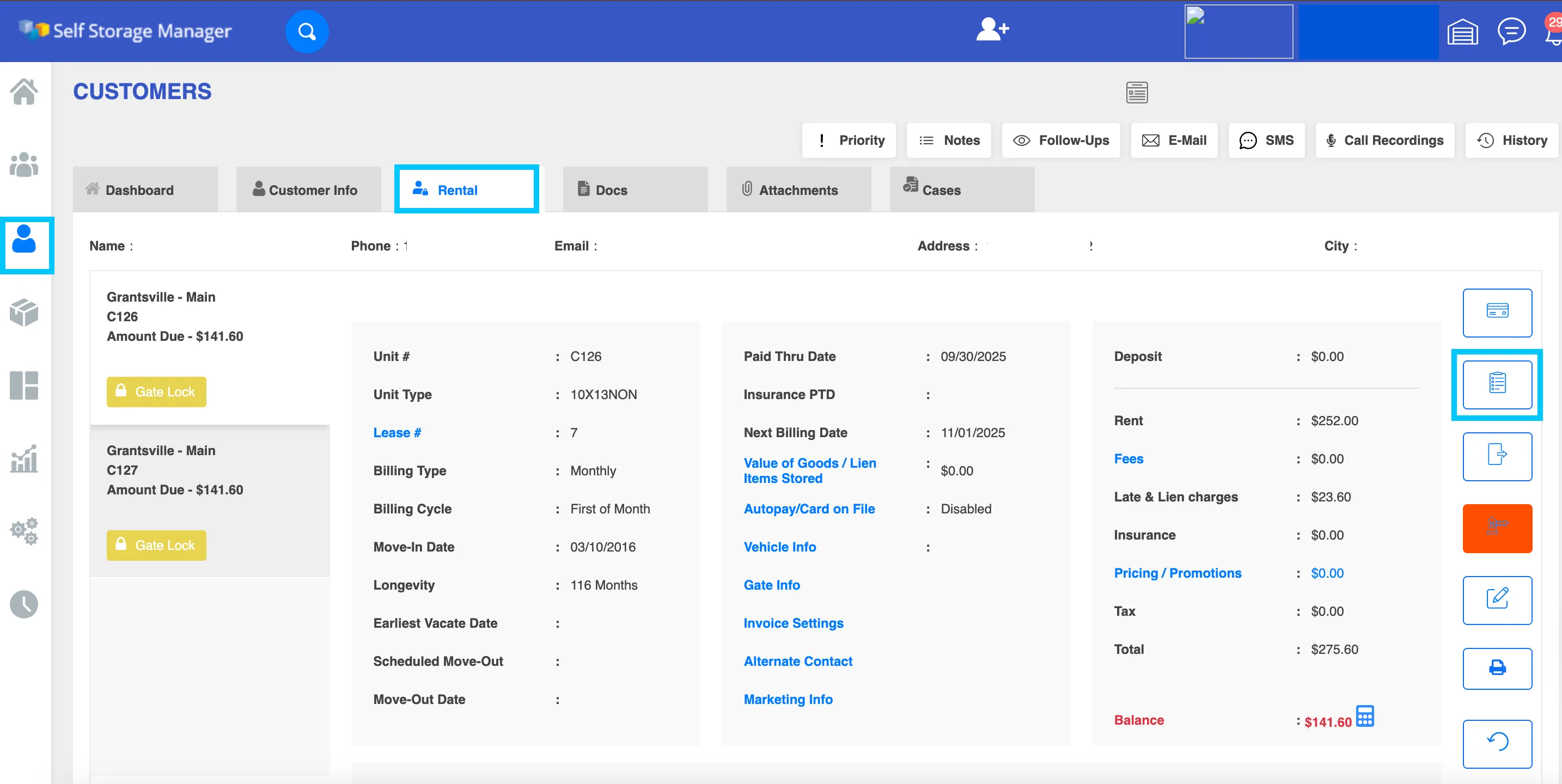
1. Review the Tenant’s Account
- Open the tenant’s profile in your FMS.
- Look at the ledger or transaction history.
- Note the error code or message returned from the processor.
Storable EDGE:
Self Storage Manager:
2. Confirm Customer Card Details
Ask the tenant to:
- Confirm their card is not expired
- Ensure sufficient funds are available
- Double-check that the card number, expiration, CVV, and billing address are accurate
If the issue appears related to incorrect or declined payment methods, the tenant will need to use a different card or contact their bank.
3. Confirm Issue Is Not Tenant-Related
Once you’ve verified the customer’s payment method is not the cause, gather the following:
- Error code and description
- Timestamp of the attempted transaction
- Tenant name and unit number
- Any other relevant details from the transaction record
📞 Contact Your Payment Processor or FMS
If the issue is not with the customer’s card, your next step is to contact your payment processor for help with resolving the error.
Use the links below based on your FMS:
🧩 Storable SiteLink or Storable Edge
Storable provides dedicated payment support at the link below: 👉 https://www.storable.com/support/
🧩 Self Storage Manager (SSM)
Support for payment processing and FMS issues is available here: 👉 https://www.selfstoragemanager.com/contents/Support.aspx
✅ Summary
- Storagely does not process payments—your FMS and payment processor handle this.
- Most payment issues are related to customer card problems.
- Always review the tenant’s ledger and error codes first.
- If it’s not a card issue, escalate to your FMS or payment processor with full details.
As always, if you have any questions during this process, our Customer Success Team is here to help. The best way to reach us is by submitting a support ticket.