Customers & Prospects (For Administrators & Internal Team Members)
1. Overview
The Customers & Prospects section in the Storagely Dashboard is designated exclusively for use by Storagely team members. This section provides tools to manage customer and prospect data, including subscription details, contact information, and account settings.
Important Notice:
- This section is NOT accessible to facility operators.
- All modifications and data management are handled by Storagely internal team members.
2. Accessing the Customers & Prospects Section
Since this feature is restricted, only authorized Storagely administrators can access it.
Steps to Access Customers & Prospects
- Log in to the Storagely Dashboard.
- Navigate to Account Settings > Customers & Prospects.
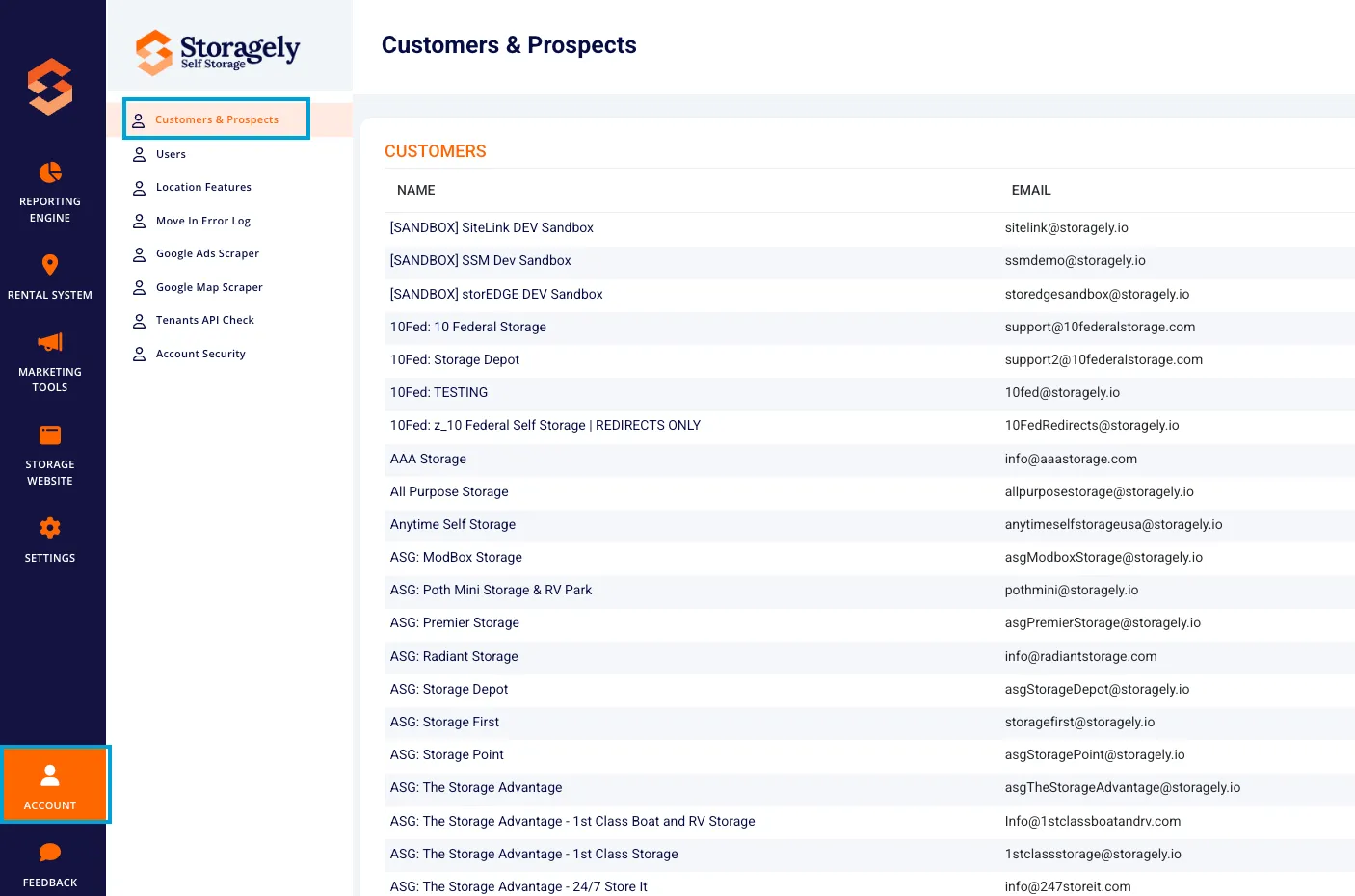
- If access is denied, contact a Storagely system administrator.
3. Managing Customers & Prospects in Storagely
A. Viewing Customer & Prospect Data
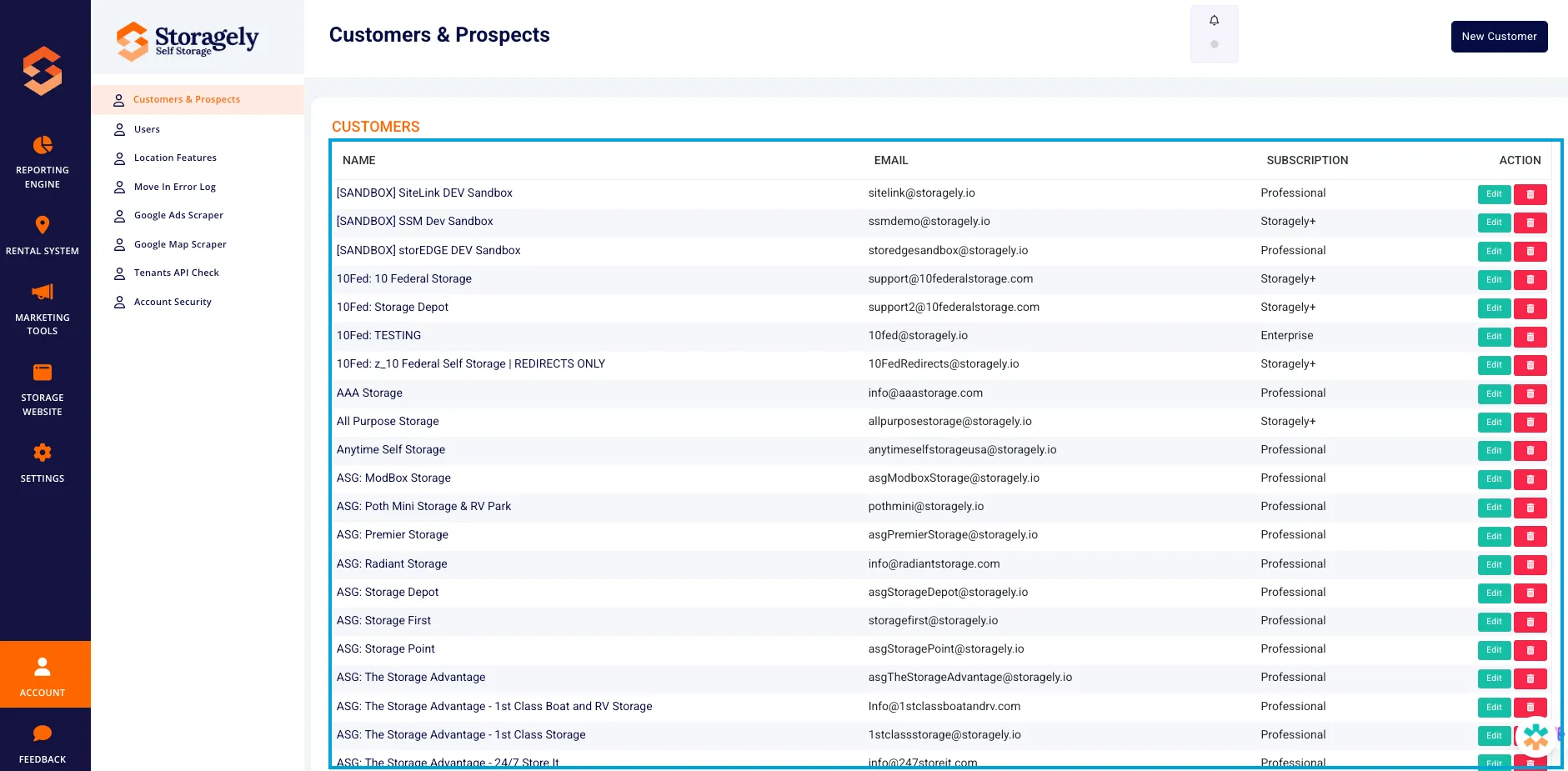
The Customers & Prospects section displays a list of all active accounts with the following details:
- Name – The full name of the customer or prospect.
- Email Address – The registered email address for the account.
- Subscription Plan – The service level (e.g., Starter, Professional, Enterprise, Storagely+).
B. Adding a New Customer or Prospect
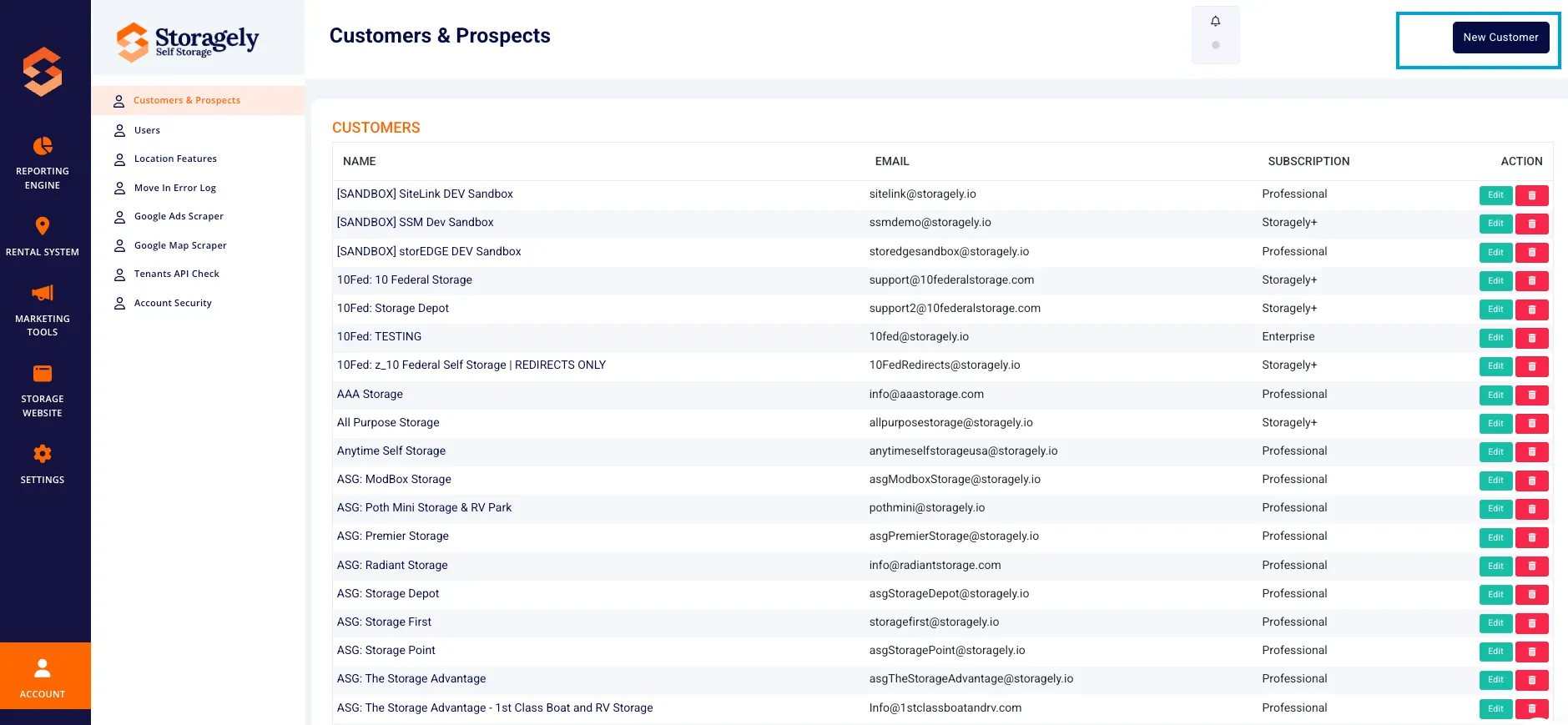
- Click “New Customer” in the top-right corner.
- Fill in the following details:
- Name
- Email Address
- Country Code (e.g., USA, Canada)
- Customer Type (Customer or Prospect)
- Subscription Plan
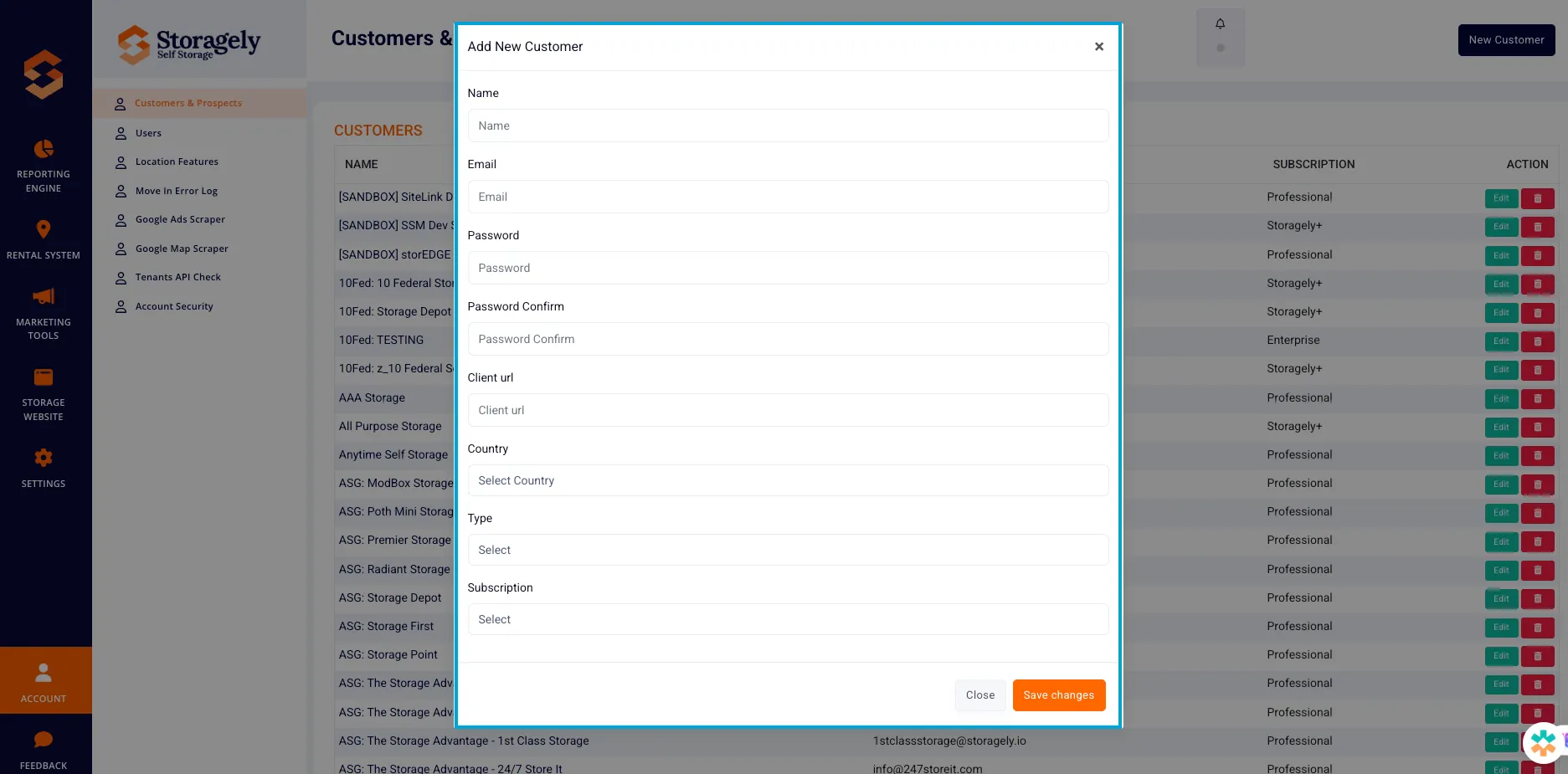
- Click Save Changes to create the new account.
C. Editing Customer Information
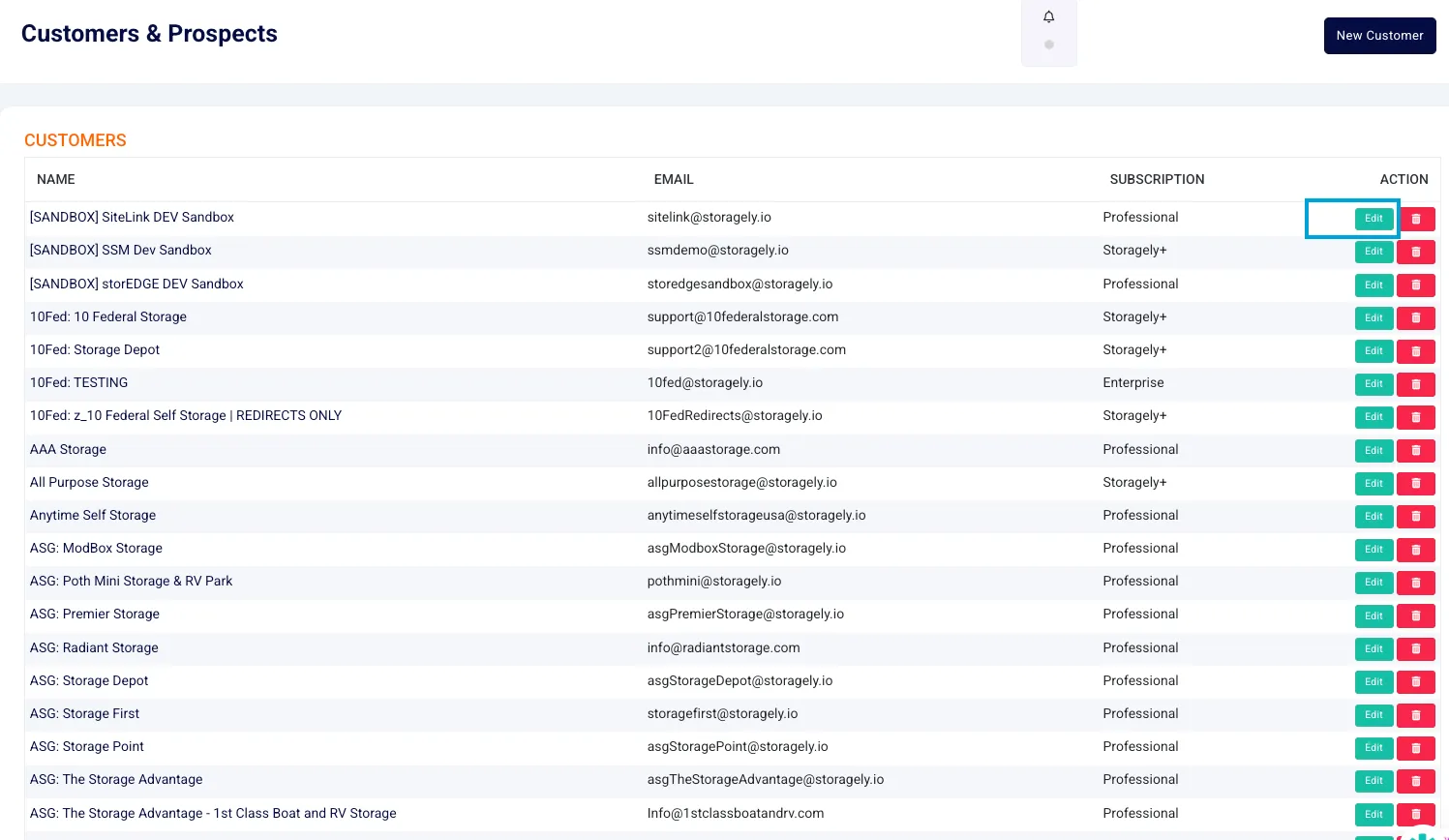
- Locate the customer in the list.
- Click Edit next to their name.
- Modify necessary details, such as email address, subscription level, or customer type.
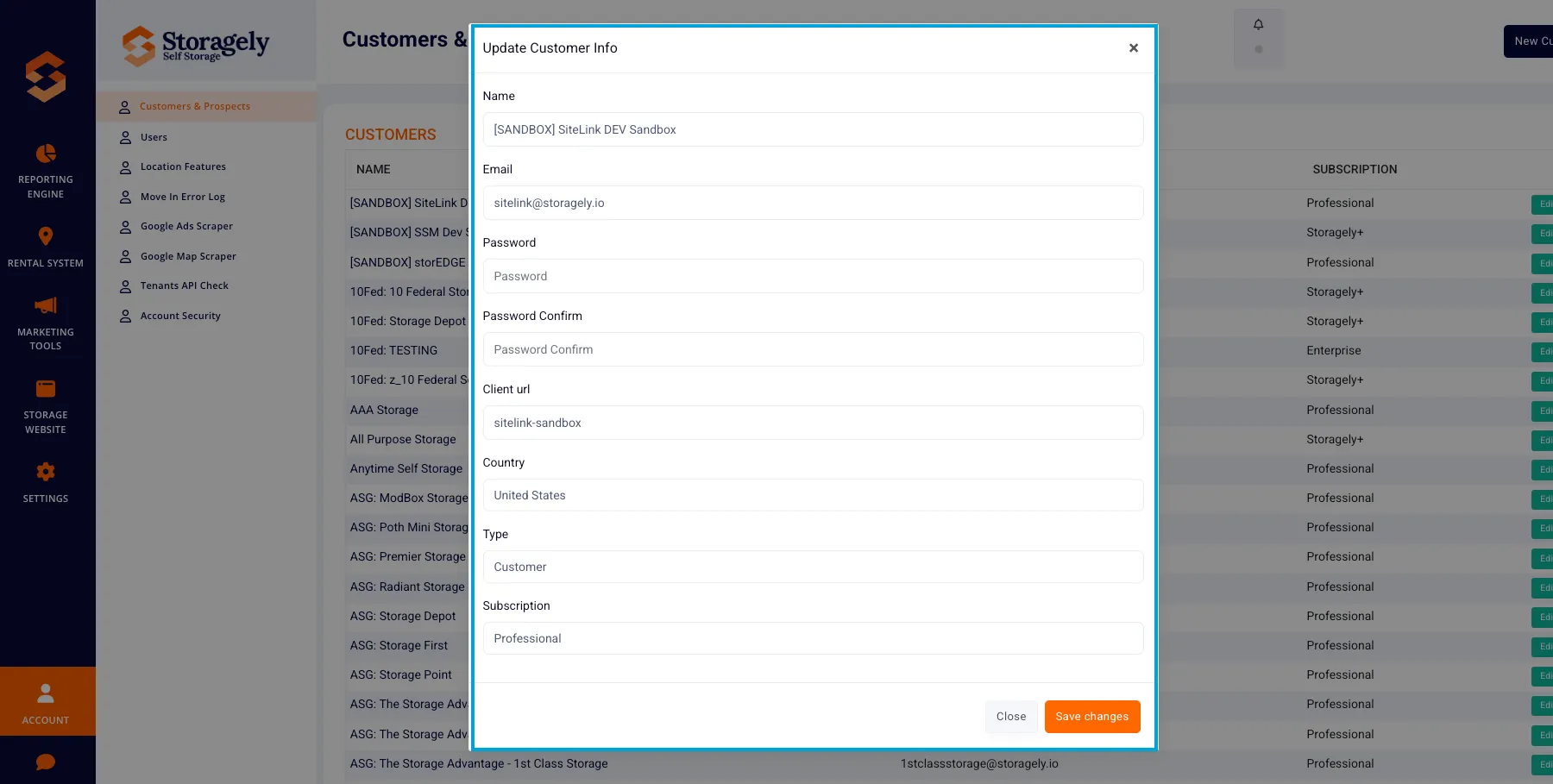
- Click Save Changes to apply updates.
D. Deleting a Customer or Prospect
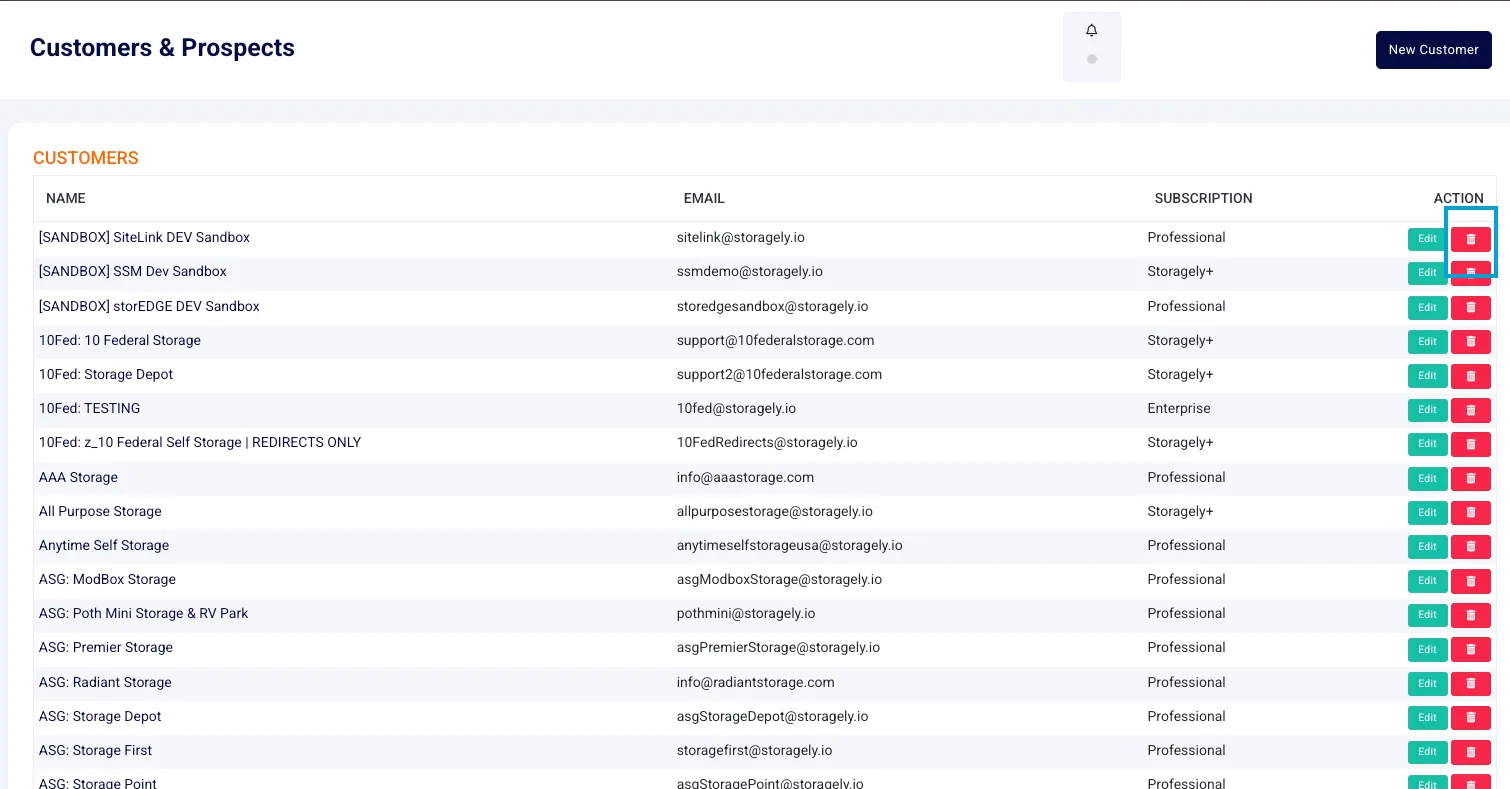
- Select the customer from the list.
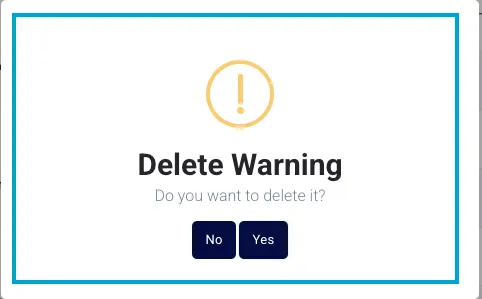
- Click Delete and confirm the action. ⚠ Note: Deleting a customer removes all associated data permanently.
4. Subscription & Account Management
A. Updating Subscription Levels
Administrators can update a customer’s subscription plan:
- Select a customer.
- Click Edit and adjust their Subscription Plan.
- Click Save Changes.
5. Troubleshooting & FAQs
Issue | Possible Cause | Solution |
|---|---|---|
Cannot Access Customers & Prospects | User permissions not enabled | Contact a system administrator |
Changes Not Saving | Session timeout or access restriction | Refresh the page and reapply changes |
Subscription Not Updating | Data sync issue | Ensure the correct plan is selected and retry |
Customer Missing from List | Data filter applied | Check search filters and reset if needed |
6. Best Practices for Managing Customers & Prospects
✅ Only modify customer data when necessary to maintain data accuracy. ✅ Ensure customer type (Customer vs. Prospect) is correctly assigned. ✅ Regularly update subscription statuses to match service agreements. ✅ Do not share customer data externally to comply with privacy regulations.
For further assistance, please reach out to your direct supervisor.