Last Rental Information
1. Introduction
The Last Rental Information section in the Rental System Settings of the Storagely Dashboard provides facility operators with a quick overview of the last rental activity for each storage location. This allows operators to monitor rental trends, identify inactive locations, and ensure their facilities are consistently renting units.
Important Note:
- This section does not provide full rental details such as tenant name, rental rate, or unit number—it only displays the location and the last recorded rental time.
- Users can sort this data in ascending or descending order by Location or Last Unit Rent time.
2. Navigating to Last Rental Information
To access the Last Rental Information:
- Log in to your Storagely Dashboard.
- In the left sidebar menu, click on Rental System.
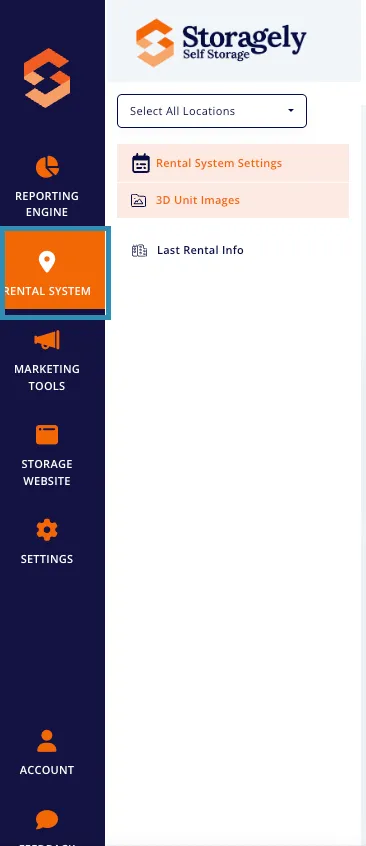
- Select Last Rental Information from the available options.
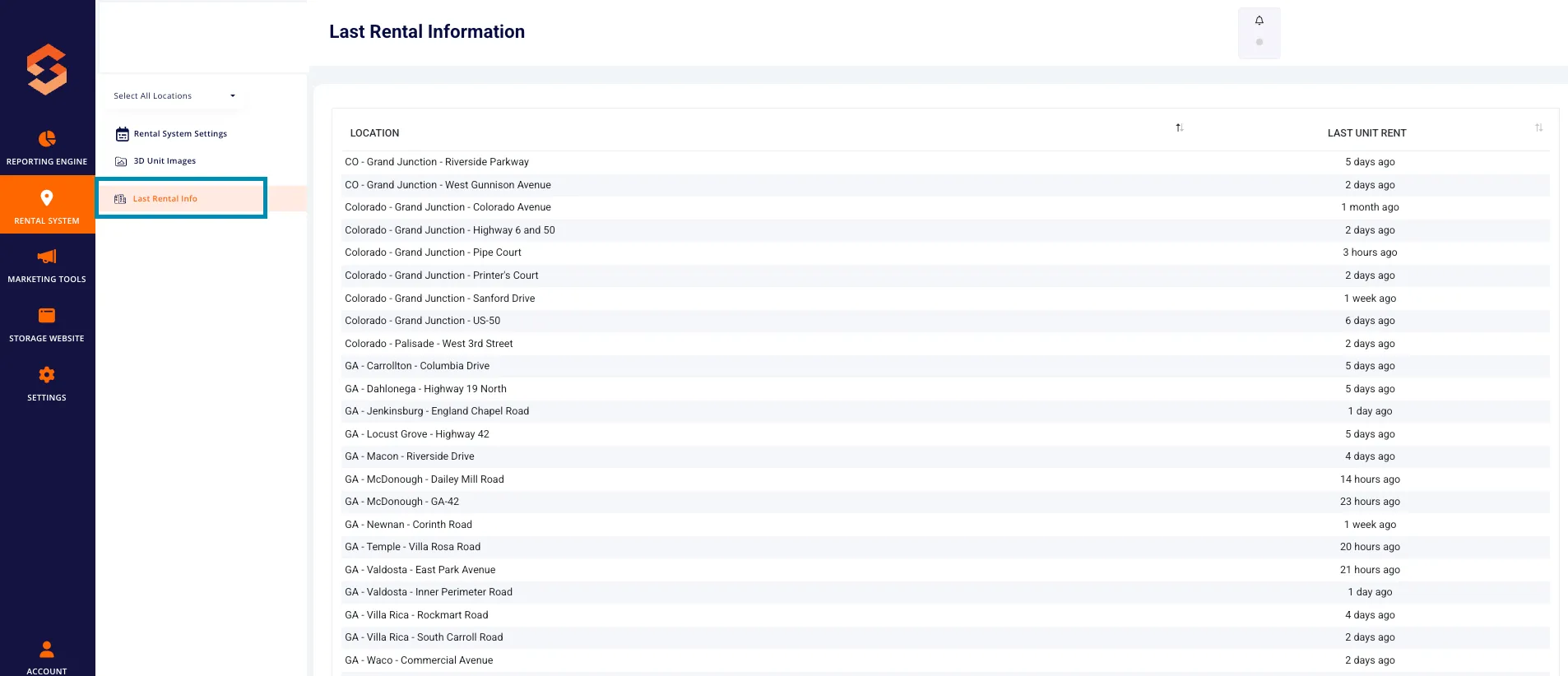
3. Understanding the Last Rental Information Interface
A. Key Data Fields
- Location – Displays the facility name and address.
- Last Unit Rent – Shows the last recorded rental time for that facility (e.g., "3 hours ago," "1 week ago," or "No rent").
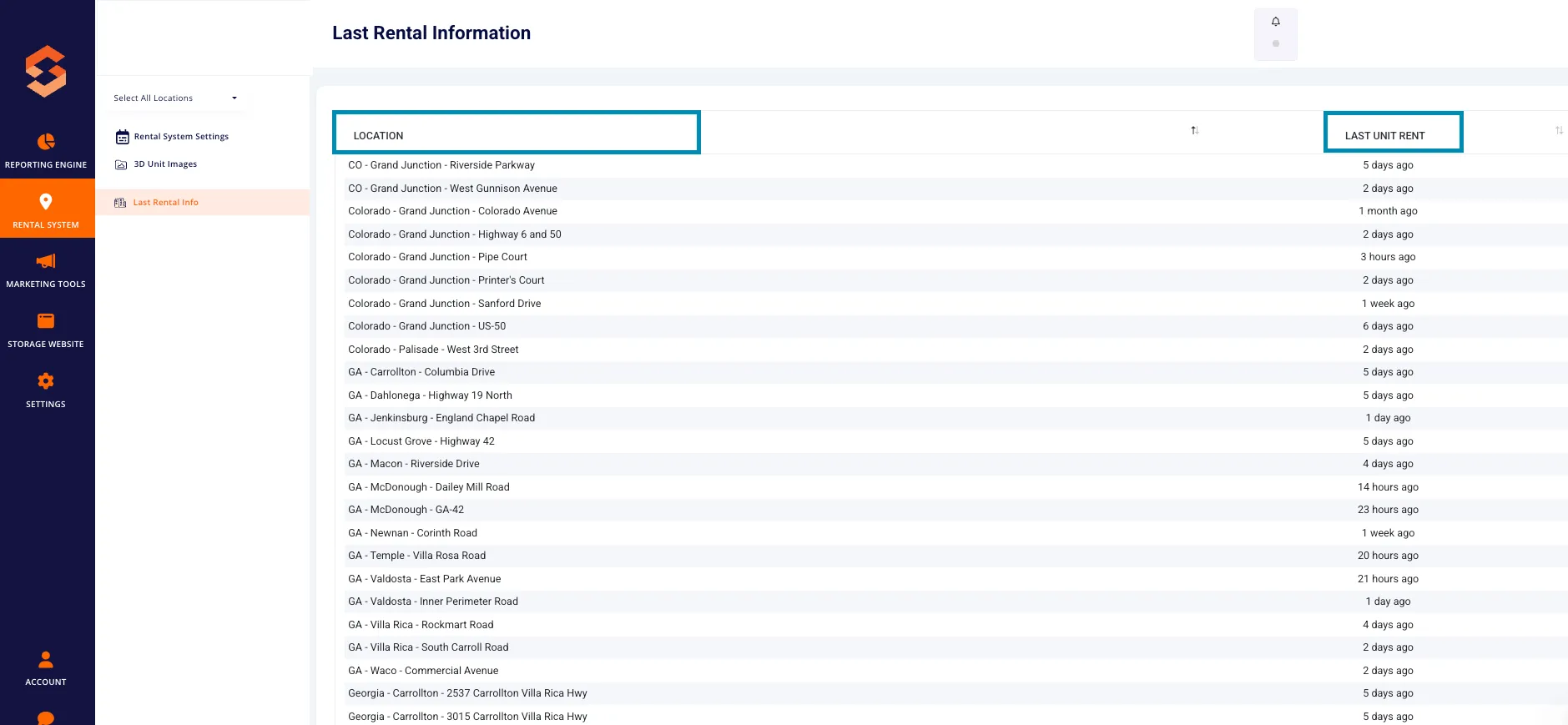
B. Sorting Data
Users can sort the table by:
- Location – Alphabetically in ascending or descending order.
- Location – Alphabetically in ascending or descending order.
4. How to Use the Last Rental Information Section
Step 1: Identify Recently Active and Inactive Facilities
- Locate facilities with a recent rental time (e.g., “1 hour ago,” “3 days ago”).
- Identify locations with no recent rentals (e.g., “1 month ago” or “No rent”) to investigate further.
Step 2: Sort by Rental Activity
- Click on the Last Unit Rent column header.
- Select descending order to see the most recently rented facilities first.
- Select ascending order to find locations that have not had recent rentals.
Step 3: Investigate Locations with No Recent Rentals
- If a facility shows “No rent”, verify:
- If the facility has available units.
- If pricing, promotions, or visibility settings need adjustments.
- If there are FMS sync issues affecting rental updates.
5. Troubleshooting Rental Data Issues
A. Facility Shows "No Rent" but Units Have Been Rented
- Check if FMS data sync has been completed.
- If the facility recently had a rental, run a manual sync in the FMS settings.
B. Rental Data Is Outdated
- Verify if rentals have occurred since the last sync.
- Check the last data sync time in the FMS settings.
- If necessary, contact Storagely Support for further assistance.
6. Best Practices for Monitoring Last Rental Information
✅ Regularly check rental activity to spot locations with declining rentals. ✅ Sort by “Last Unit Rent” to prioritize inactive locations. ✅ Use data insights to adjust marketing efforts for locations with fewer recent rentals. ✅ Ensure FMS sync is running correctly if rental data is missing.
7. FAQs & Troubleshooting
Q1: Can I see tenant names or rental amounts in this section? A: No, this section only displays location and last rental time.
Q2: What should I do if a facility has "No Rent"? A: Check unit availability, pricing, and promotions. Also, verify FMS sync status.
Q3: How often does the rental data update? A: Data updates occur after each sync with the FMS. Run a manual sync if information is outdated.
As always, if you have any questions during this process, our Customer Success Team is here to help. The best way to reach us is by submitting a support ticket.