Contact us Page Settings
1. Introduction
The Contact Us Page Settings section in the Standard Web Pages settings of the Storagely Dashboard allows facility operators to customize the contact page layout, branding, and content. This section ensures that customers can easily reach the business through phone, email, or online inquiry forms while maintaining a professional and informative website appearance.
2. Navigating to Contact Us Page Settings
To access the Contact Us Page Settings:
- Log in to your Storagely Dashboard.
- In the left sidebar menu, click on Storage Website.
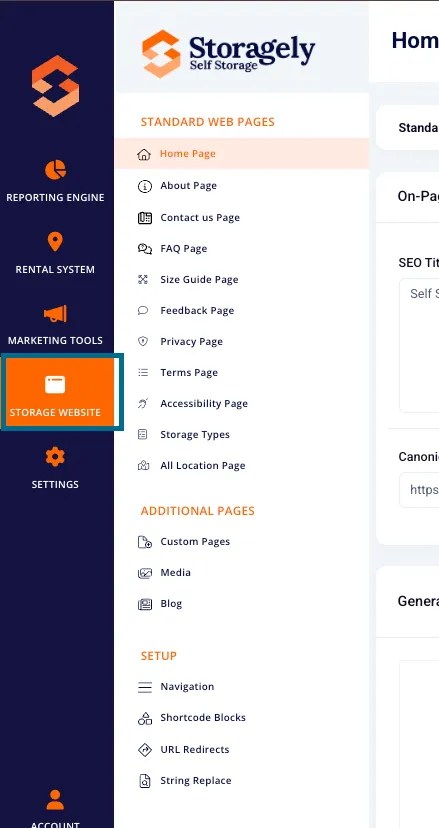
- Select Standard Web Pages → Contact Us Page from the available options.
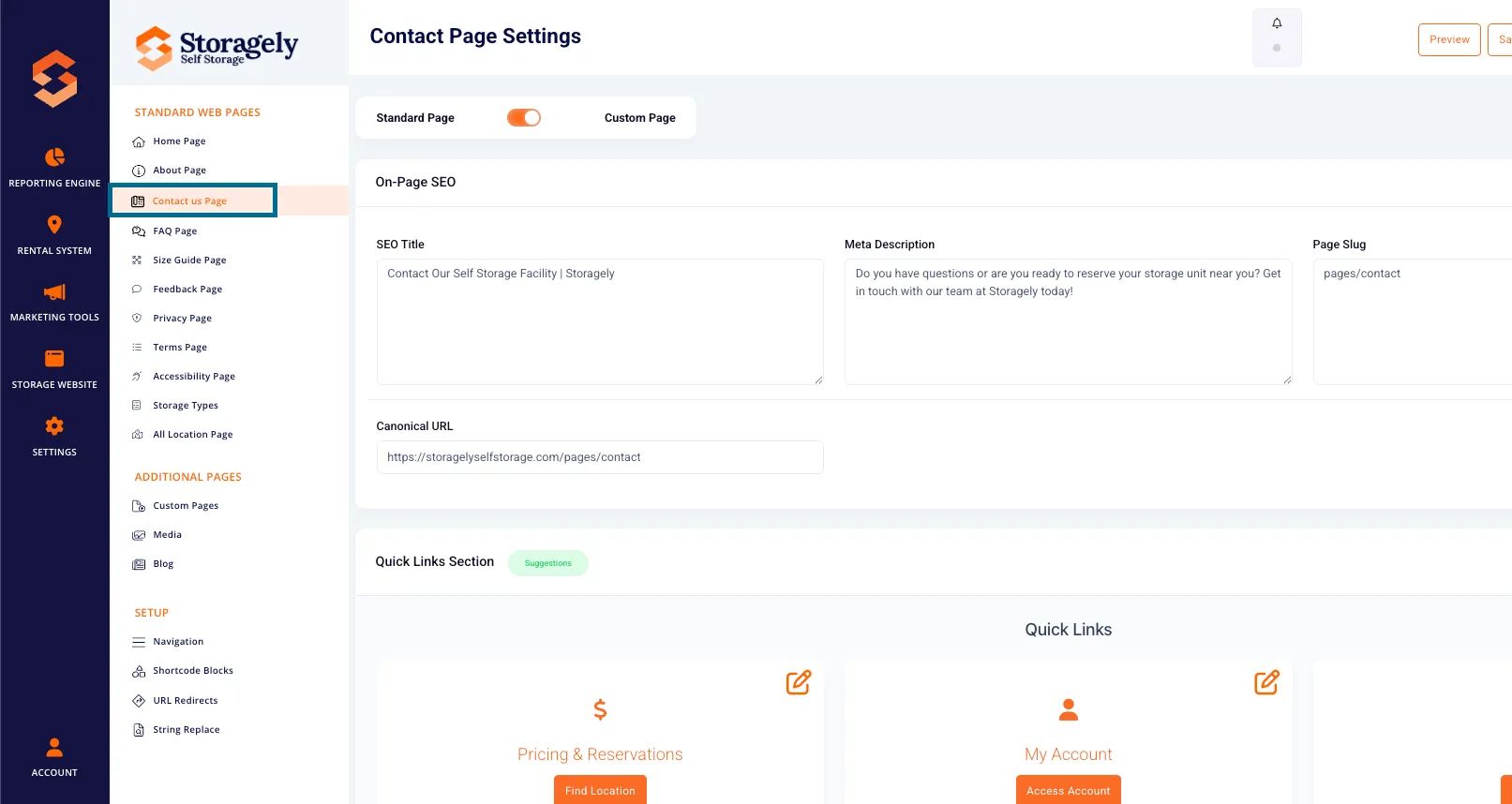
3. Understanding the Contact Us Page Settings Interface
The Contact Us Page Settings allow users to configure different sections, including:
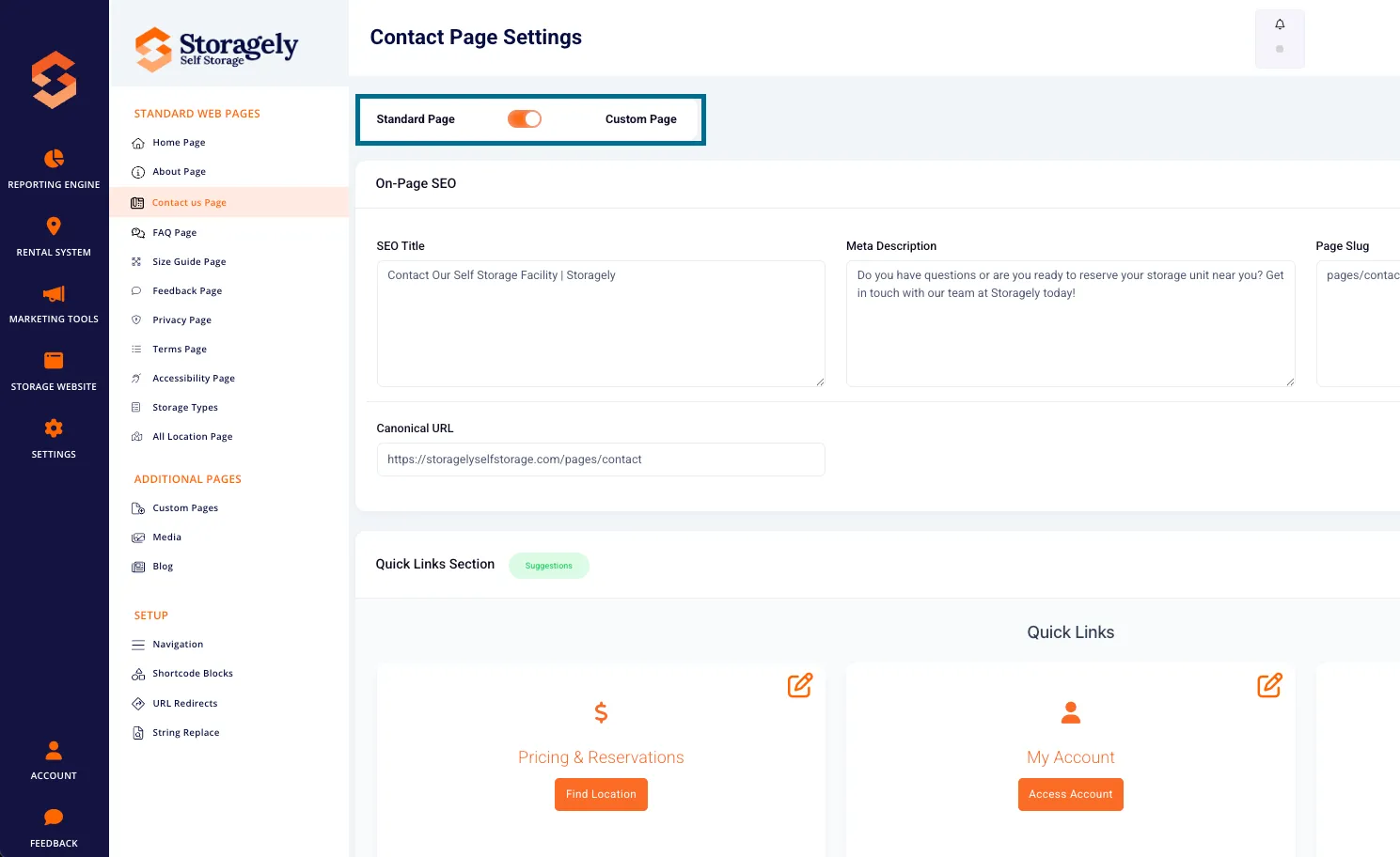
A. Page Type Selection
- Standard Page – Uses the default Contact Us page layout and settings.
- Custom Page – Enables custom HTML and CSS modifications for advanced customization.
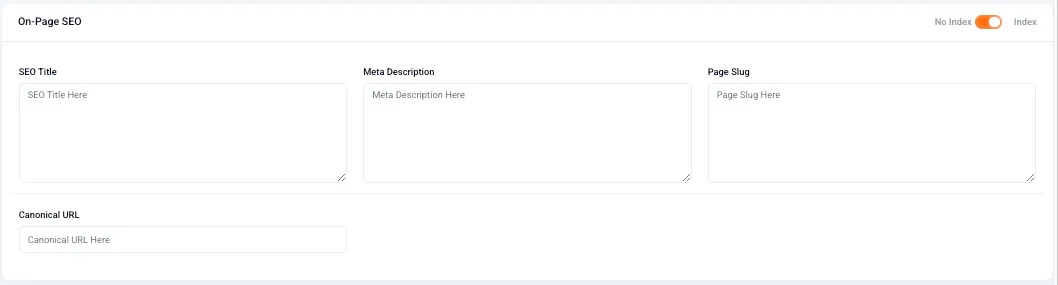
B. SEO Settings
- SEO Title – Defines the page title appearing in search engine results.
- Meta Description – A short description that helps improve search visibility.
- Page Slug – The URL path for the Contact Us page (e.g., /contact).
- Canonical URL – Helps search engines determine the preferred version of the page.
- No Index Toggle – Prevents search engines from indexing the page when enabled.
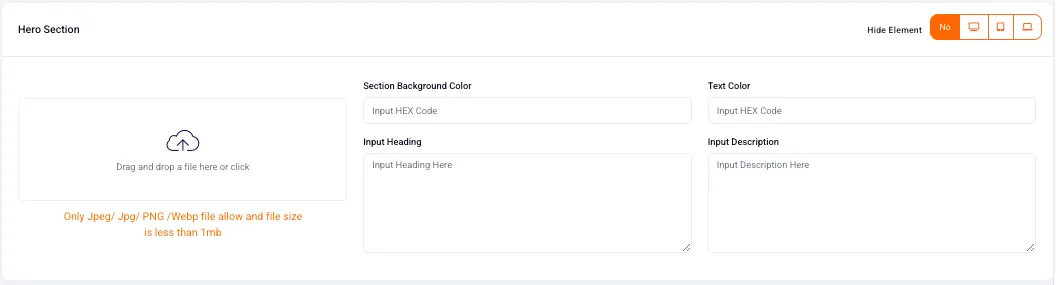
C. Hero Section
- Upload a Hero Image (JPEG, PNG, WebP up to 1MB).
- Set Section Background Color – Choose a color to display behind the hero section.
- Headline & Description Text – Customize the introduction to the Contact Us page.
- Call-to-Action (CTA) Button:
- Set button text and colors.
- Add a destination URL.
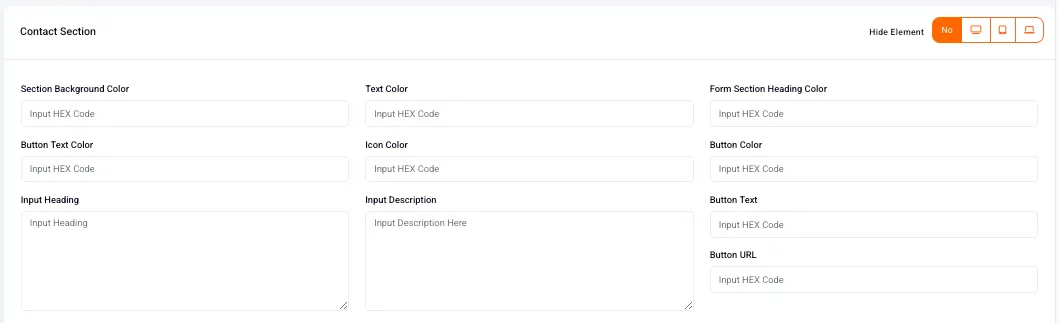
D. Contact Section
- Customize background and text colors for the section.
- Set a heading and description for the contact form.
- Modify button colors and text for the contact form submission.
- Enable or disable the display of contact information (phone, email, address).
E. Contact Information Section
- Toggle the display of business phone number, email, and address.
- Input or update contact details to ensure customers can reach the business.

F. Get in Touch Section
- Set an email address where contact form submissions will be sent.
- This ensures inquiries go directly to the correct team.

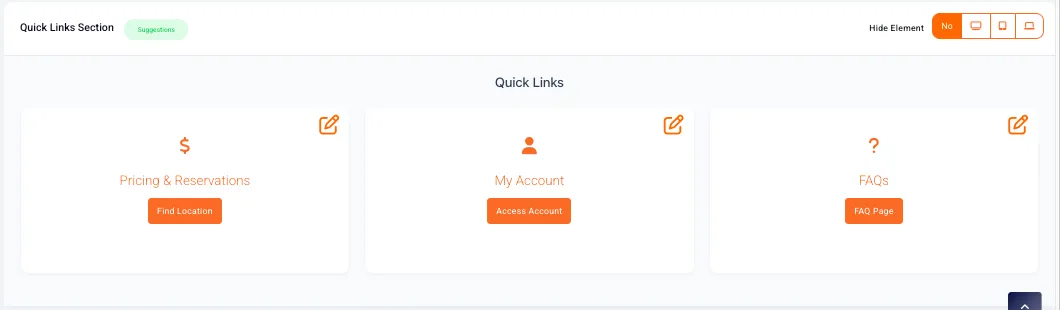
G. Quick Links Section
- Display three quick link cards to guide customers to important sections such as:
- Pricing & Reservations
- My Account
- FAQs
- Customize icon, text, button, and background colors.
H. Custom Code Section
- Add custom HTML and CSS for advanced design customization.
4. How to Customize the Contact Us Page
Step 1: Select Page Type
- Choose between Standard Page or Custom Page.
- If using Custom Page, manually configure sections and content.
Step 2: Optimize SEO Settings
- Enter an SEO-friendly title and meta description.
- Set the Page Slug (default is "/contact").
- If needed, add a Canonical URL to avoid duplicate content issues.
- Choose whether the page should be indexed by search engines.
Step 3: Customize the Hero Section
- Upload a Hero Image (JPEG, PNG, WebP).
- Adjust the Section Background Color.
- Set the Headline and Description text.
- Configure the CTA Button:
- Set button text and color.
- Add a destination URL.
Step 4: Configure the Contact Section
- Set the background color, heading, and description.
- Configure button text and colors.
- Enable or disable the contact form display.
Step 5: Update Contact Information
- Ensure phone, email, and address are correct.
- Toggle the display of contact details based on preference.
Step 6: Set Up the Get in Touch Section
- Input the email address where contact form submissions should be sent.
- Ensure this email is monitored for timely responses.
Step 7: Customize Quick Links
- Modify icons, headings, descriptions, and colors.
- Link quick links to relevant sections (e.g., Pricing, FAQs, My Account).
Step 8: Save and Publish the Page
- Click “Preview” to review changes before publishing.
- Select “Save as Draft” to store changes without publishing.
- Click “Publish” to make the Contact Us page live.
5. Best Practices for Contact Us Page Customization
✅ Ensure contact details are accurate so customers can reach you. ✅ Use a professional tone in descriptions for credibility. ✅ Enable the Get in Touch section so inquiries are directed to the right team. ✅ Include relevant quick links to help users navigate to key pages. ✅ Test the contact form after updates to confirm it is working properly. ✅ Only enable indexing in SEO settings if the page is ready for search engine visibility.
6. FAQs & Troubleshooting
Q1: How do I hide a section from the Contact Us page? A: Click the Hide Element toggle in the corresponding section settings.
Q2: What happens if I leave the SEO settings blank? A: Default values will be used, but optimizing SEO settings is recommended for better search visibility.
Q3: How do I reset the Contact Us page to default settings? A: Switch to Standard Page mode and save the changes.
Q4: How do I ensure contact form submissions reach the right email? A: Double-check the email entered in the Get in Touch section.
Q5: How do I make Contact Us page changes live? A: Click “Publish” after making updates.
As always, if you have any questions during this process, our Customer Success Team is here to help. The best way to reach us is by submitting a support ticket.