Keyword Setup
1. Introduction
The Keyword Setup section in the Rental System Settings of the Storagely Dashboard allows facility operators to manage and track search engine optimization (SEO) keywords for their storage facilities. This feature helps improve visibility in Google search rankings by allowing operators to add, modify, and track relevant keywords associated with their locations.
Proper keyword selection enhances local search rankings, improves online visibility, and increases the chances of attracting potential renters searching for self-storage options.
2. Navigating to Keyword Setup
To access the Keyword Setup:
- Log in to your Storagely Dashboard.
- In the left sidebar menu, click on Rental System.
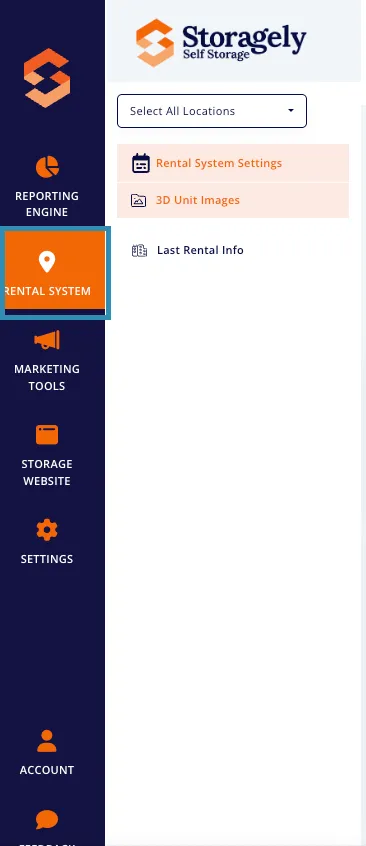
- First, find a specific location and then select Keyword Setup from the available options.
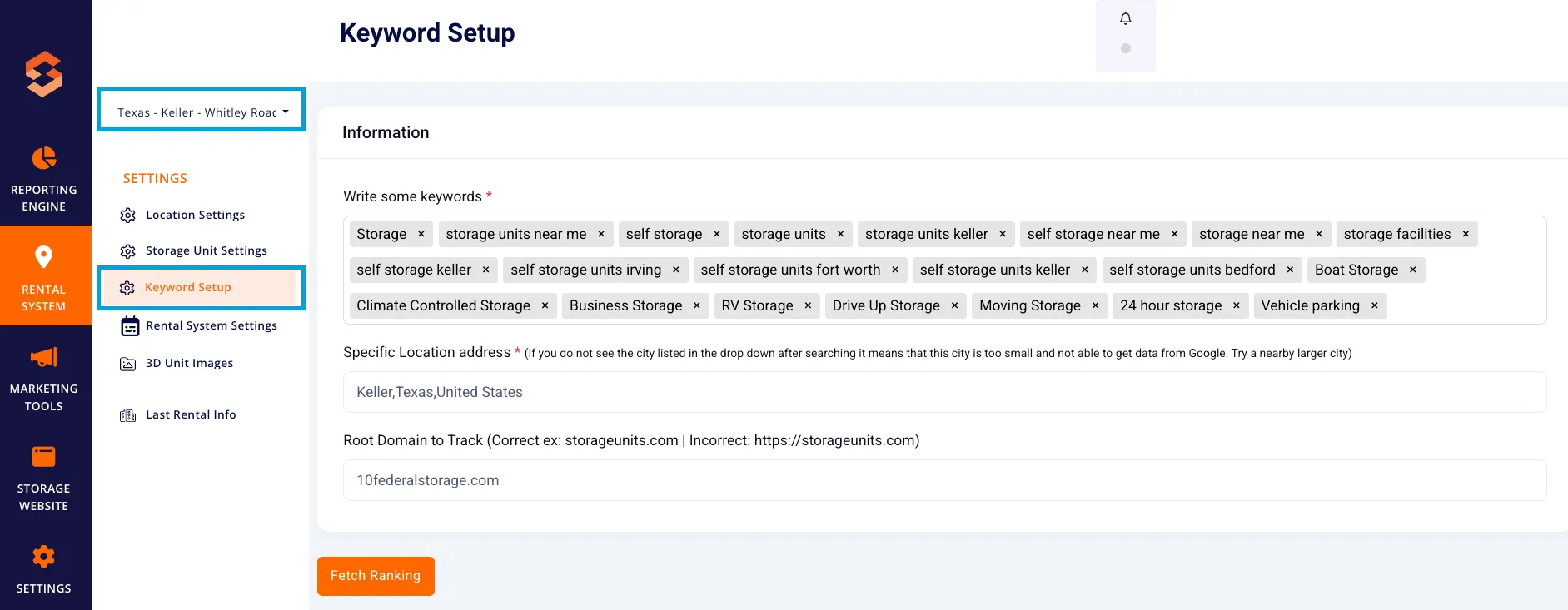
3. Understanding the Keyword Setup Interface
The Keyword Setup page contains multiple sections that allow operators to manage their location-based keyword rankings.
A. Adding Keywords for SEO Tracking
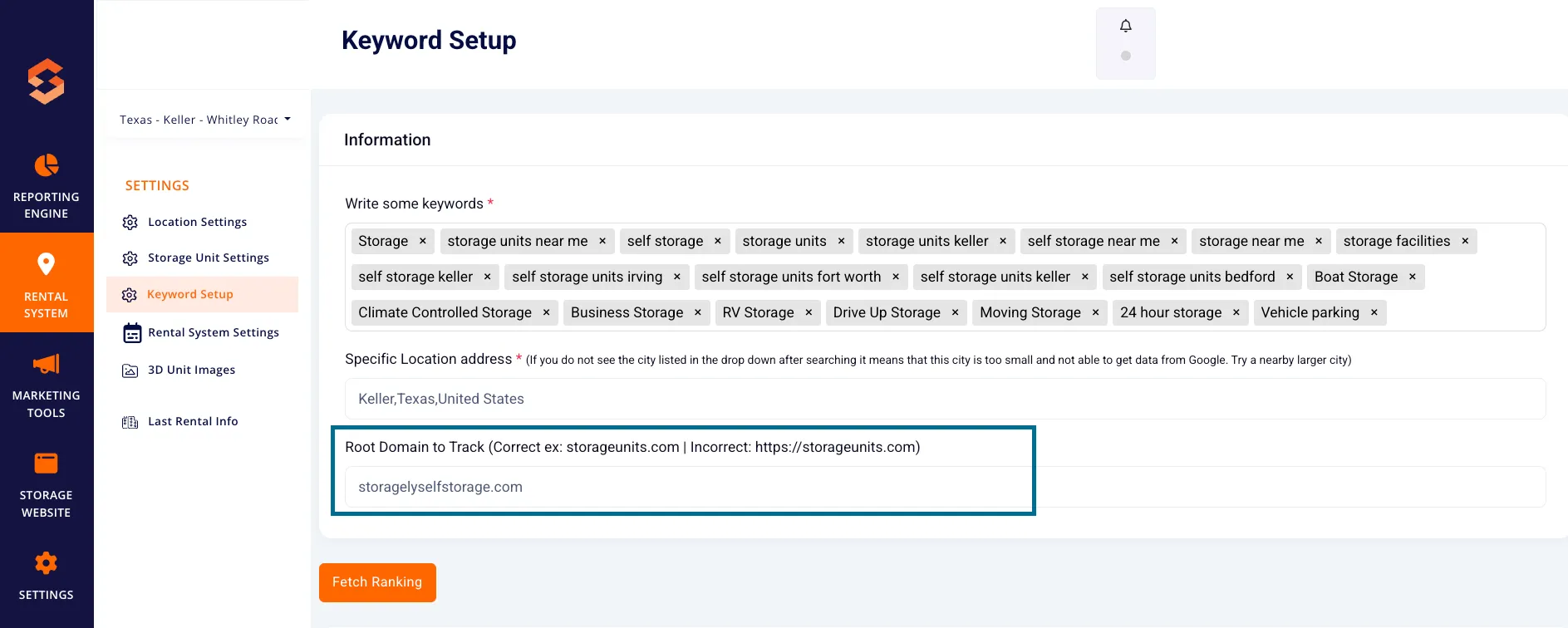
- Write some keywords: Enter relevant keywords associated with the facility (e.g., "Storage Units Near Me," "Self Storage," "Climate Controlled Storage").
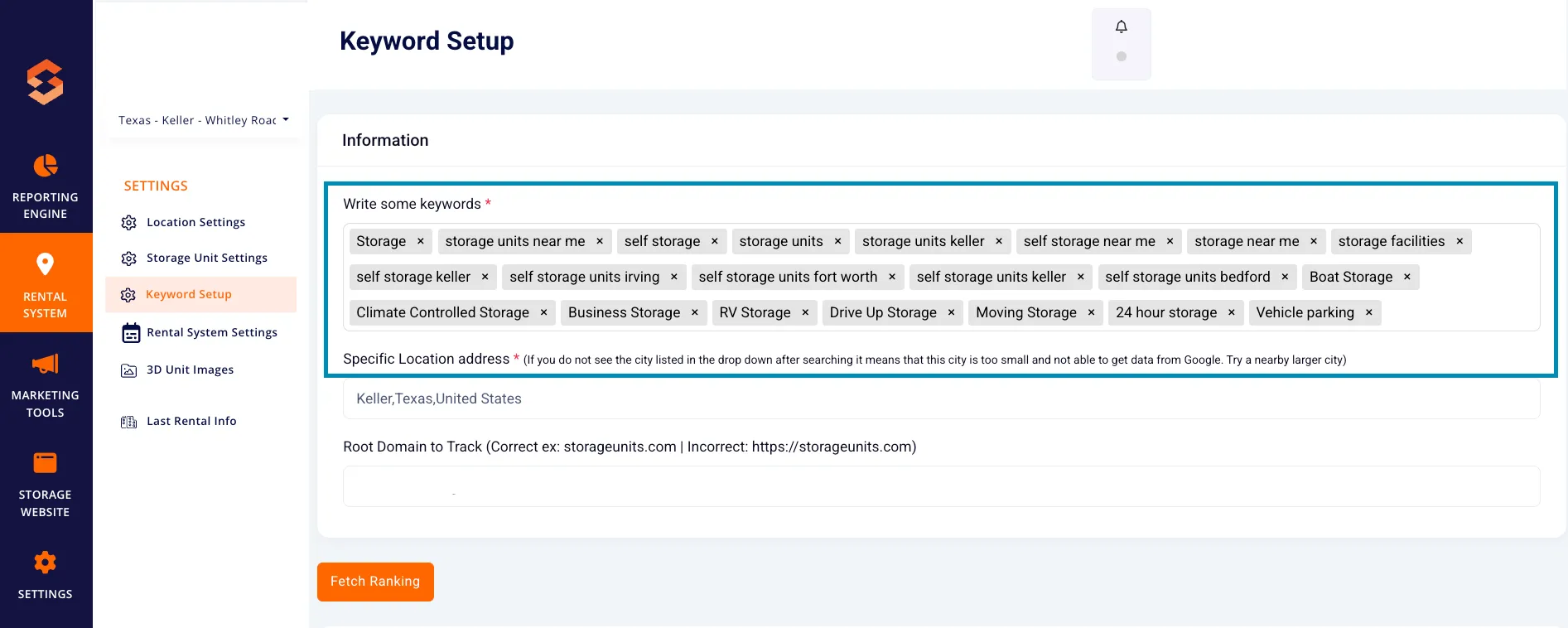
- Location-Specific Keywords: Keywords should reflect the geographic area where the storage facility is located (e.g., "Storage Units Arlington," "Self Storage Grand Prairie").
- Google Ranking Updates: The system fetches updated keyword rankings approximately every hour after changes are made.
B. Location Selection
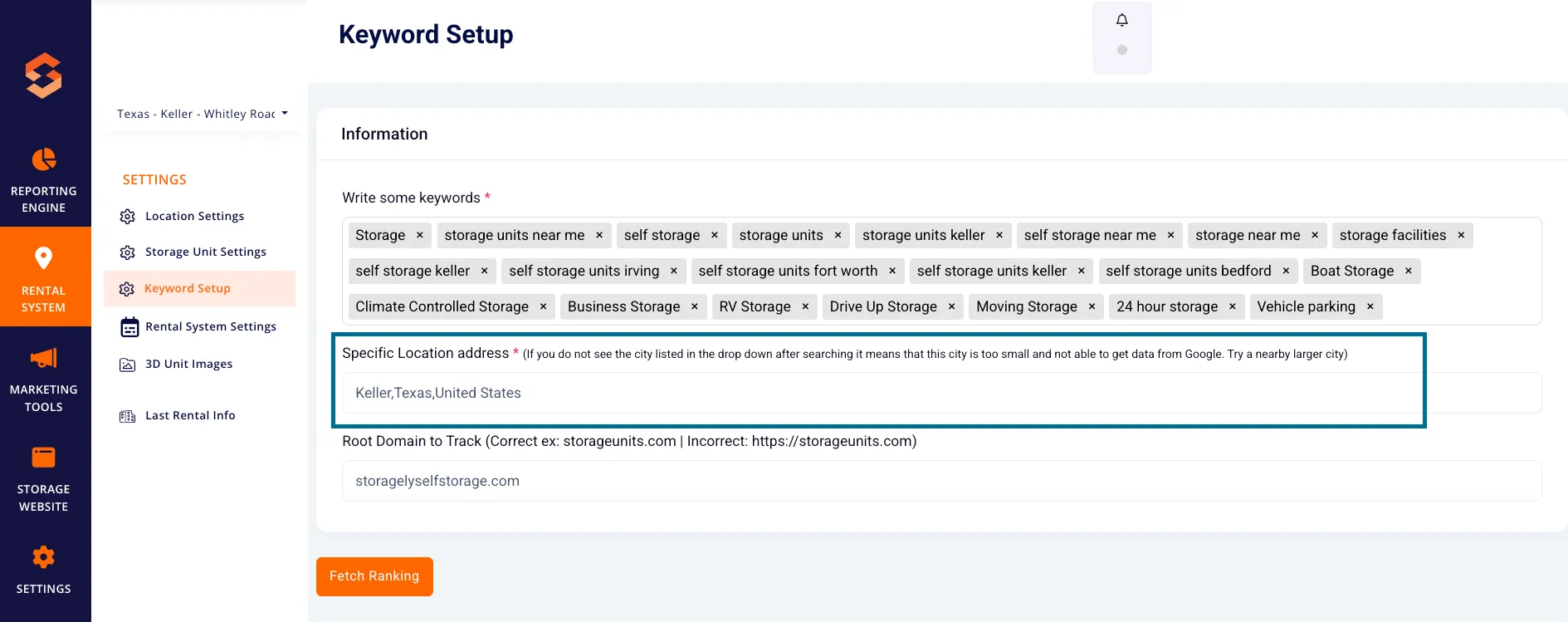
- Users can enter the facility’s specific location address to associate keywords with the correct geographic region.
- If a city is not available in the dropdown, it may be too small to gather keyword ranking data from Google. Try selecting a nearby larger city.
C. Root Domain for Keyword Tracking
- The system requires a root domain URL for tracking purposes.
- Correct format example: storagelyselfstorage.com
- Incorrect format example: https://storagelyselfstorage.com
- This ensures that rankings are accurately mapped to the correct business website.
D. Fetching Keyword Rankings
Once keywords and location details are set, users can:
- Click "Fetch Ranking" to update keyword rankings for the location.
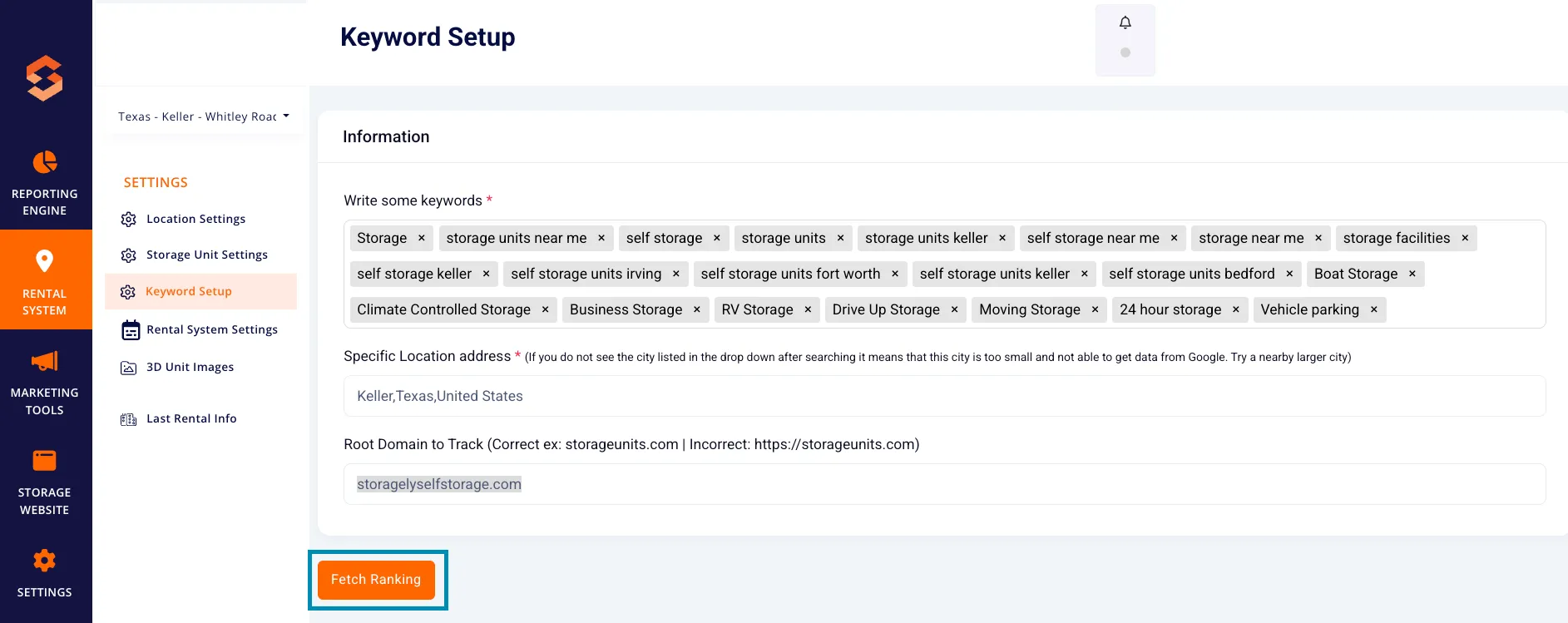
- Keyword rankings will update within one hour.
- Rankings will reflect Google search results performance for the selected keywords.
4. Importing Previous Keyword Data
Facility operators can import historical keyword ranking data using a CSV file.
How to Import Previous Data:
- Click "Upload a CSV file" in the Import Previous Data section.
- Select and upload a CSV file containing historical keyword rankings.
- Click "Import Previous Data" to complete the process.
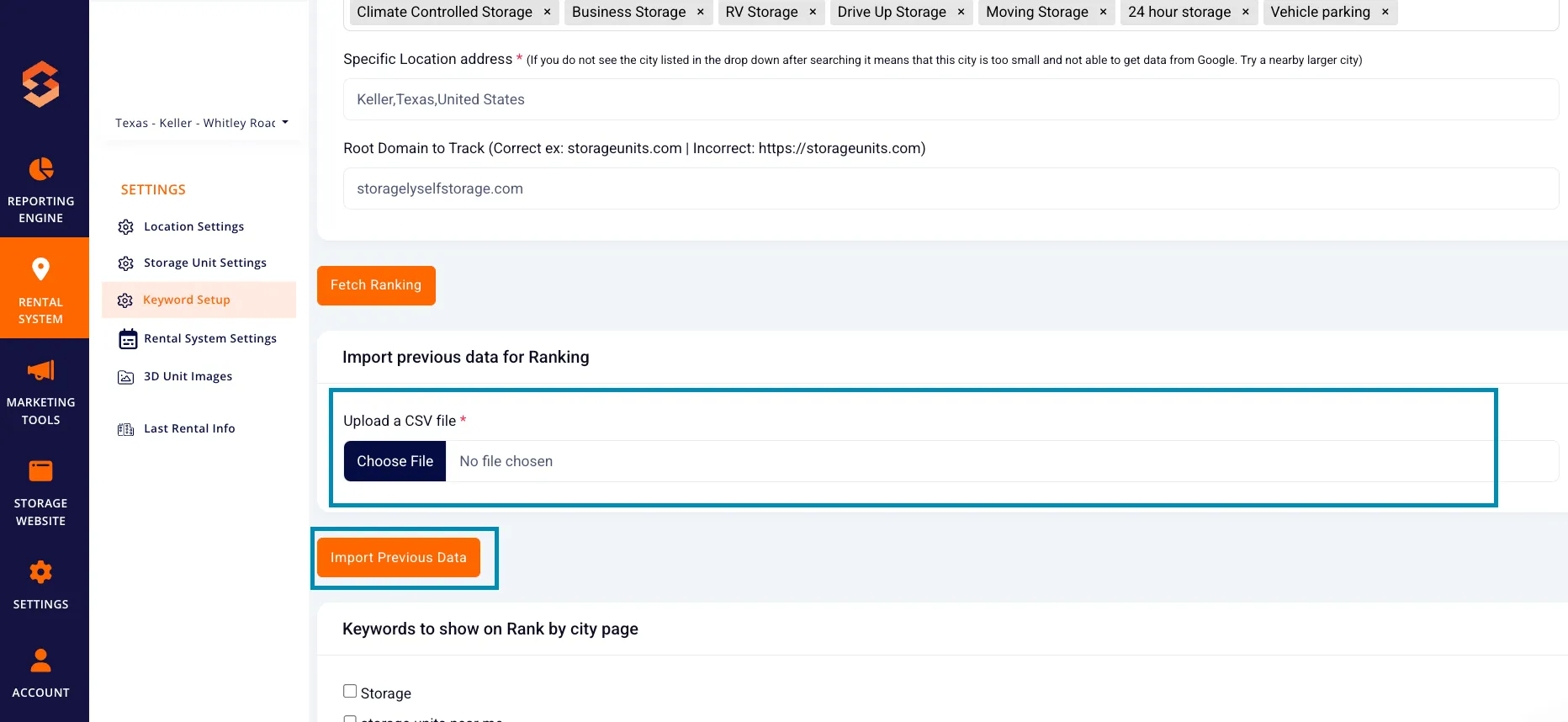
Note: Imported data will be integrated into Storagely’s keyword tracking system for continued ranking analysis.
5. Managing Keywords for Rank By City Page
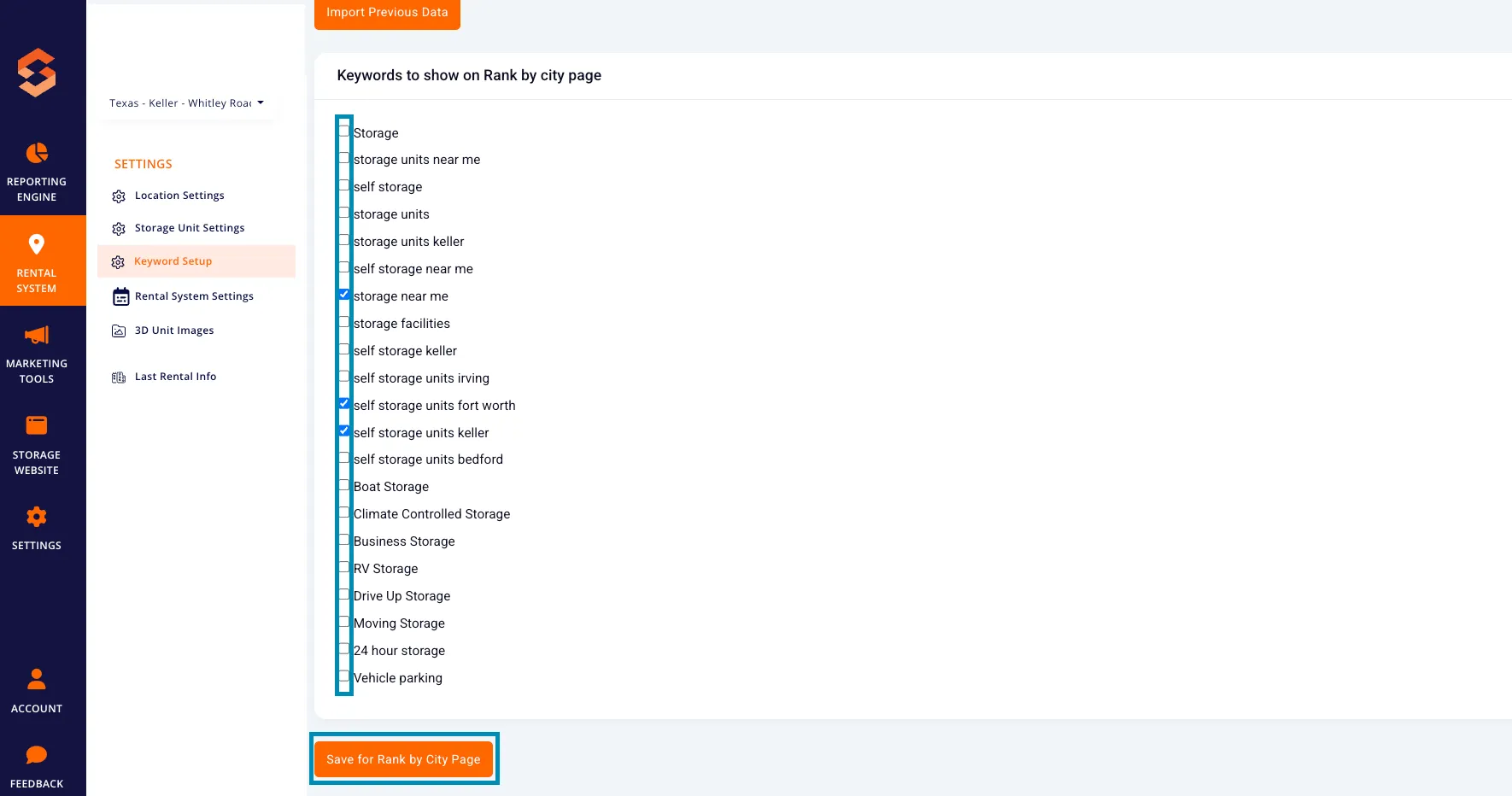
Users can select specific keywords to display on the Rank By City report.
How to Select Keywords for Rank By City Page:
- In the "Keywords to show on Rank by City Page" section, check the box next to relevant keywords.
- Click "Save for Rank by City Page" to apply changes.
- The selected keywords will be included in city-specific ranking reports.
6. Best Practices for Keyword Selection
✅ Use Local Keywords – Keywords should include city names to optimize local SEO visibility. ✅ Track High-Performing Keywords – Monitor which keywords rank best and optimize accordingly. ✅ Avoid Overloading Keywords – Focus on quality over quantity; too many keywords may dilute SEO effectiveness. ✅ Regularly Update Keywords – As market trends change, update keyword lists to stay competitive. ✅ Use Proper Formatting – Ensure the root domain format is correct to avoid tracking errors.
7. FAQs & Troubleshooting
Q1: Why is my city not appearing in the dropdown? A: Some small cities may not have enough Google search data. Try selecting a nearby larger city for keyword tracking.
Q2: How often does keyword ranking data update? A: The ranking data refreshes approximately every hour after a fetch request.
Q3: What happens if I enter an incorrect root domain format? A: The system may not track rankings properly. Use the correct format (storageunits.com), without "https://" or "www."
Q4: Can I track rankings for multiple locations? A: Yes! Use the Location Selection dropdown to set up keywords for different facility locations.
Q5: Can I update or remove keywords after submission? A: Yes, keywords can be added, removed, or modified anytime in the Keyword Setup section.
As always, if you have any questions during this process, our Customer Success Team is here to help. The best way to reach us is by submitting a support ticket.