Rentals by Location Report
1. Introduction
The Rentals by Location Report in the Storagely Reporting Engine provides a detailed breakdown of rental activity at each facility. This report enables users to analyze rental trends across different locations, compare performance, and make data-driven decisions to optimize occupancy and revenue.
2. Navigating to the Rentals by Location Report
To access the Rentals by Location Report:
- Log in to your Storagely Dashboard.
- In the left sidebar menu, click on Reporting Engine.
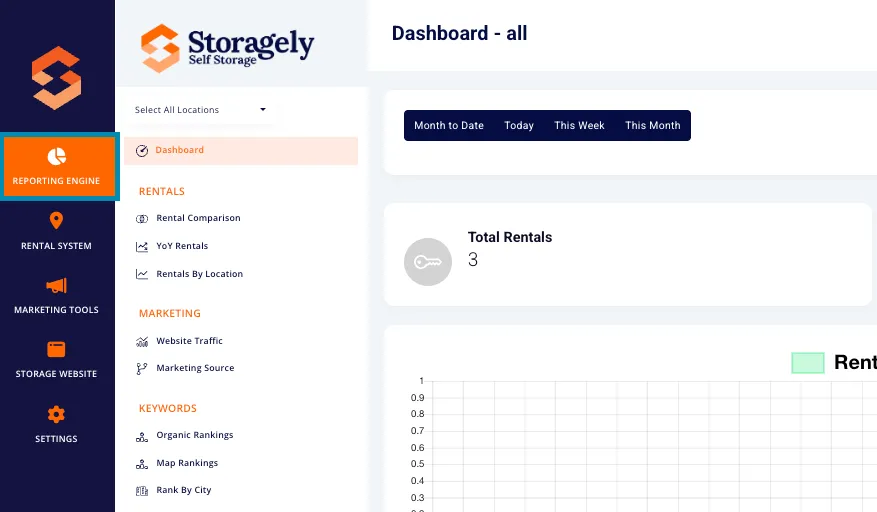
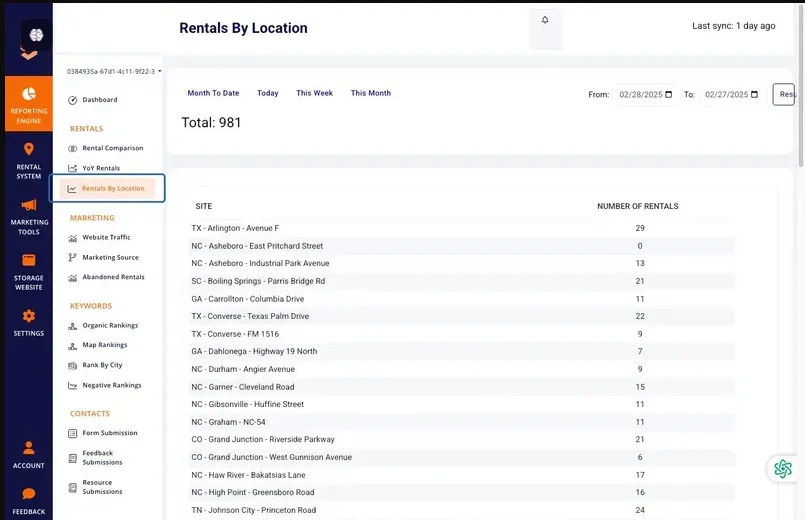
- Select Rentals by Location from the list.
3. Understanding the Interface
Selecting Locations
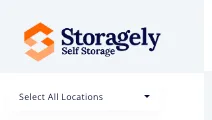
Users can obtain data for a single location or all locations using the dropdown menu in the top left corner of the screen. This allows for customized reporting at the facility level or across the entire business portfolio.
Date Range Selection
Users can define a time period for analysis by selecting from predefined date ranges or setting a custom date range. Available options include:
- Month to Date (default)
- Today
- This Week
- This Month
- Custom Date Range (Users can manually select start and end dates)

Key Metrics Displayed
The report includes:
- Site Name: The storage facility being analyzed.
- Number of Rentals: The total rentals recorded at the site during the selected period.
- Total Rentals: A summary count of all rentals across selected locations.
4. How to Use the Rentals by Location Report
Step 1: Select a Location
Use the location dropdown in the top left to filter data by a specific facility or view all locations.
Step 2: Choose a Time Range
Select a predefined or custom date range to analyze rental performance.
Step 3: Analyze Key Metrics
Review rental performance at each site to identify trends, peak rental periods, and underperforming locations.
5. Best Practices for Data Analysis
- Compare different locations to identify high-performing and underperforming facilities.
- Use time-based comparisons to assess the impact of marketing strategies, marketing campaigns, or seasonal changes.
6. FAQs & Troubleshooting
Q1: Why don’t I see data for certain locations? A: Ensure the correct location is selected in the dropdown menu.
Q2: How can I reset my filters? A: Refresh the page or manually reset filters by selecting a new date range.
Q3: Can I export the Rentals by Location Report? A: Currently, exporting is not supported, but this feature is planned for a future release.
As always, if you have any questions during this process, our Customer Success Team is here to help. The best way to reach us is by submitting a support ticket.