Phone Mapping Settings
1. Introduction
The Phone Mapping section in the Storagely Dashboard allows facility operators to map phone call tracking data to the correct marketing source in Storagely. This ensures that calls are properly attributed to their respective advertising channels, helping facility owners analyze marketing performance and customer acquisition.
2. Navigating to Phone Mapping Settings
To access the Phone Mapping settings:
- Log in to your Storagely Dashboard.
- In the left sidebar menu, click on Settings.
- Select Marketing Source Setup → Phone Mapping.
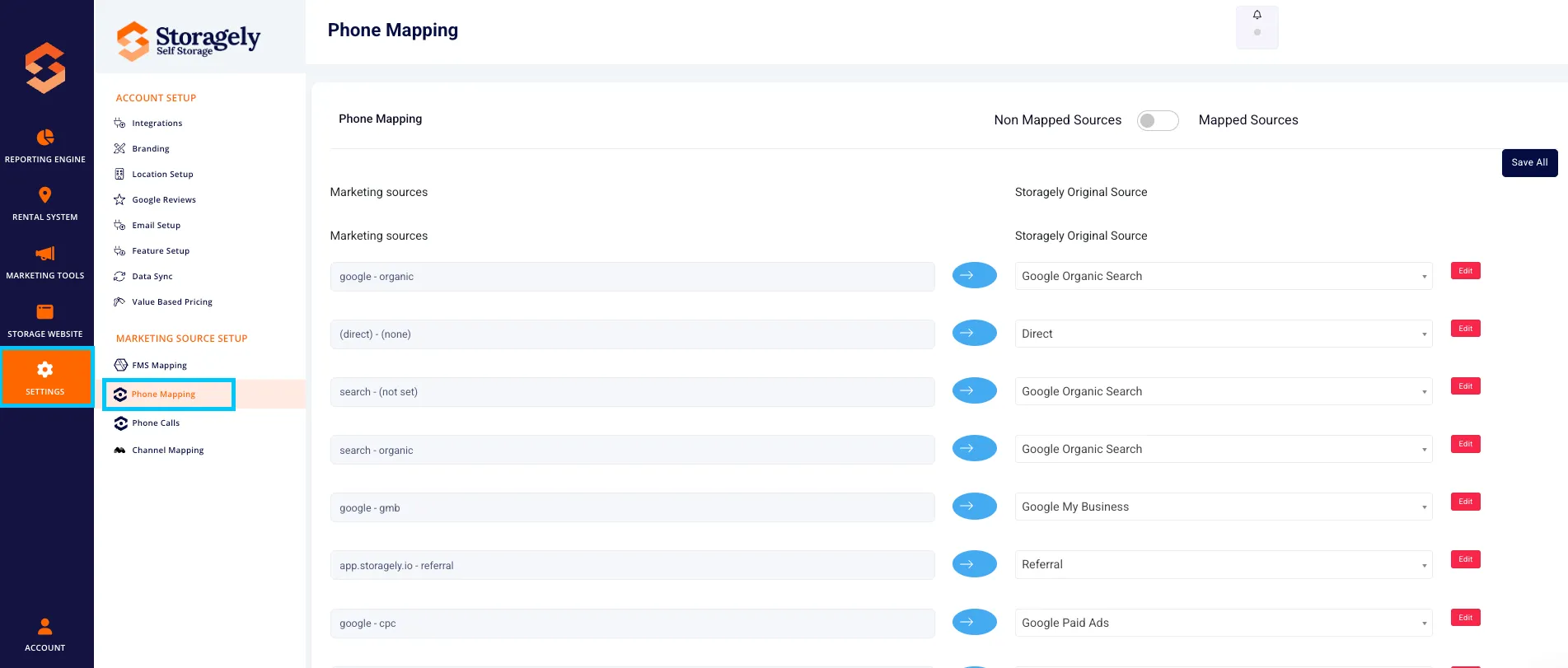
3. Understanding the Phone Mapping Interface
A. Phone Mapping Table
The interface displays a list of phone call tracking sources that need to be mapped to the correct Storagely marketing source.
Columns include:
- Marketing Source – The phone tracking source (e.g., call tracking from Google Ads, Bing Ads, Directories).
- Storagely Original Source – The assigned marketing source in the Storagely system.
- Actions – Options to edit, update, or save mappings.
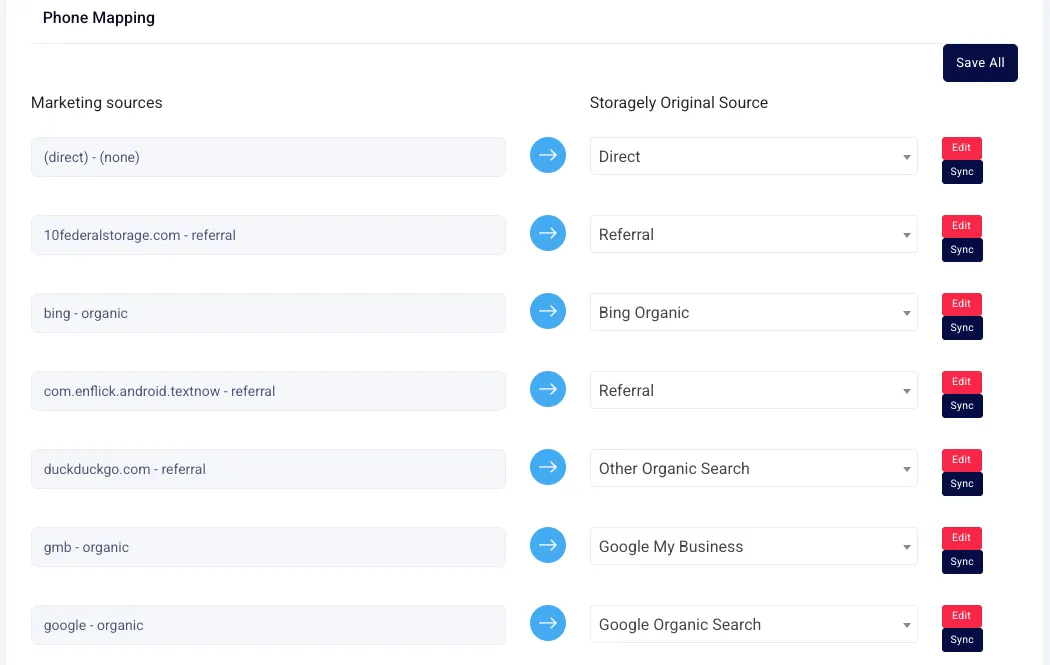
B. Mapping Unmatched Sources
Any phone call sources that do not yet have a match in Storagely will appear in a "Non-Mapped Items" section, requiring manual assignment.
C. Updating Existing Mappings
For phone sources that were previously mapped, users can:
- Edit the existing mapping if updates are needed.
- Reassign the phone source to a more accurate marketing category.
- Save changes to update mappings for all future calls.
4. How to Map Phone Call Sources to Storagely
Step 1: Review Unmatched Phone Sources
- Locate any non-mapped phone tracking sources in the table.
- Identify the corresponding marketing source in Storagely (e.g., Google Paid Ads, Facebook, Directories).
Step 2: Assign a Storagely Original Source
- Click the dropdown menu under Storagely Original Source.
- Select the most relevant marketing source category (e.g., Google Paid Ads, Yelp, Facebook Paid Ads).
- Click Save to apply the mapping.
Step 3: Save All Mappings
- Once all sources are assigned, click “Save All” to apply changes across the system.
- Wait for the confirmation message indicating that updates were successful.
Step 4: Verify Mapping Accuracy
- Review the Updated Mappings Table to ensure all sources are correctly assigned.
- If needed, make adjustments and re-save.
5. Best Practices for Phone Mapping
✅ Ensure phone sources are mapped to the correct marketing category for accurate reporting. ✅ Regularly review phone tracking mappings to stay updated with new marketing campaigns. ✅ Work with your Account Manager to confirm that mappings align with business goals. ✅ Use consistent naming conventions to avoid confusion in reports.
6. FAQs & Troubleshooting
Q1: Why are some phone tracking sources not mapped? A: Unmatched phone call tracking sources must be manually assigned to a Storagely marketing source.
Q2: How do I edit a phone source mapping? A: Click the Edit button next to the mapped source, select a new marketing category, and click Save.
Q3: Can I undo a mapping change? A: Yes, by reassigning the source and clicking Save All again.
Q4: How often should I review my Phone Mapping settings? A: At least quarterly or whenever new marketing campaigns are added.
As always, if you have any questions during this process, our Customer Success Team is here to help. The best way to reach us is by submitting a support ticket.