Negative Search Rankings Report
1. Introduction
The Negative Rankings Report in the Keywords Section of the Storagely Reporting Engine is designed to help users identify keywords that have experienced a ranking decline over time. This report is valuable for understanding which keywords need improvement, monitoring SEO performance, and adjusting local search strategies to regain lost visibility.
At this time, the Negative Rankings Report is not functioning as designed. We are aware of this issue and plan to correct it in a future update to ensure accurate tracking of ranking declines.
2. Navigating to the Negative Rankings Report
To access the Negative Rankings Report:
- Log in to your Storagely Dashboard.
- In the left sidebar menu, click on Reporting Engine.
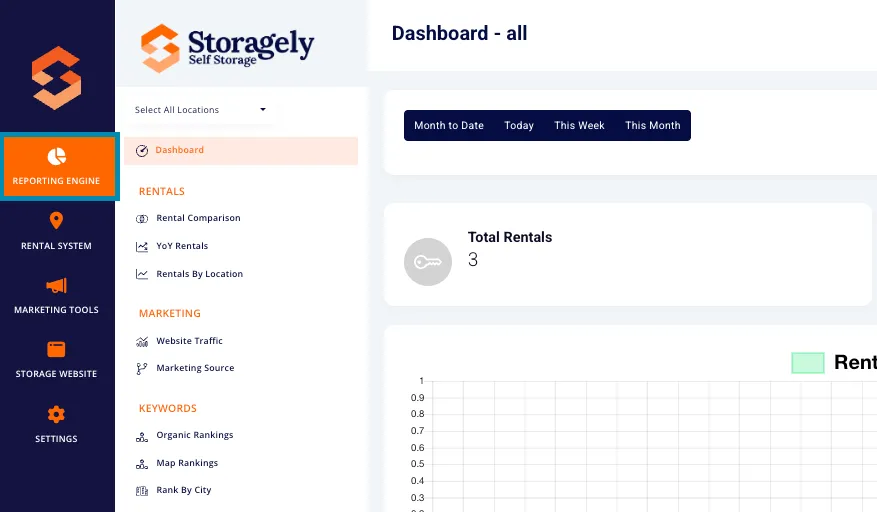
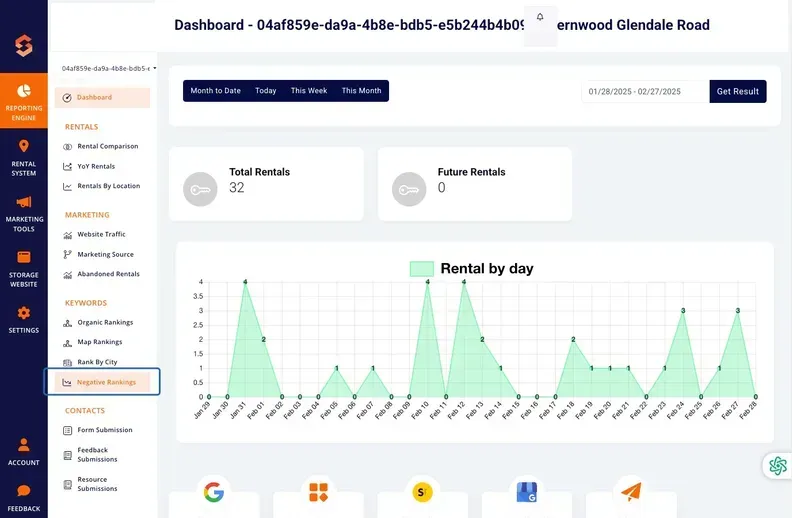
- Navigate to the Keywords Section and select Negative Rankings.
3. Understanding the Interface
A. Selecting Locations
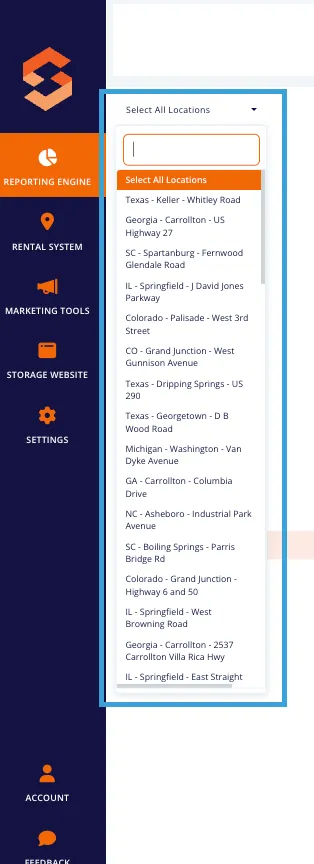
Users can view data for a single facility using the dropdown menu in the top left corner.
B. Date Last Synced
The report includes a "Last Sync" indicator, which shows when the rankings were last updated. Ranking data is refreshed weekly on Mondays.
C. Key Metrics Displayed
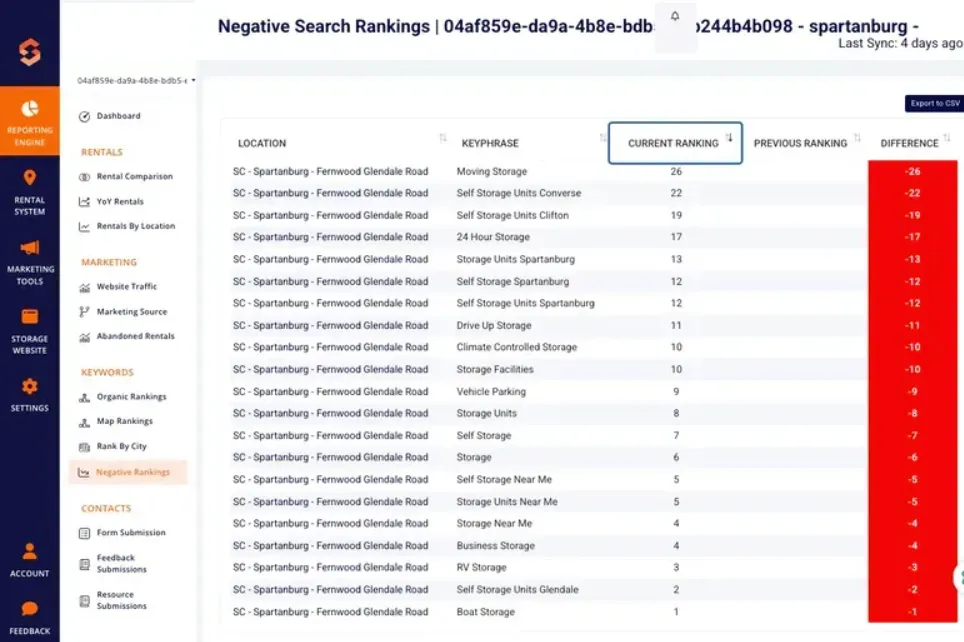
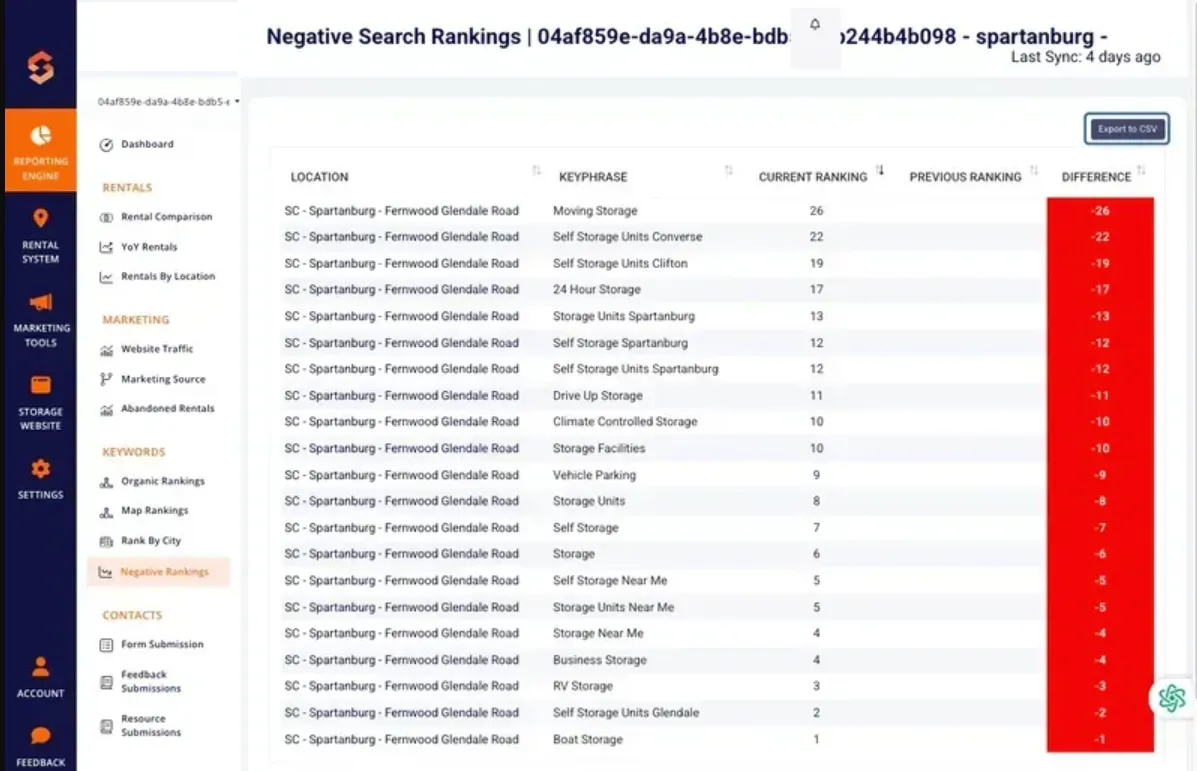
The report provides ranking decline data in a table format, including the following columns:
- Location – The facility associated with the keyword.
- Keyphrase – The specific keyword being tracked.
- Current Ranking – The latest ranking for the keyword.
- Previous Ranking – The keyword’s ranking from the last tracking period.
- Difference – The decline in ranking (highlighted in red) to indicate performance loss.
Each keyword’s ranking change is color-coded:
- Red Background – Indicates a negative ranking shift (i.e., the keyword has dropped in Google search results).
4. Sorting and Filtering Data
A. Sorting Columns
Users can sort the table in ascending or descending order by clicking the up/down arrows in the column headers. The following columns are sortable:
- Location
- Keyphrase
- Current Ranking
- Previous Ranking
- Difference (amount of rank drop)
5. Exporting Data
The export feature allows users to download their Negative Rankings Report as a CSV file for further analysis. The exported file includes:
- Location
- Keyphrase
- Current Ranking
- Previous Ranking
- Difference (-)
To export:
- Click the Export to CSV button in the top-right corner.
- The file will download automatically for offline analysis or reporting.
6. How to Use the Negative Rankings Report
Step 1: Select a Location
Use the location dropdown in the top left to filter data by a specific facility or view all locations.
Step 2: Choose a Sorting Preference
Click on any column header to sort rankings by keyword, location, or ranking decline.
Step 3: Identify Keywords with Significant Drops
- Use the sorting feature to view the largest ranking losses at the top.
- Look for keywords that were previously ranking well but have dropped significantly.
Step 4: Investigate Causes of Ranking Drops
- Check for website changes that may have affected rankings (e.g., content updates, missing pages).
- Analyze competitor activity to see if another storage facility has improved its SEO.
- Review Google algorithm updates that may have impacted rankings.
Step 5: Develop an SEO Recovery Plan
- Focus on content optimization and local SEO improvements for dropped keywords.
- Monitor rankings regularly and adjust strategies based on new ranking trends.
7. Best Practices for Recovering Lost Rankings
If a keyword has dropped significantly, consider the following SEO best practices:
A. Improve Content Relevance
- Ensure keyword-rich content is still present on your pages.
- Expand on-page content to provide more valuable information.
B. Strengthen Internal Linking
- Use internal links to direct users to the most important pages.
- Ensure location pages link to relevant facility pages.
C. Optimize Google Business Profile Listings
- Ensure consistent business details (NAP: Name, Address, Phone Number).
- Add updated photos, posts, and responses to customer reviews.
D. Monitor Competitor Activity
- Use Google Search results to see who is ranking above you.
- Adjust your SEO strategy based on competitor strengths.
E. Fix Technical SEO Issues
- Check for broken links, slow-loading pages, or missing metadata.
- Ensure your website is mobile-friendly and fast-loading.
8. FAQs & Troubleshooting
Q1: Why is the report not displaying ranking declines correctly? A: The Negative Rankings Report is currently not functioning as designed. We are working on a fix and will update the report in a future release.
Q2: How can I track keyword performance in the meantime? A: Use the Organic Rankings Report and Rank By City Report to manually compare keyword rankings over time.
Q3: Can I still export data from this report? A: Yes! The Export to CSV function is available, allowing you to download and analyze the data externally.
As always, if you have any questions during this process, our Customer Success Team is here to help. The best way to reach us is by submitting a support ticket.