Form Submission Report
1. Introduction
The Form Submission Report in the Contacts section of the Storagely Reporting Engine provides a comprehensive list of customer inquiries and form submissions from your storage facility website. This report enables facility operators to track customer interactions, manage leads, and follow up with potential renters.
2. Navigating to the Form Submission Report
To access the Form Submission Report:
- Log in to your Storagely Dashboard.
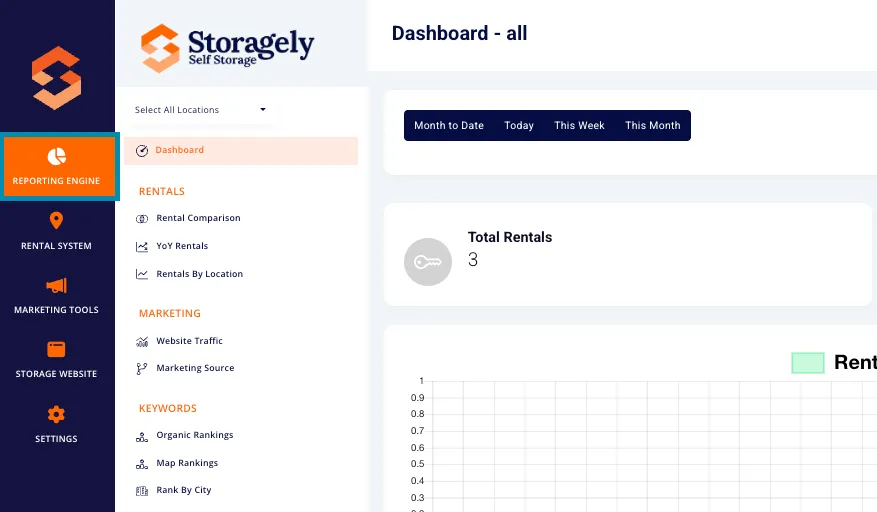
- In the left sidebar menu, click on Reporting Engine.
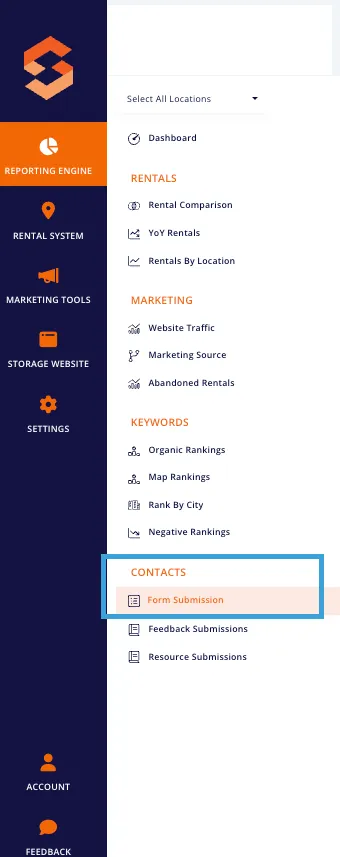
- Navigate to the Contacts section and select Form Submissions.
3. Understanding the Interface
A. Table Overview
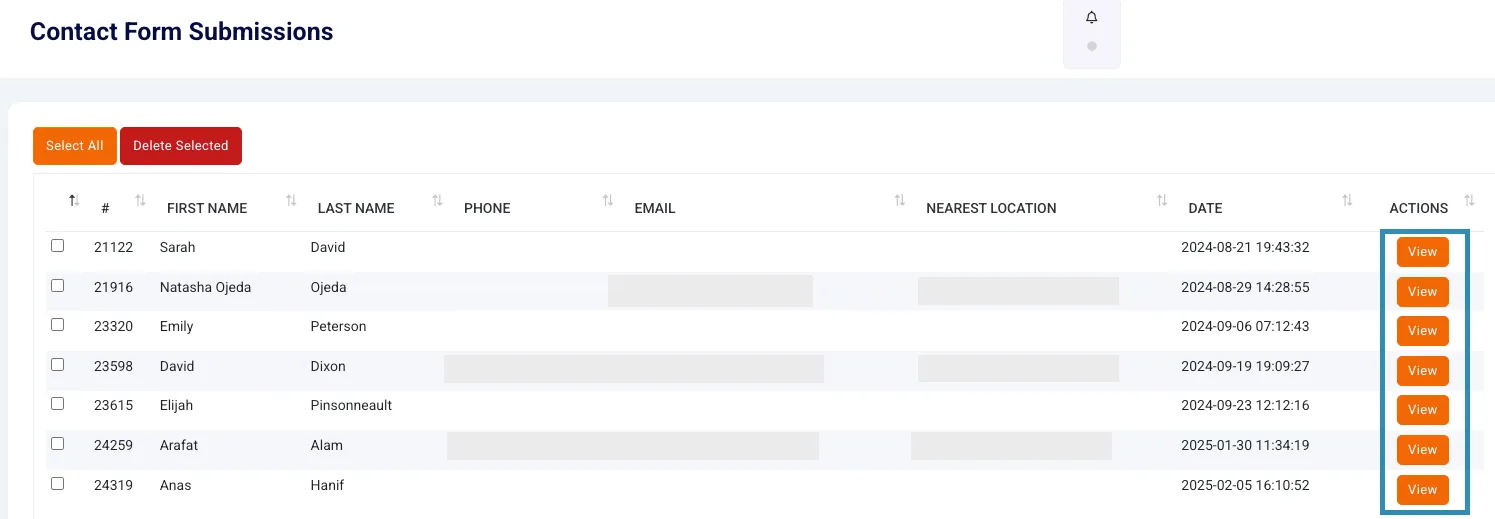
The Form Submission Report provides key details for each customer inquiry in a structured table format, including:
- ID – Unique identifier for each submission.
- First Name & Last Name – Name of the customer who submitted the form.
- Phone – Contact number provided by the customer.
- Email – Email address submitted with the inquiry.
- Nearest Location – Storage facility associated with the customer inquiry.
- Date – The date and time the form was submitted.
- Actions – A View button allowing users to open and review submission details.
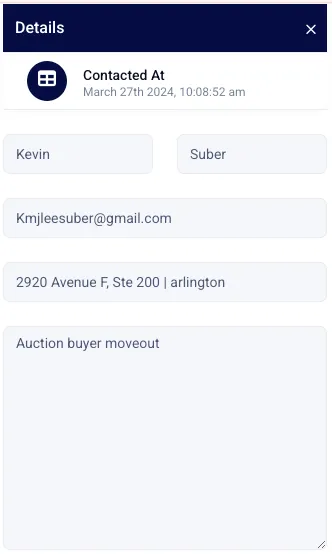
C. Viewing a Submission
Click the View button in the Actions column to see the full details of a form submission, including customer message content, any additional details provided, and inquiry type.
4. Sorting and Filtering Data
A. Sorting Columns
Users can sort the table in ascending or descending order by clicking the up/down arrows in the column headers. The following columns are sortable:
- ID
- First Name
- Last Name
- Phone
- Nearest Location
- Date
B. Deleting Form Submissions
Users have the option to delete individual, multiple, or all submissions from the report.
- Select Individual Submissions
- Click the checkbox next to the submission(s) you want to delete.
- Click the Delete Selected button at the top.
- Select Multiple Submissions
- Click the checkboxes next to multiple submissions.
- Click Delete Selected to remove them in bulk.
- Select All Submissions
- Click the Select All checkbox at the top of the table.
- /Click Delete Selected to remove all visible submissions at once.
Important: Deleted submissions cannot be recovered, so ensure you are removing only unnecessary data.
5. How to Use the Form Submission Report
Step 1: Review Customer Inquiries
Scan the report for new submissions, checking the date column for recent entries.
Step 2: Follow Up with Leads
Click View to open a submission and reach out to the customer via phone or email.
Step 3: Sort and Filter Data for Better Management
Use sorting and filtering options to organize submissions and prioritize follow-ups.
Step 4: Export Submission Data
Download the report for lead tracking, internal records, or CRM integration.
6. Best Practices for Managing Form Submissions
A. Respond to Inquiries Promptly
- Contact potential renters as soon as possible to increase conversion rates.
- Use the phone number and email provided to follow up within 24 hours.
B. Track Follow-Ups
- Maintain a log of who has been contacted and their responses.
- Use CRM tools or spreadsheets to track progress on leads.
C. Use Data for Marketing Insights
- Analyze submission trends to determine peak inquiry periods.
- Identify which locations receive the most inquiries and adjust marketing strategies accordingly.
7. FAQs & Troubleshooting
Q1: Why can’t I see form submissions for a specific facility? A: Ensure the correct location is selected in the dropdown menu.
Q2: How can I reset my filters? A: Refresh the page or manually adjust the location and date filters.
As always, if you have any questions during this process, our Customer Success Team is here to help. The best way to reach us is by submitting a support ticket.