Marketing Source Report
1. Introduction
The Marketing Source Report in the Marketing Section of the Storagely Reporting Engine provides insights into the effectiveness of various marketing channels in driving rentals. Users can analyze which sources—such as Google Organic Search, Paid Ads, Sparefoot, and Direct Traffic—are generating the most rentals and revenue.
This report helps storage facility owners and marketing teams identify the best-performing marketing sources, optimize ad spend, and track customer acquisition trends over time.
2. Navigating to the Marketing Source Report
To access the Marketing Source Report:
- Log in to your Storagely Dashboard.
- In the left sidebar menu, click on Reporting Engine.
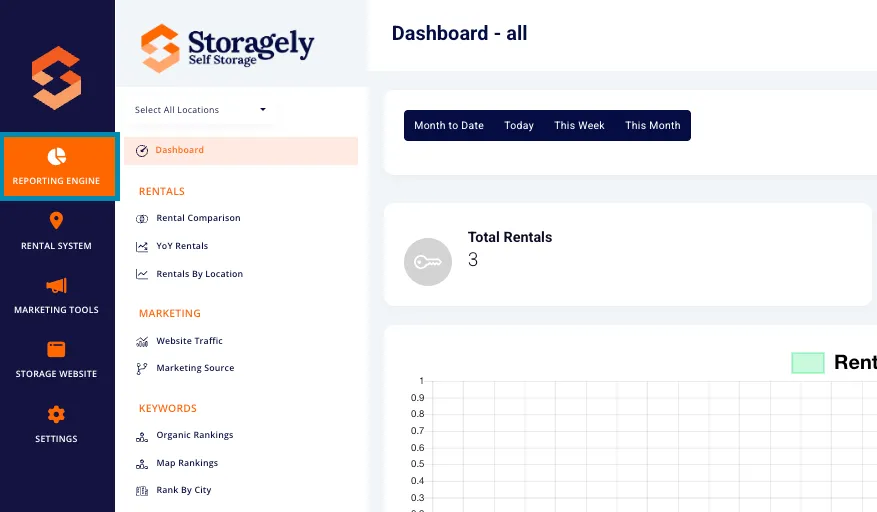
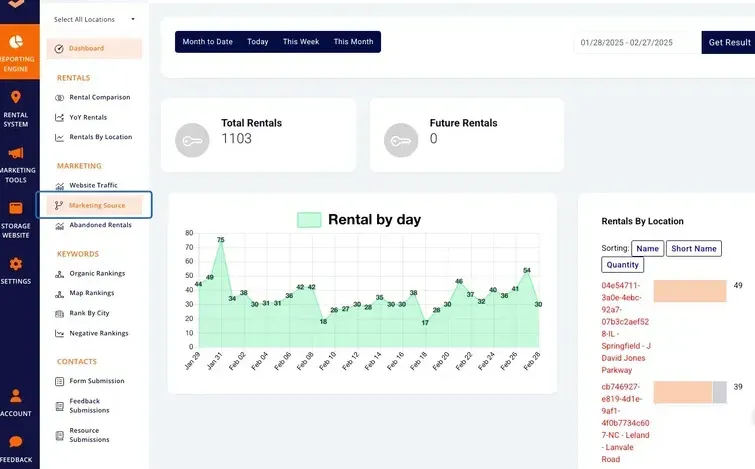
- Navigate to the Marketing Section and select Marketing Source.
3. Understanding the Interface
A. Selecting Locations
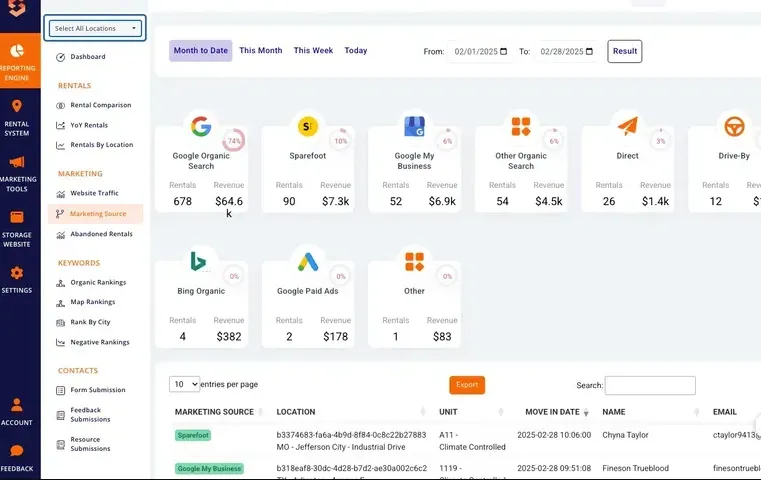
Users can view data for a single location or all locations using the dropdown menu in the top left corner of the screen. This feature enables a focused analysis of a specific facility’s marketing performance or a broader view across multiple locations.
B. Date Range Selection
Users can analyze data over different time periods by choosing from:
- Month to Date (default)
- Today
- This Week
- This Month
- Custom Date Range (Users can manually select a start and end date)

C. Key Metrics Displayed
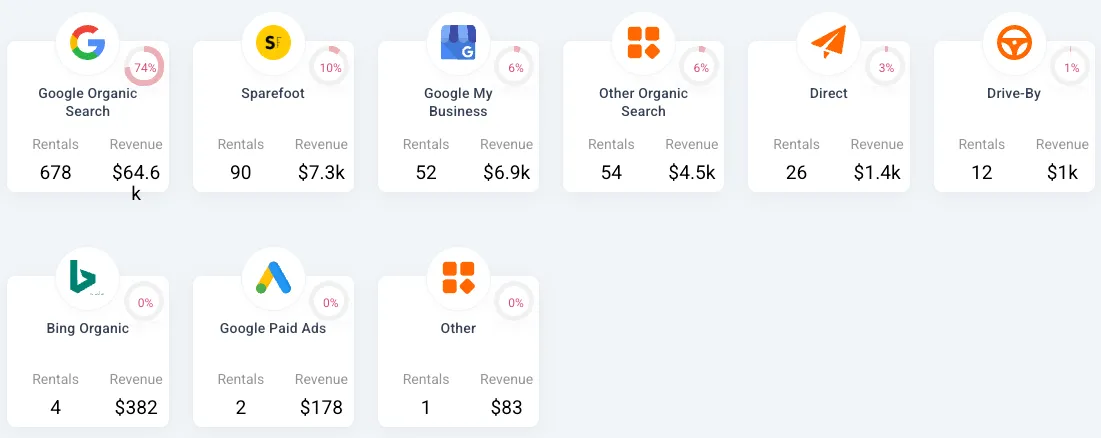
The report provides the following insights for each marketing source:
- Marketing Source (e.g., Google Organic Search, Sparefoot, Google Paid Ads)
- Number of Rentals: The number of units rented through that source.
- Revenue Generated: Total revenue attributed to that marketing channel.
- Percentage Share: The proportion of rentals driven by each source.
Additionally, there is a visual progress bar for each source, making it easy to see how marketing channels compare at a glance.
D. Exporting Data
The export feature allows users to download rental data for a single location or across the entire portfolio. The exported file will include:
- Marketing Source (Google Organic, Sparefoot, Direct, etc.)
- Location (Facility name)
- Unit Rented (Unit type and number)
- Move-In Date (Customer's rental start date)
- Customer Name
- Customer Email Address
To export data:
- Click the orange Export button.

- The file will be downloaded as a CSV file for further analysis.
4. How to Use the Marketing Source Report
Step 1: Select a Location
Use the location dropdown in the top left to filter data by a specific facility or view all locations.
Step 2: Choose a Time Range
Select a predefined or custom date range to analyze marketing performance over a specific period.
Step 3: Identify Top-Performing Sources
Review the marketing sources list and focus on:
- The highest revenue-generating channels.
- Sources with consistent rental volume growth.
- Underperforming channels that may require optimization.
Step 4: Compare and Optimize Marketing Strategies
Use this data to:
- Allocate marketing budget more effectively.
- Adjust ad campaigns based on performance.
- Focus on high-converting sources to maximize ROI.
Step 5: Export Rental Data
Use the Export button to download detailed rental data for further analysis.
5. Best Practices for Data Analysis
- Compare trends over multiple months to detect seasonal marketing performance changes.
- Analyze percentage growth or decline to understand which sources need more investment.
- Monitor underperforming sources and adjust strategies accordingly (e.g., update ad copy, improve SEO).
- Use the export feature to generate reports for internal analysis or external sharing.
- Leverage the location filter to compare how different areas respond to marketing efforts.
6. FAQs & Troubleshooting
Q1: Why don’t I see data for certain marketing sources? A: Ensure that tracking is properly set up for all marketing channels in your Storagely settings.
Q2: Can I reset my filters? A: Yes, simply refresh the page or manually select a new date range.
Q3: How can I export rental data? A: Click the Export button and choose to download the data in CSV format.
As always, if you have any questions during this process, our Customer Success Team is here to help. The best way to reach us is by submitting a support ticket.