How to Update SEO Information
Introduction
Optimizing your website's SEO settings helps improve its visibility in search engine results and attract more potential customers. Storagely’s Website Editorallows you to easily update key SEO elements like page titles, meta descriptions, and slugs—ensuring each page is both search-friendly and aligned with your business goals. This guide walks you through how to update these fields to boost performance and relevance.
Important: The SEO settings currently in place were carefully crafted by Storagely’s SEO team to support your site's visibility in search results. Making changes to this information may affect your rankings and overall SEO performance. We recommend consulting with our team before making adjustments to ensure your site continues to perform at its best.
Navigating to the Editor
- Open your Storagely Dashboard.
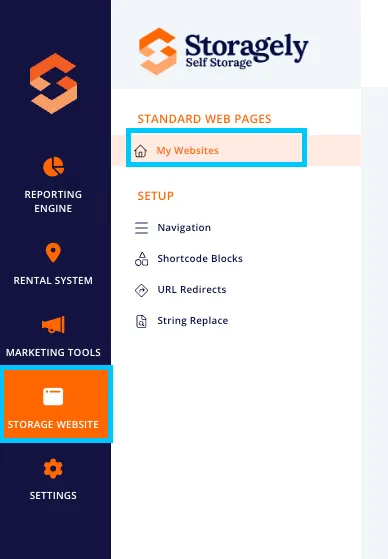
- Navigate to the Storage Website tab and select "My Websites"
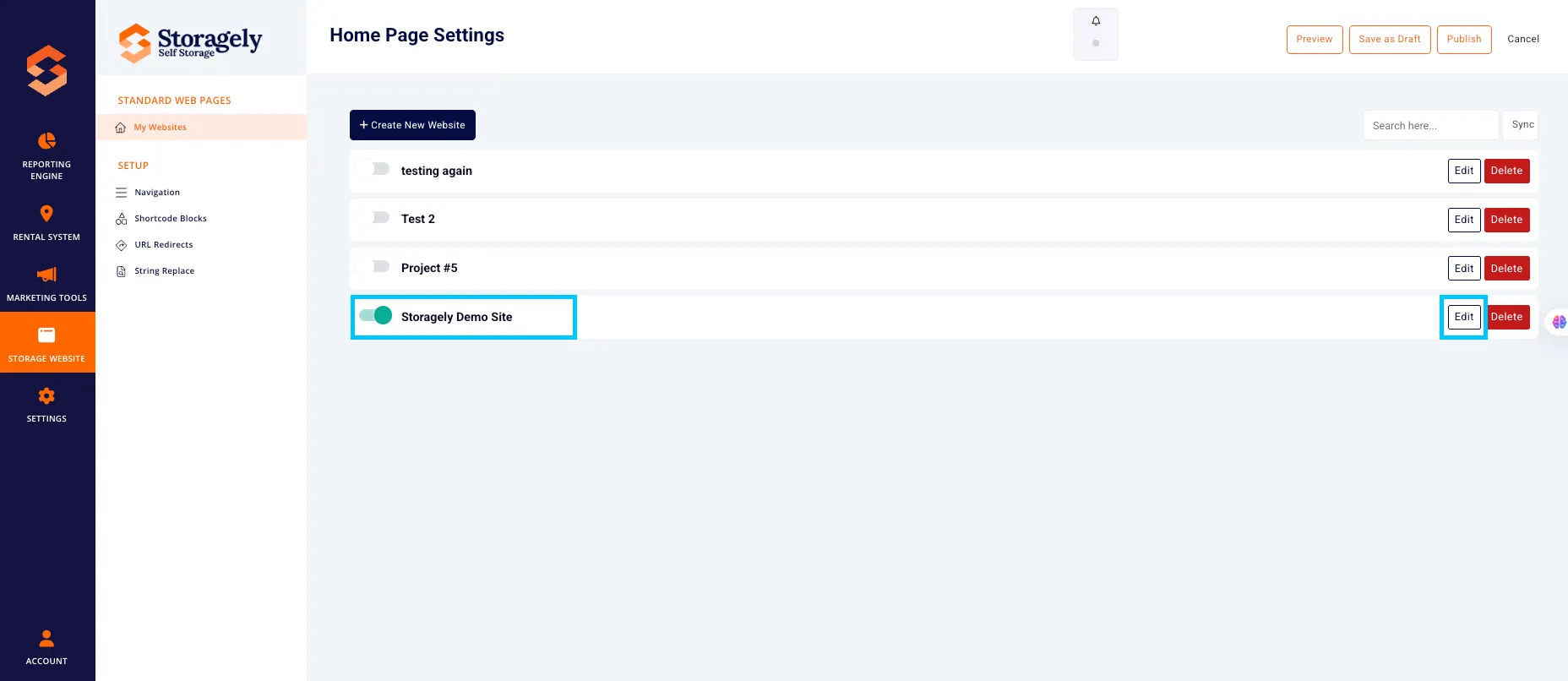
- Select the website you want to edit from the list
- Click the top left menu icon and select Pages

- Click the page containing the SEO Information you would like to update

- Once in page settings, click the SEO tab

- Add the SEO page title, description, and Schema Markup if applicable. Then Click Update.

✅ SEO Tab Tips & Best Practices
✅ Write a Clear, Keyword-Rich Title: Your SEO title should describe the page content and include relevant keywords (e.g., “Affordable Climate-Controlled Storage in Redmond”). Keep it under 60 characters to avoid being cut off in search results. ✅ Update SEO Settings Whenever You Change Page Content: If you update the page’s main message, layout, or keywords, make sure the SEO title and description reflect those changes for better relevance.
🎥 Watch Tutorial Video:
As always, if you have any questions during this process, our Customer Success Team is here to help. The best way to reach us is by submitting a support ticket.