How to Change Padding & Margins
Introduction
Padding and margins are key layout tools that control spacing within and around elements on your website. While they might seem similar, they serve distinct purposes:
- Padding adds space inside an element—between the content (like text or an image) and its border.
- Margin creates space outside an element—between that element and surrounding elements or sections.
Adjusting these settings helps improve visual balance, readability, and mobile responsiveness. Whether you're tightening space around a headline or creating breathing room between page sections, learning how to fine-tune padding and margins ensures your site layout feels clean, consistent, and professional across all device types.
Navigating to the Editor
- Open your Storagely Dashboard.
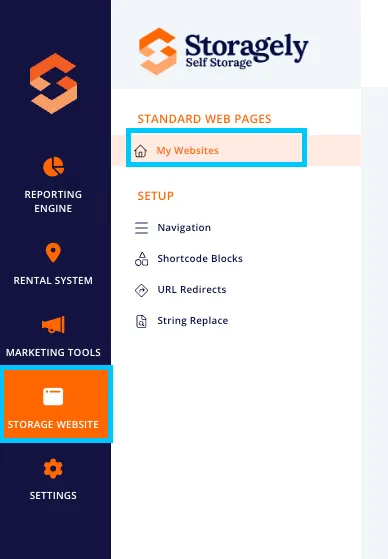
- Navigate to the Storage Website tab and select "My Websites"
- Select the website you want to edit from the list
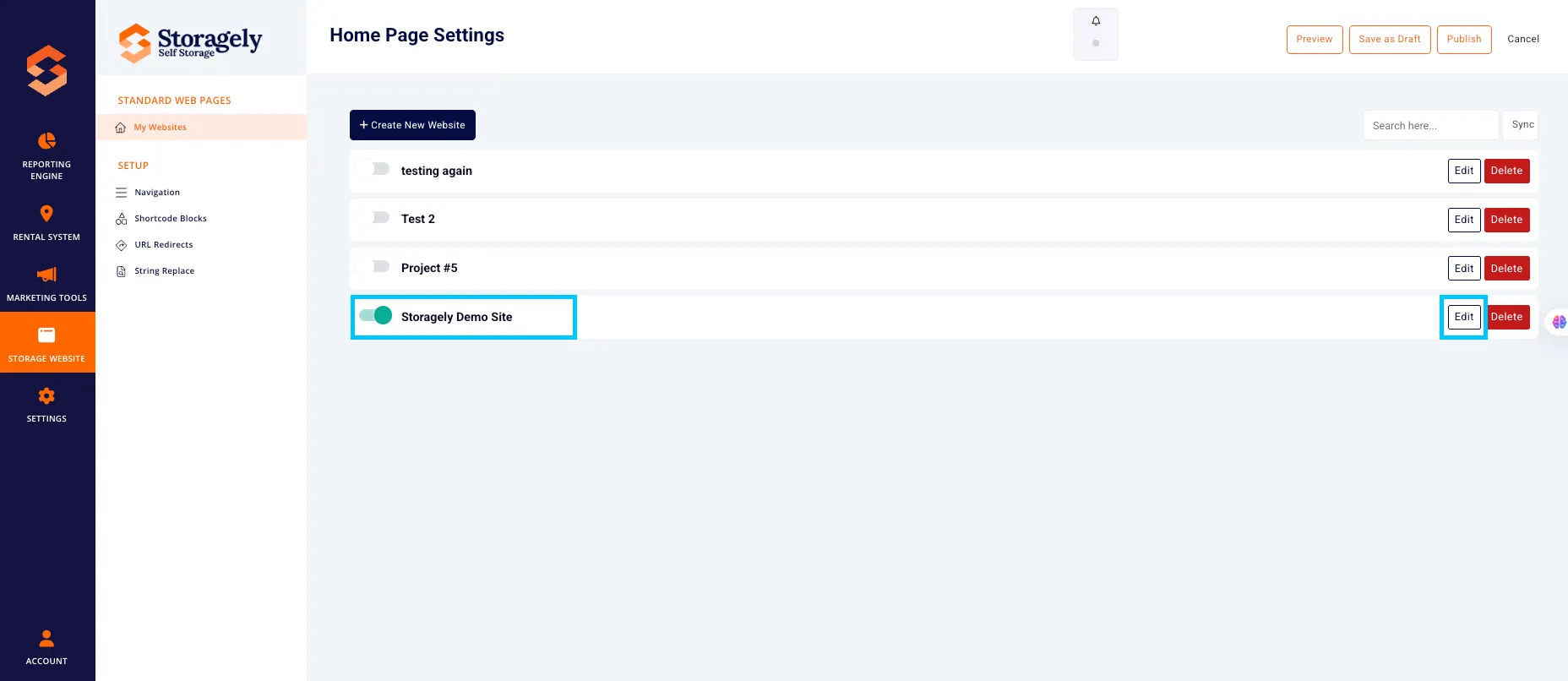
- Click the top left CMS icon

- Click the page containing the website information you’d like to update.
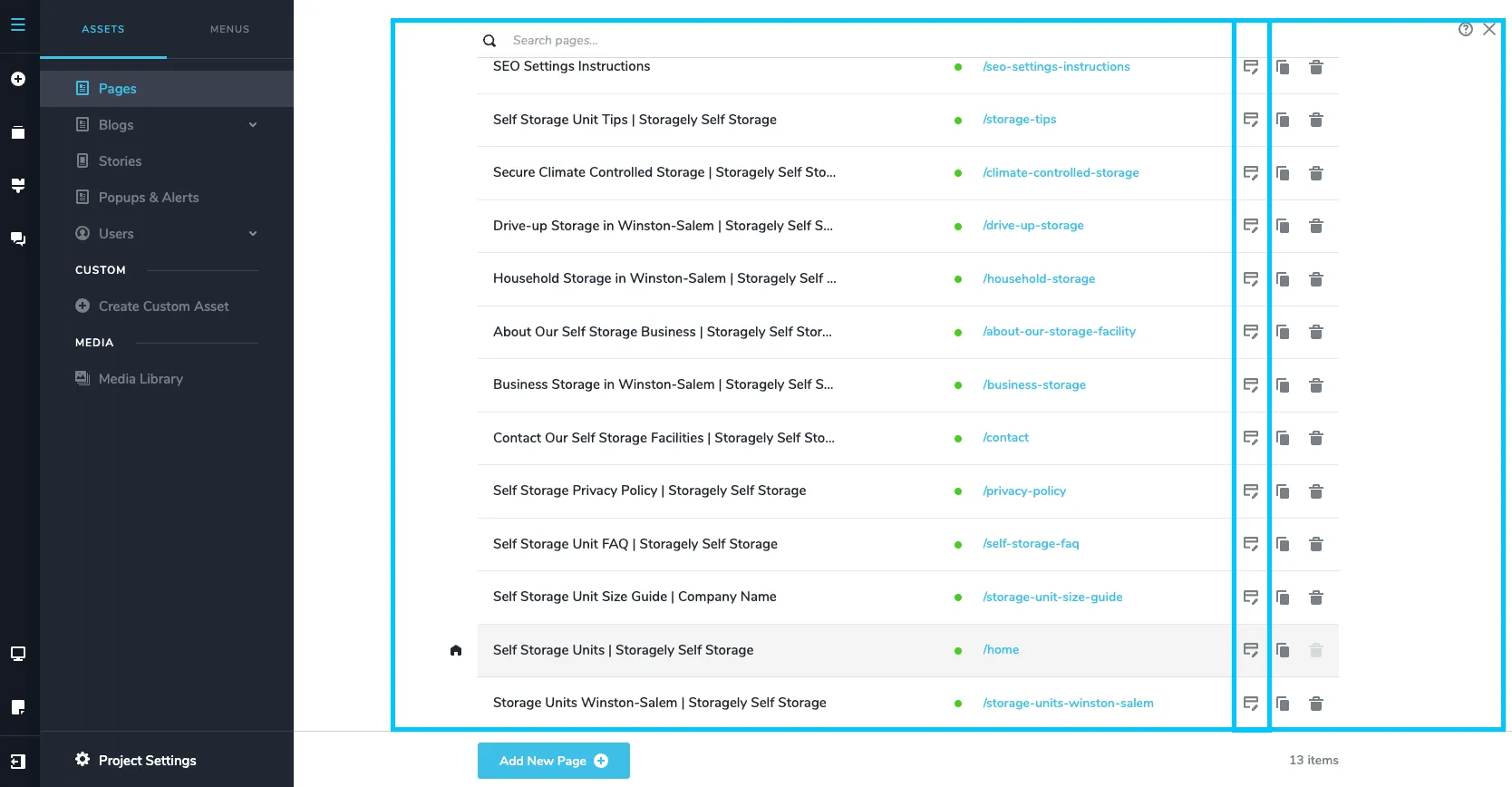
- Scroll to the section or content block where you want to adjust the padding or margins.
- Step-by-step instructions to change padding or margins within a section or block:
To adjust padding:
- Click the element (e.g., text, image, column, or block).
- In the toolbar, click the gear icon.

- Use the sliders or manual input fields on the right side to adjust Top, Bottom, Left, or Right padding and margins.


- Watch the live preview to see changes in real time.
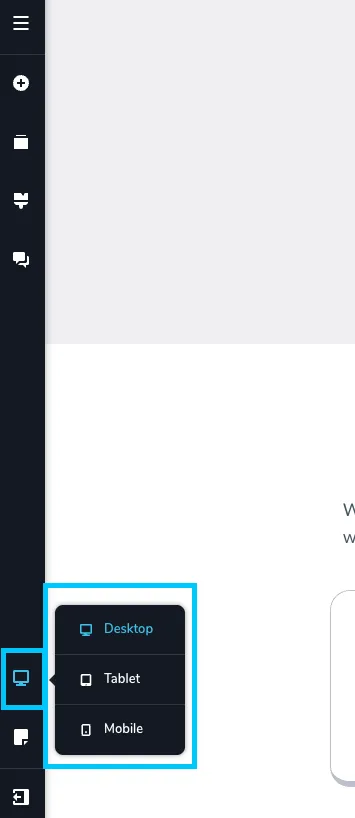
- Review the changes made in all 3 device types (desktop, tablet, mobile) to ensure they look correct.
- If you want to save the update made, select “Update” in the bottom right corner of the window. Then close the tab.
✅ Padding & Margin Best Practices
✅ Note: Padding is internal spacing, while margin controls the space outside an element. Use padding to create breathing room inside a section or block. Use margin to add space between blocks, sections, or other page elements.
✅ Keep spacing consistent across your site: Use the same top/bottom padding for similar sections (e.g., hero, features, testimonials) to maintain visual rhythm and alignment.
🎥 Watch Tutorial Video:
As always, if you have any questions during this process, our Customer Success Team is here to help. The best way to reach us is by submitting a support ticket.