How to Duplicate or Move Sections of a Page
Introduction
Duplicating and rearranging sections in Storagely helps you keep your design consistent and work more efficiently. Instead of rebuilding the same layout, you can quickly copy a section and reuse it elsewhere on the site. Moving sections also lets you organize content in the best order for your visitors. This guide shows you how to do both with just a few clicks.
Navigating to the Editor
- Open your Storagely Dashboard.
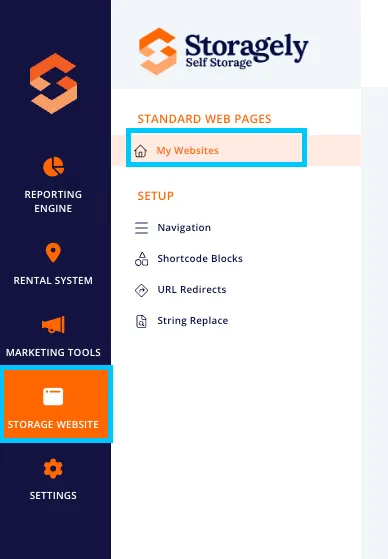
- Navigate to the Storage Website tab and select "My Websites"
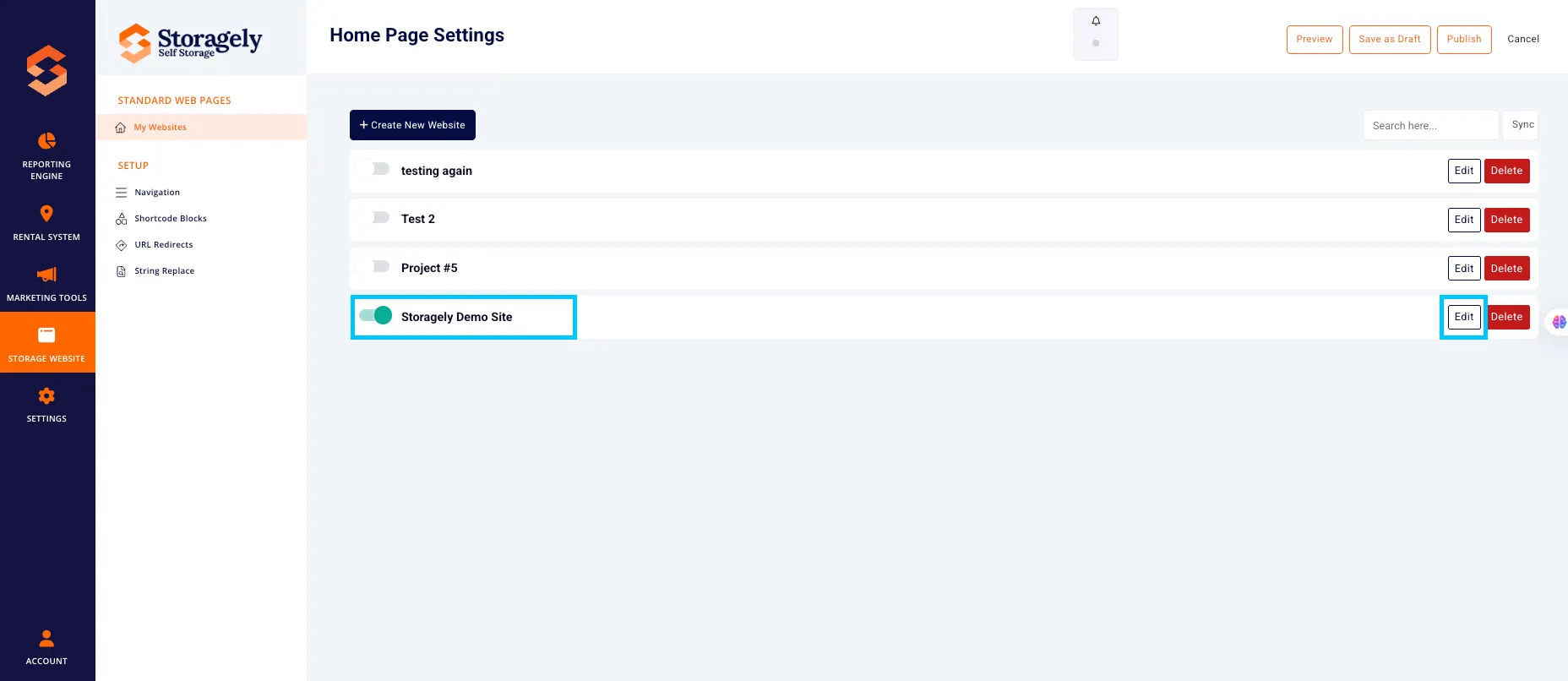
- Select the website you want to edit from the list
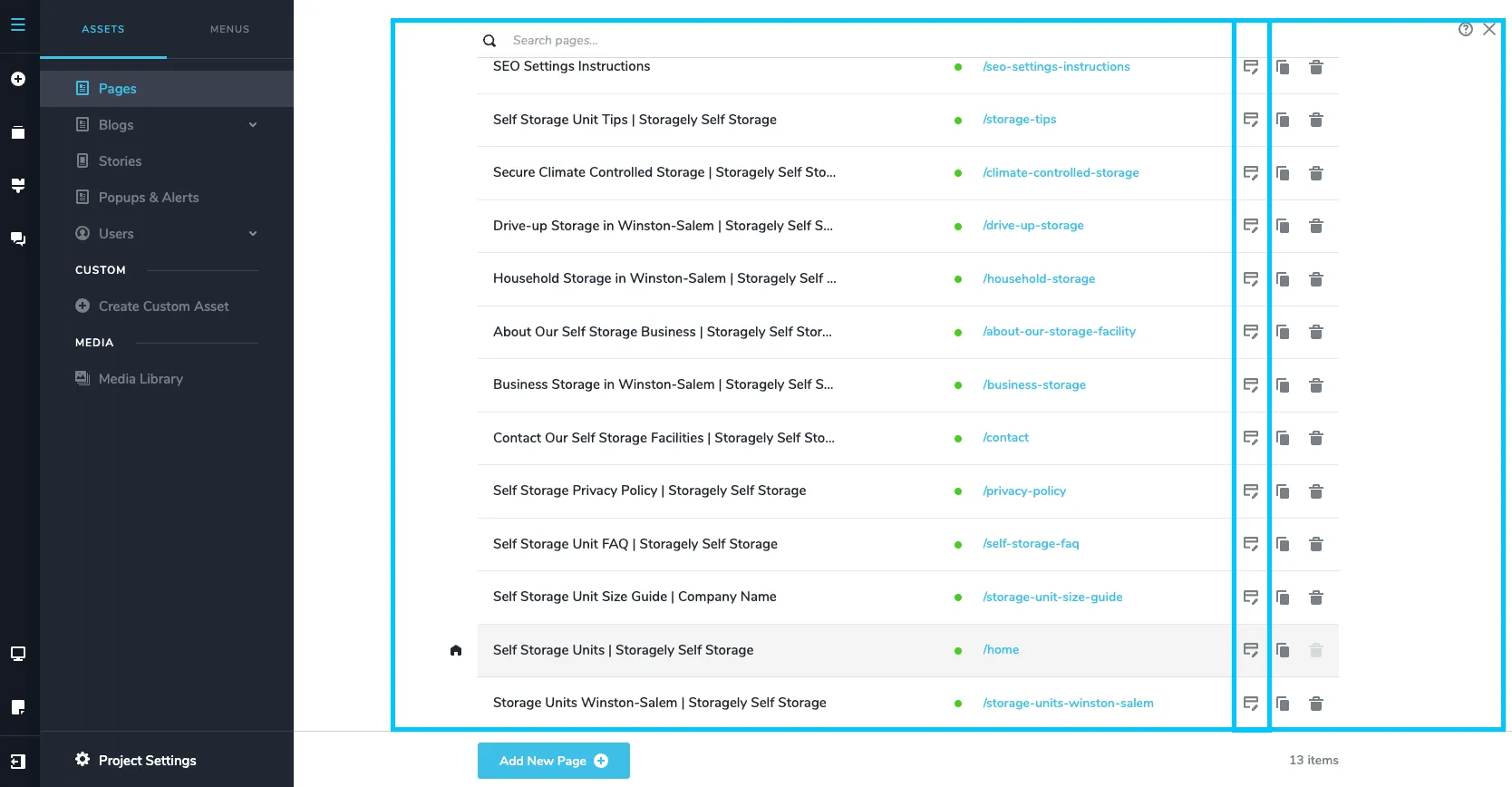
- Click the top left CMS icon

- Click the page containing the section you’d like to duplicate or move.
To duplicate a section:
- Hover over the desired section.
- A toolbar will appear in the top-left corner of the section.

- Click the Duplicate icon (two overlapping squares).

- The section will be cloned directly below the original.
- Move the section to its intended spot and update the content accordingly. Reposition the duplicated section within the layout and apply any changes you would like.
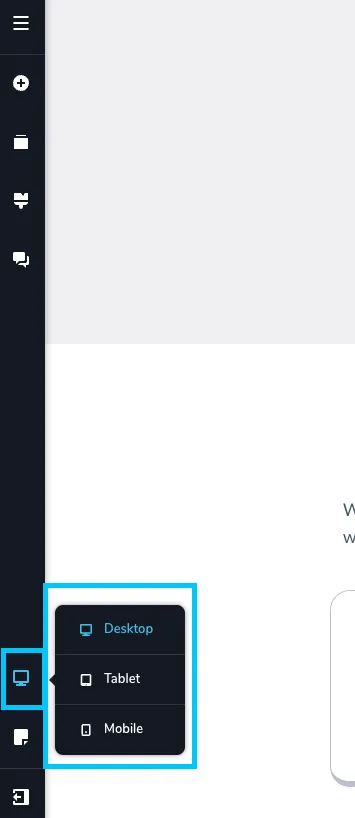
- Review the changes made in all 3 device types (desktop, tablet, mobile) to ensure they look correct.
- To save the update, select “Update” in the bottom right corner of the window. Then close the tab.
🎥 Watch Tutorial Video:
To move a section:
- Click the top left CMS icon

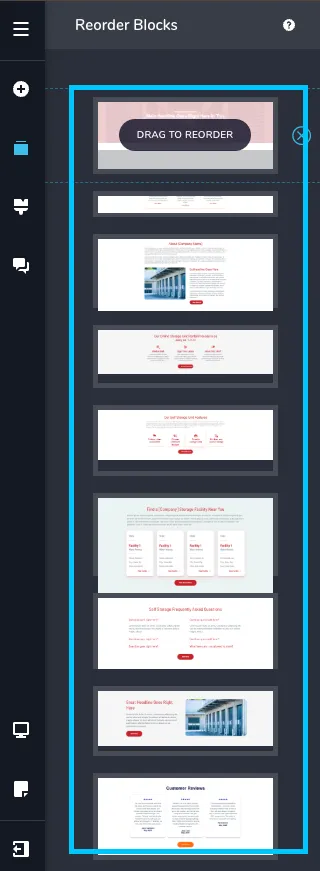
- Click on the Reorder Blocks icon

- Drag the new block to wherever you need it in the order of page blocks.
- Review the changes made in all 3 device types (desktop, tablet, mobile) to ensure they look correct.
- If you want to save the update made, select “Update” in the bottom right corner of the window. Then close the tab.
Section Duplication & Rearrangement Best Practices:
✅ Use duplication to save time and maintain design consistency: When adding similar layouts—like testimonials, service blocks, or calls-to-action (CTAs) —duplicate an existing section to match spacing, font styles, and button formatting.
✅ Update content after duplicating: Always replace placeholder text, images, and links in duplicated sections to avoid confusion or repeated content.
✅ Check layout on all devices: After moving or duplicating a section, preview it on desktop, tablet, and mobile to ensure proper spacing and alignment.
✅ Use consistent spacing between sections: Maintain even padding and margins when rearranging sections to keep the page clean and professional.
🎥 Watch Tutorial Video:
As always, if you have any questions during this process, our Customer Success Team is here to help. The best way to reach us is by submitting a support ticket.