How to Change an Image in Block
Introduction
Background (hero) images are often the first visual element a visitor sees. Updating this image keeps your website looking current, branded, and engaging. Replacing or updating images in the Storagely Website Editor is easy.
Navigating to the Editor
- Open your Storagely Dashboard.
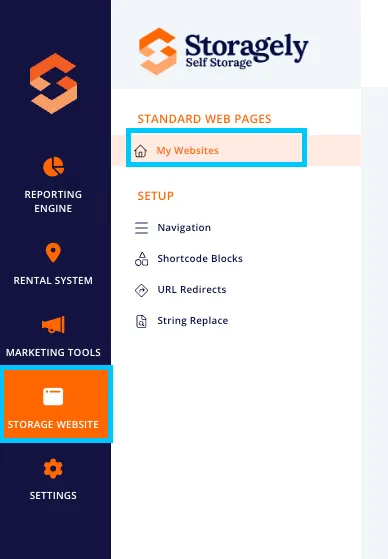
- Navigate to the Storage Website tab and select "My Websites"
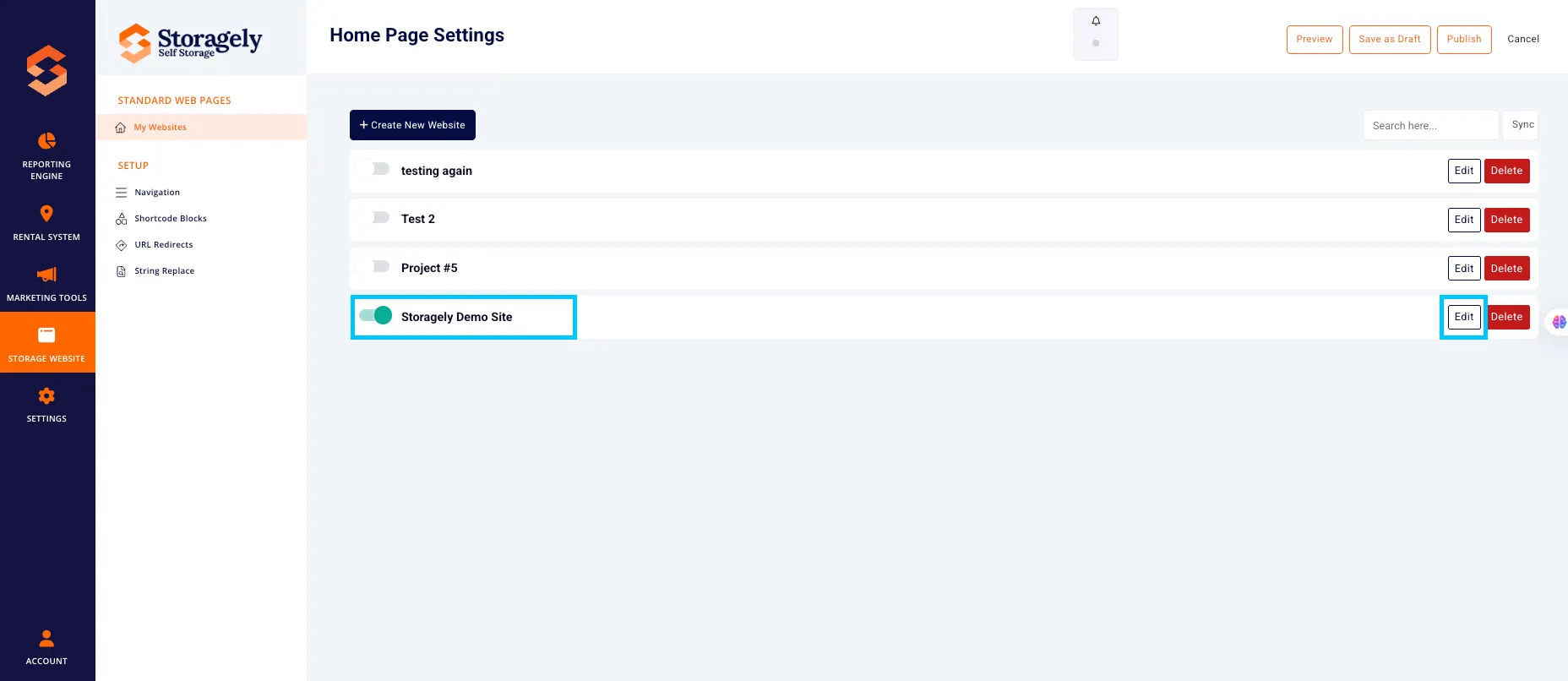
- Select the website you want to edit from the list
- Click the top left CMS icon

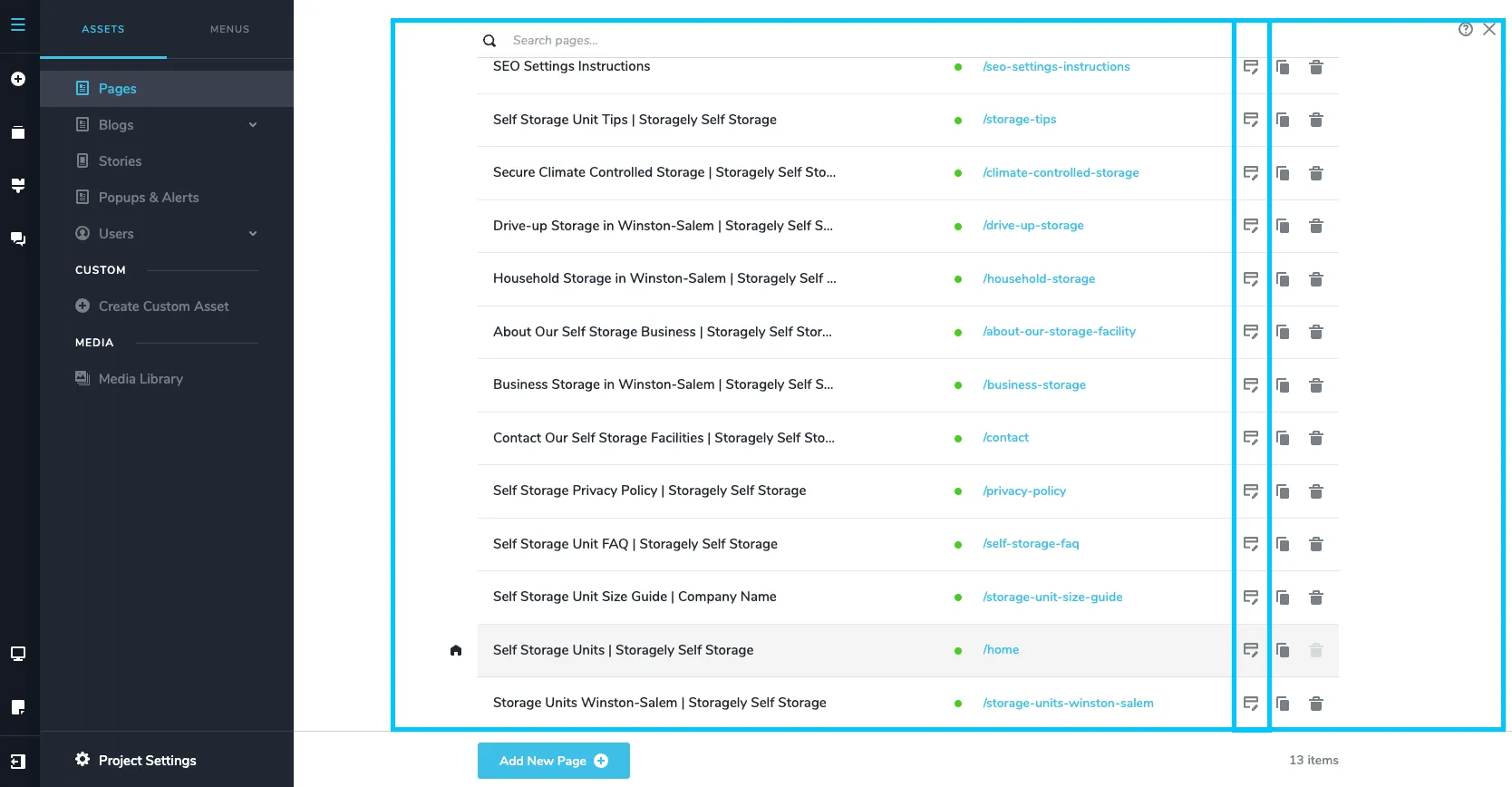
- Click the page containing the background image you’d like to update.
- Scroll to the Image in a section or block on the page preview.
Step-by-step instructions to change an image within an image block:
- Hover over the image block you want to change.
- Click directly on the image to open the toolbar.
- In the toolbar, click the image thumbnail or image icon to open the Media Library.

- Upload a new image from your computer by clicking “+Add” or select an existing one from the Media Library. Click “Insert File” to apply the new image.

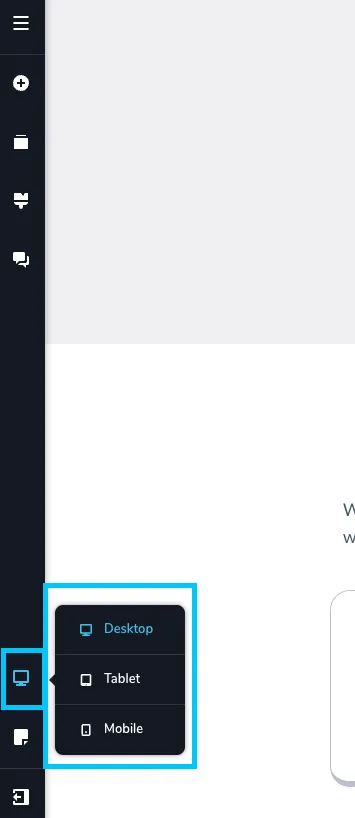
- Review the changes made in all 3 device types (Desktop, tablet, mobile) to ensure they look correct.
- To save the update, select “Update” in the bottom right corner of the window. Then close the tab.
Best Practices for Background Images
✅ Use high-res, optimized images (<200KB) Keep images sharp but lightweight. Use compressed formats like WebP or JPEG to maintain fast load times.
Use tools like Online-Convert to formate images. Here is a link to a tool to use.
✅ Adjust overlay color and opacity for readability Apply a semi-transparent overlay to ensure text stands out clearly against the background image.
✅ Preview on all devices Use the preview toggle in Storagely to check how your image looks on desktop, tablet, and mobile. Crop and alignment may vary.
✅ Name image files with SEO keywords Rename files before uploading using relevant keywords (e.g., climate-controlled-storage.jpg). Use hyphens instead of spaces to improve search visibility.
🎥 Watch Tutorial Video of this process:
As always, if you have any questions during this process, our Customer Success Team is here to help. The best way to reach us is by submitting a support ticket.