How To: Change the Knowledge Base Articles on Live Chat
1 min
In this article, we will demonstrate how to edit existing knowledge-based articles on your live chat platform.
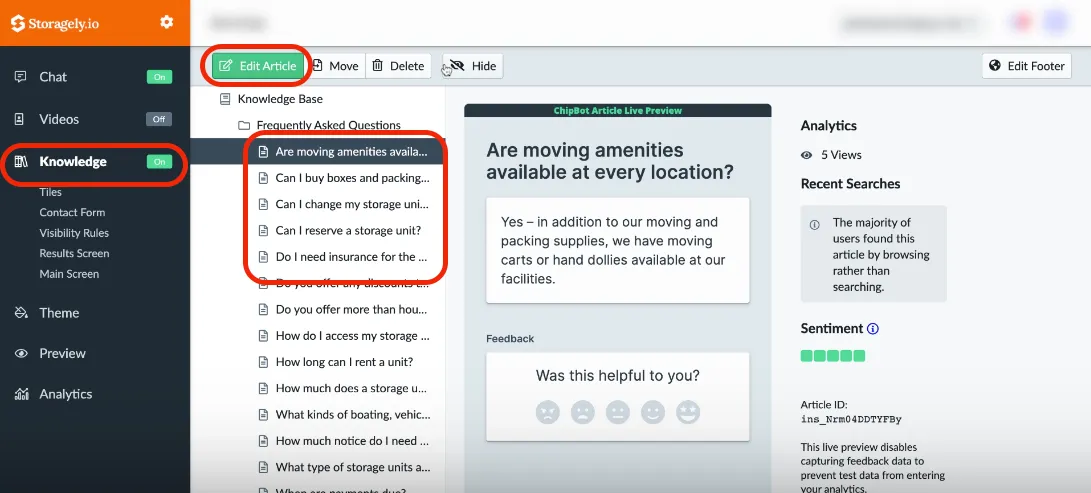
- Log in to your live chat account
- Click on the "Knowledge" section on the left-hand side
- Select the Article, and click 'Edit Article
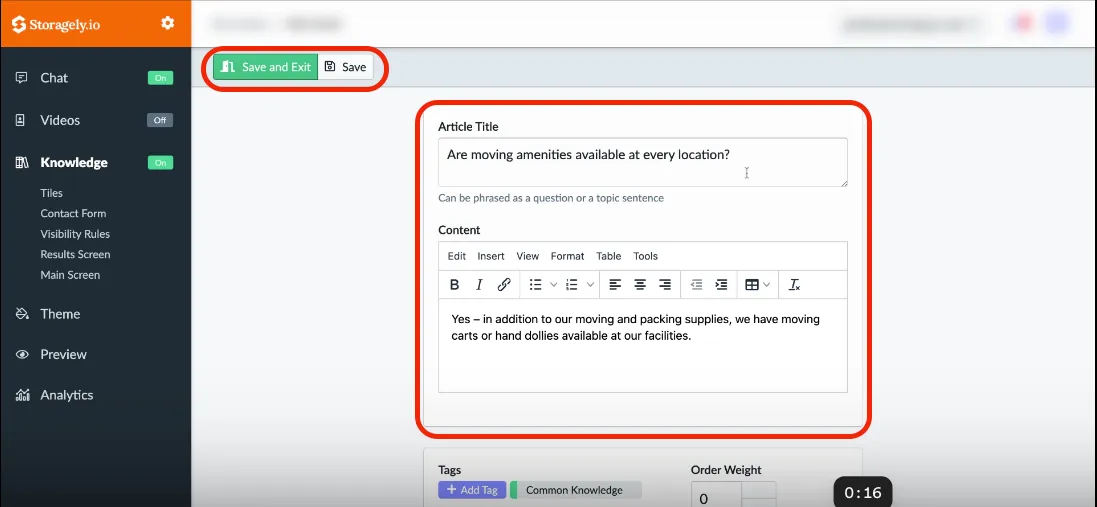
- After making the necessary edits, simply select 'Save and Exit'.
Have a question?
Our super-smart AI, knowledgeable support team and an awesome community will get you an answer in a flash.
To ask a question or participate in discussions, you'll need to authenticate first.