How To: Add Custom Website Unit Attributes In Sitelink
5 min
Do you offer heated or air-cooled units at your facility? Would you like to display these features on your Storagely website? Follow the steps below to configure and showcase these unit attributes effectively.
For additional guidance, refer to the instructional video provided.
Step 1: Log in to Your Sitelink Admin Dashboard
- Navigate to your Sitelink Web Edition and log in with your credentials.
Step 2: Modify Unit Attributes
- Go to the 'Company' section and select 'Modify Units.'
- Select the unit(s) you want to update.
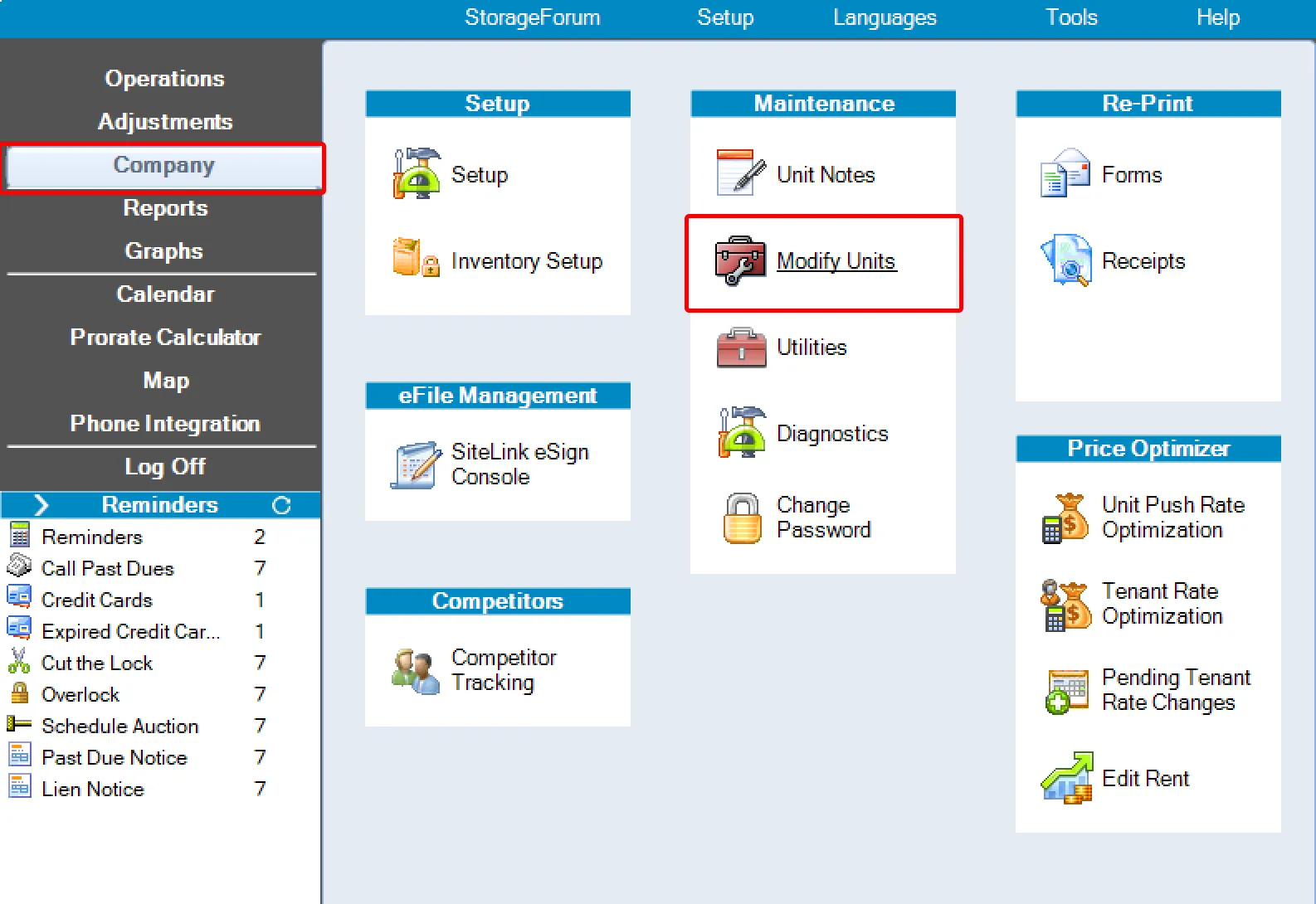
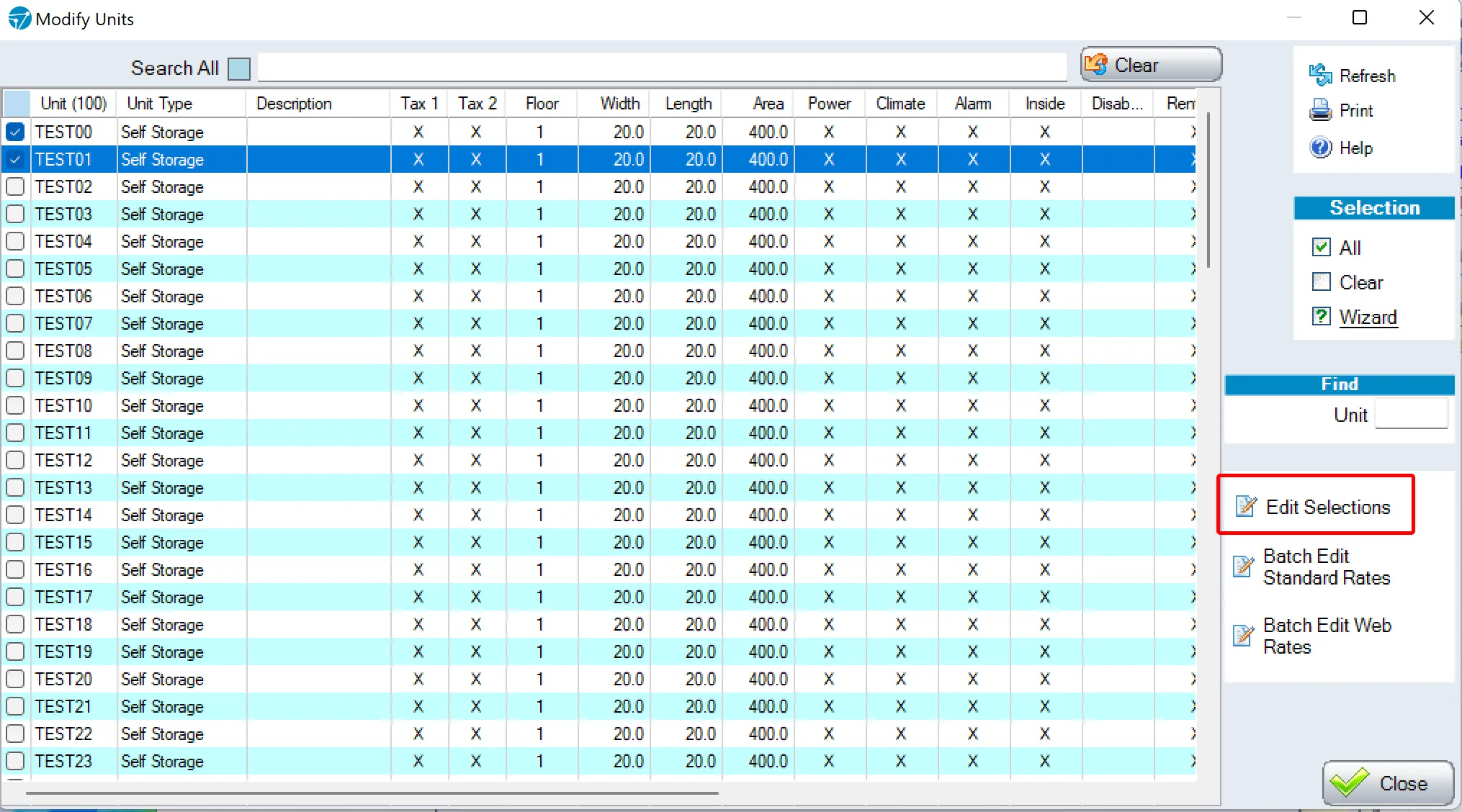
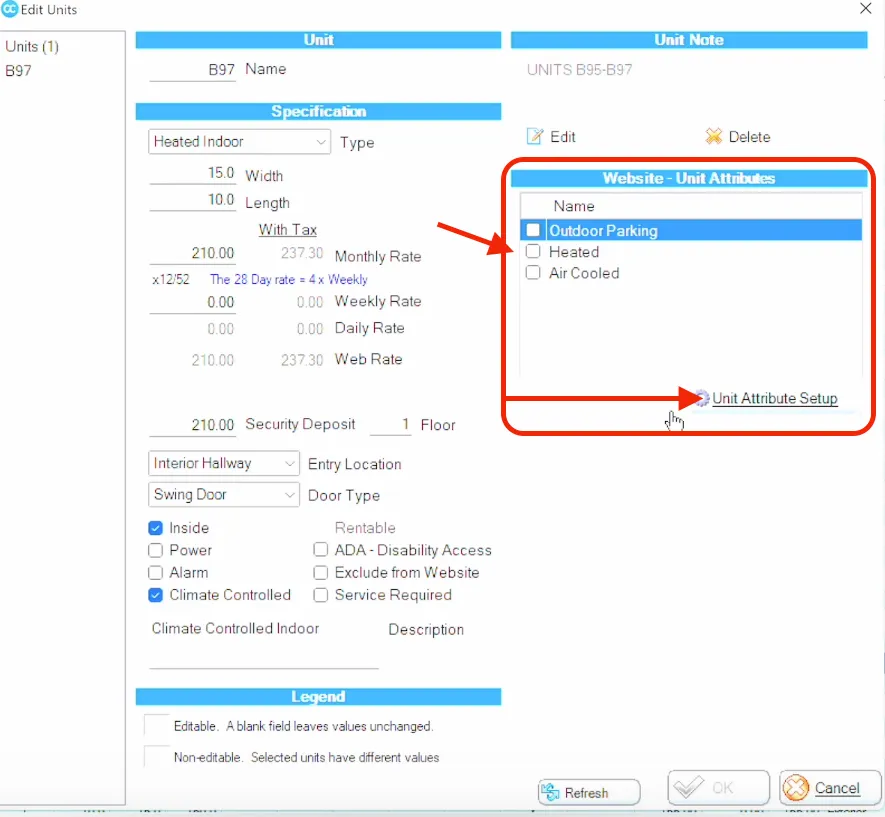
Step 3: Assign Attributes in the 'Website - Unit Attributes' Section
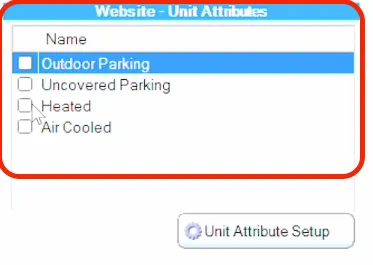
- In the 'Website - Unit Attributes' section:
- Add or modify specific attributes for the selected unit(s).
- Place a checkmark in the corresponding attribute to integrate it with your website via the Sitelink API.
- Click 'Unit Attribute Setup' to access the list of available attributes.
- Important Notes:
- If you select units with varying characteristics (e.g., different sizes, types, or amenities), fields that do not match across the units cannot be edited simultaneously.
- Ensure the attributes accurately reflect the features of your units to provide clear and reliable information to your customers.
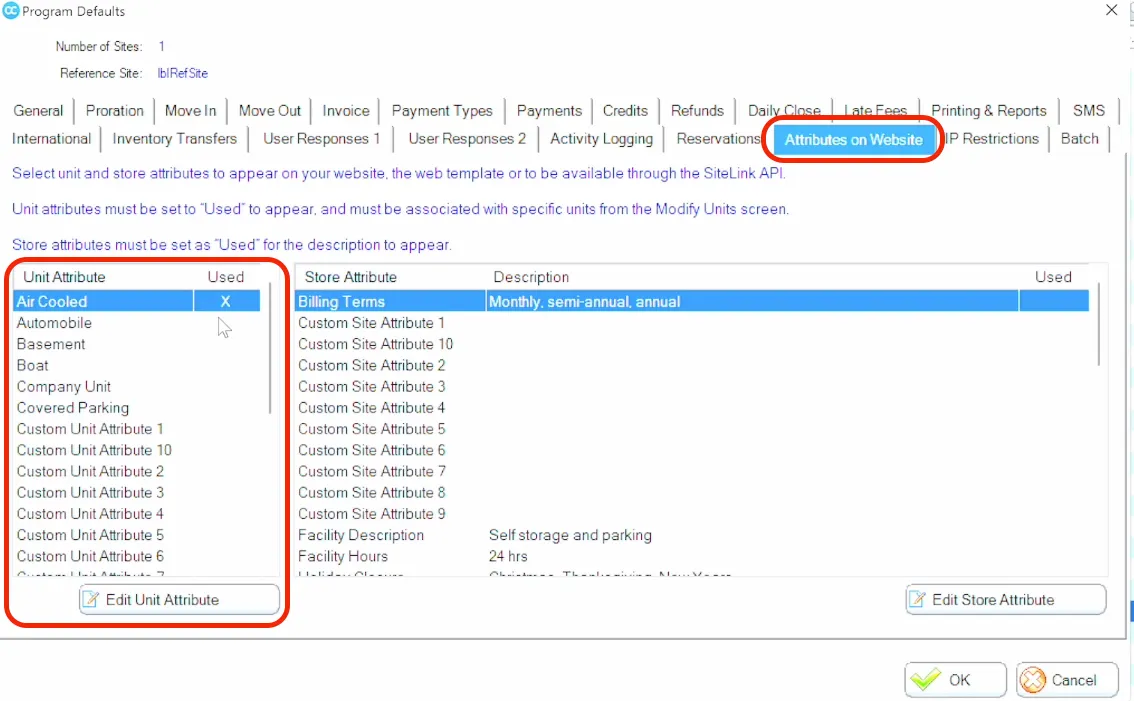
Step 4: Configure Attributes
- Double-click on the attribute you want to apply.
- In the setup window:
- Check the box labeled 'Use at this site.'
- Click 'OK' to confirm.
- Follow the on-screen prompts to complete the attribute setup.
Step 5: Apply Attributes to Units
- After setting up the attributes, they will appear in the 'Website - Unit Attributes' section.
- Select and apply the desired attributes to the chosen unit(s).
- Click 'OK' to save your changes and follow any final prompts.
By following these steps, you can ensure your heated or air-cooled units are prominently showcased on your Storagely website, helping customers make informed decisions about your facility's offerings.
As always, if you have any questions during this process, our Customer Success Team is here to help. The best way to reach us is by submitting a support ticket.
Have a question?
Our super-smart AI, knowledgeable support team and an awesome community will get you an answer in a flash.
To ask a question or participate in discussions, you'll need to authenticate first.