How to Access Google Workspace Admin
2 min
To manage your Google Workspace account, you'll need to log in using your primary business email address. Follow these steps to access the Admin Console:
Steps to Access Google Workspace Admin
- Log In to Your Google Workspace Account:
- Go to gmail.com.
- Enter your business email address (e.g., [email protected]).
- Input your password and log in.
- Open the Admin Console:
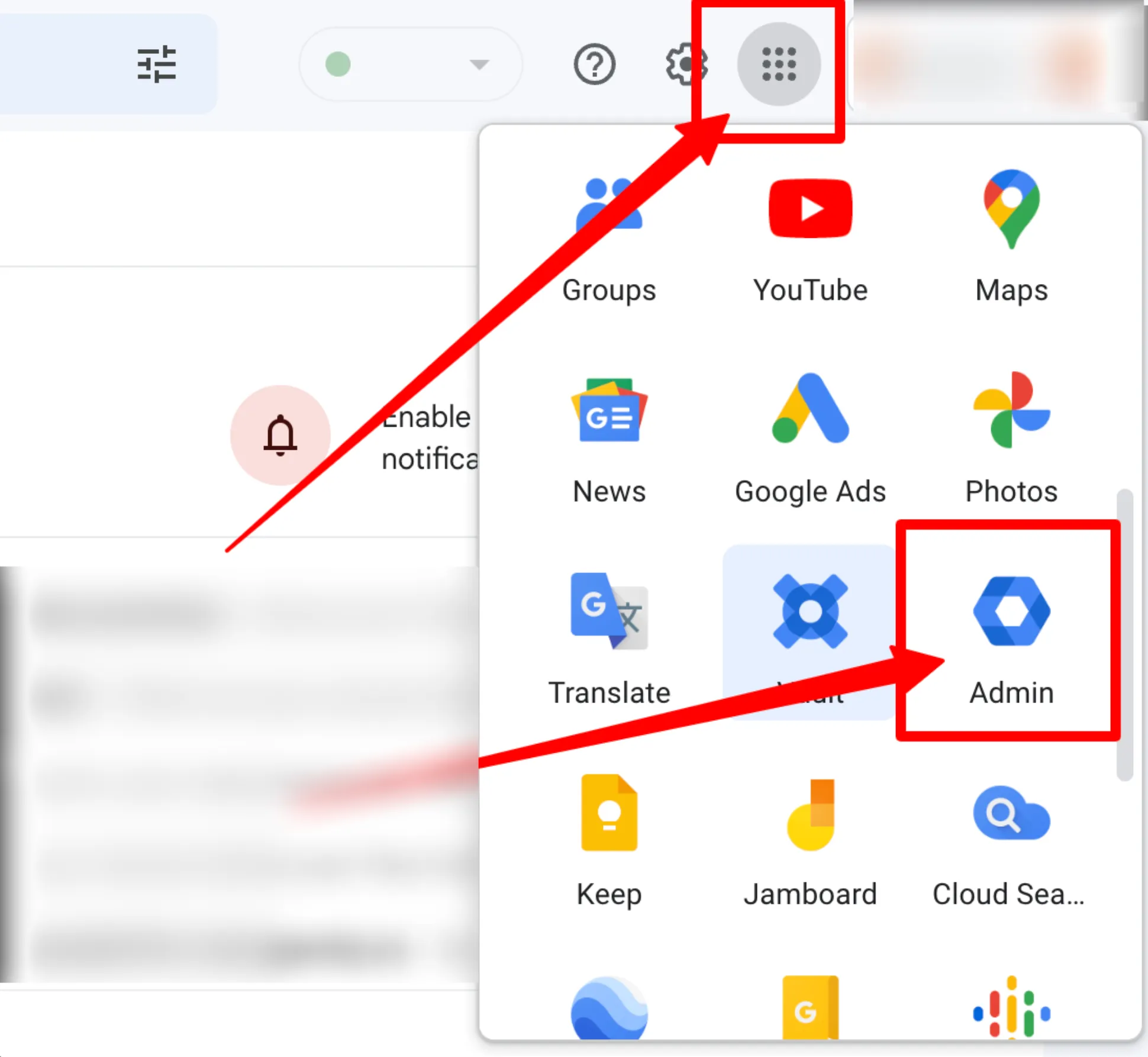
- Once logged in, click the Menu icon (grid icon) in the top-right corner of the page.
- From the dropdown menu, click on the Admin icon to open the Admin Console.
Additional Resources
- For further training or assistance, visit the Google Workspace Help Center.
- Explore guides and videos provided by Google for in-depth management tips.
By following these steps, you’ll be able to access and manage your Google Workspace Admin settings efficiently.
As always, if you have any questions during this process, our Customer Success Team is here to help. The best way to reach us is by submitting a support ticket.
Have a question?
Our super-smart AI, knowledgeable support team and an awesome community will get you an answer in a flash.
To ask a question or participate in discussions, you'll need to authenticate first.