Email Setup Settings
1. Introduction
The Email Setup section in the Storagely Dashboard manages email configurations for transactional and marketing emails sent through the platform. This setup ensures that email communications, such as reservation confirmations, payment receipts, and marketing messages, are delivered correctly.
Important Notice: Access to Email Setup settings is restricted by default to ensure proper email functionality. Users must work with their Storagely Account Manager for any modifications.
2. Navigating to Email Setup
To access the Email Setup:
- Log in to your Storagely Dashboard.
- In the left sidebar menu, click on Settings.
- Select Account Setup → Email Setup.
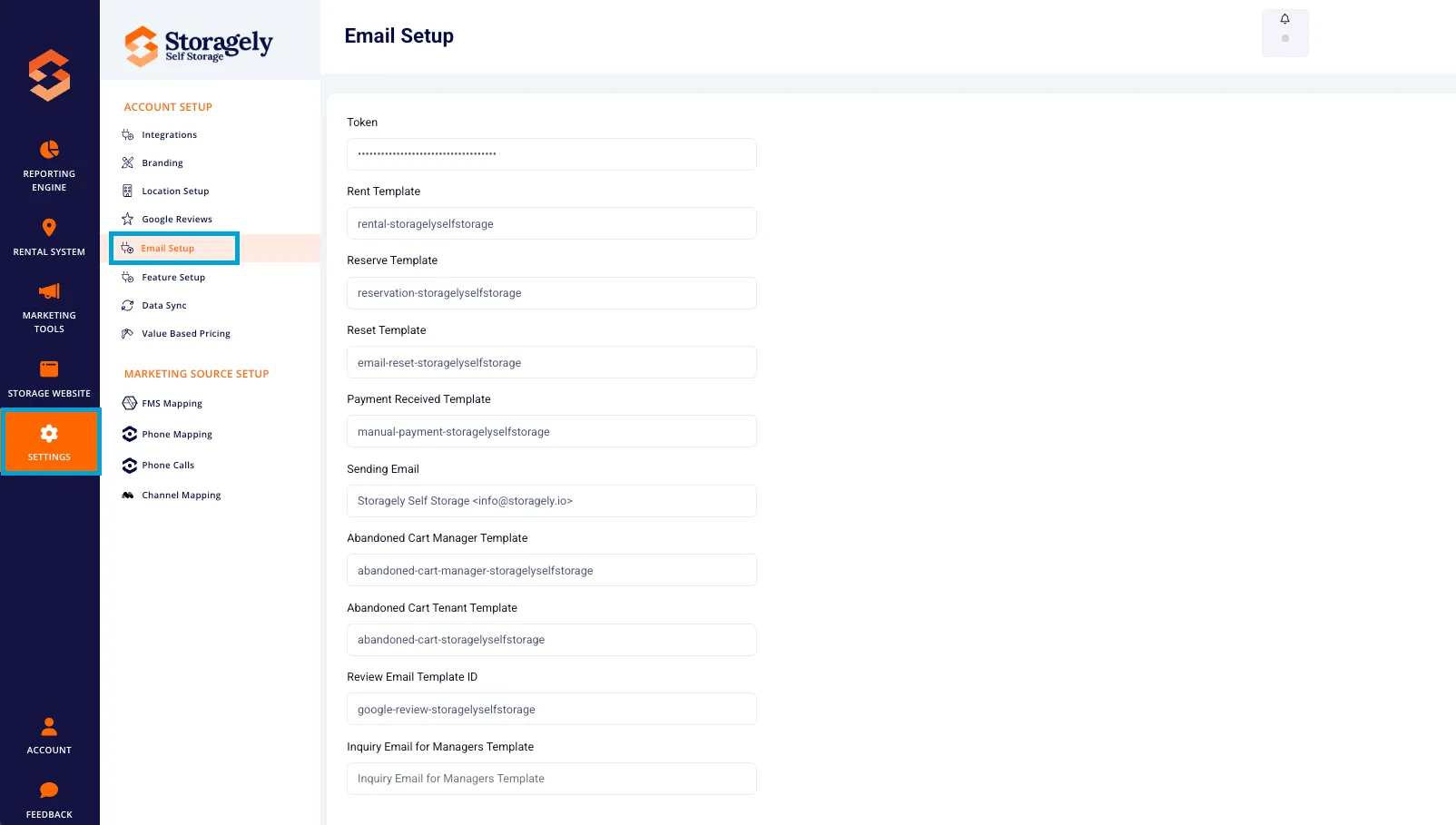
- If you see an Access Denied message, contact your Storagely Account Manager for assistance.
3. Understanding the Email Setup Interface
The Email Setup section includes the following settings:
A. Email Configuration
- SMTP Settings – Configures outgoing email servers.
- Sender Email Address – The email address used to send messages.
- Reply-To Email Address – The email where customer replies will be received.
B. Transactional Email Settings
- Reservation Confirmation Emails – Sent automatically when a customer reserves a unit.
- Payment Confirmation Emails – Sent when a payment is successfully processed.
- Move-In Confirmation Emails – Sent when a customer completes a move-in.
C. Marketing Email Settings
- Newsletter & Promotions – Settings for sending marketing emails to subscribers.
- Automated Follow-Ups – Configure follow-up emails for leads and abandoned reservations.
D. Custom Email Templates
- Modify the content and design of automated emails.
- Use dynamic placeholders to personalize messages (e.g., customer name, facility name).
4. Requesting Changes to Email Settings
Because modifying email settings can affect system-wide communication, all changes should be coordinated with your Storagely Account Manager.
To request an email setup change:
- Identify the required update (e.g., SMTP configuration, template edits).
- Contact your designated Storagely Account Manager via email or support ticket.
- Provide the necessary details (e.g., sender email, reply-to address, email content).
- Your Account Manager will assist in configuring and testing the setup.
5. Best Practices for Email Management
✅ Use a professional sender email address to increase deliverability. ✅ Ensure reply-to addresses are monitored so customer responses don’t go unanswered. ✅ Personalize email templates using dynamic placeholders. ✅ Follow email compliance guidelines (e.g., GDPR, CAN-SPAM Act).
6. FAQs & Troubleshooting
Q1: Why can’t I access the Email Setup settings? A: Access to these settings is restricted by default to prevent misconfiguration. Contact your Storagely Account Manager for assistance.
Q2: How do I update my sender email address? A: Reach out to your Storagely Account Manager to request this change.
Q3: Can I customize email templates? A: Yes, but you’ll need to coordinate edits with Storagely Support to ensure proper formatting.
Q4: What should I do if my emails aren’t being delivered? A: Contact Storagely Support to troubleshoot email deliverability issues.
As always, if you have any questions during this process, our Customer Success Team is here to help. The best way to reach us is by submitting a support ticket.