Batch Emails (For Administrators & Internal Team Members)
1. Overview
The Batch Emails feature in the Storagely Dashboard is used by team members to manually send Google review requests to tenants. These emails help improve the volume of reviews and increase the average review score at a property, which is essential for SEO performance and local search rankings.
Unlike automated feedback requests, these review requests are sent manually when a facility needs to boost its online reputation.
2. Accessing Batch Emails
Since batch email functionality involves mass messaging, access is limited to authorized team members.
Steps to Access Batch Emails:
- Log in to the Storagely Dashboard.
- Navigate to Settings > Marketing Source Setup > Batch Emails.
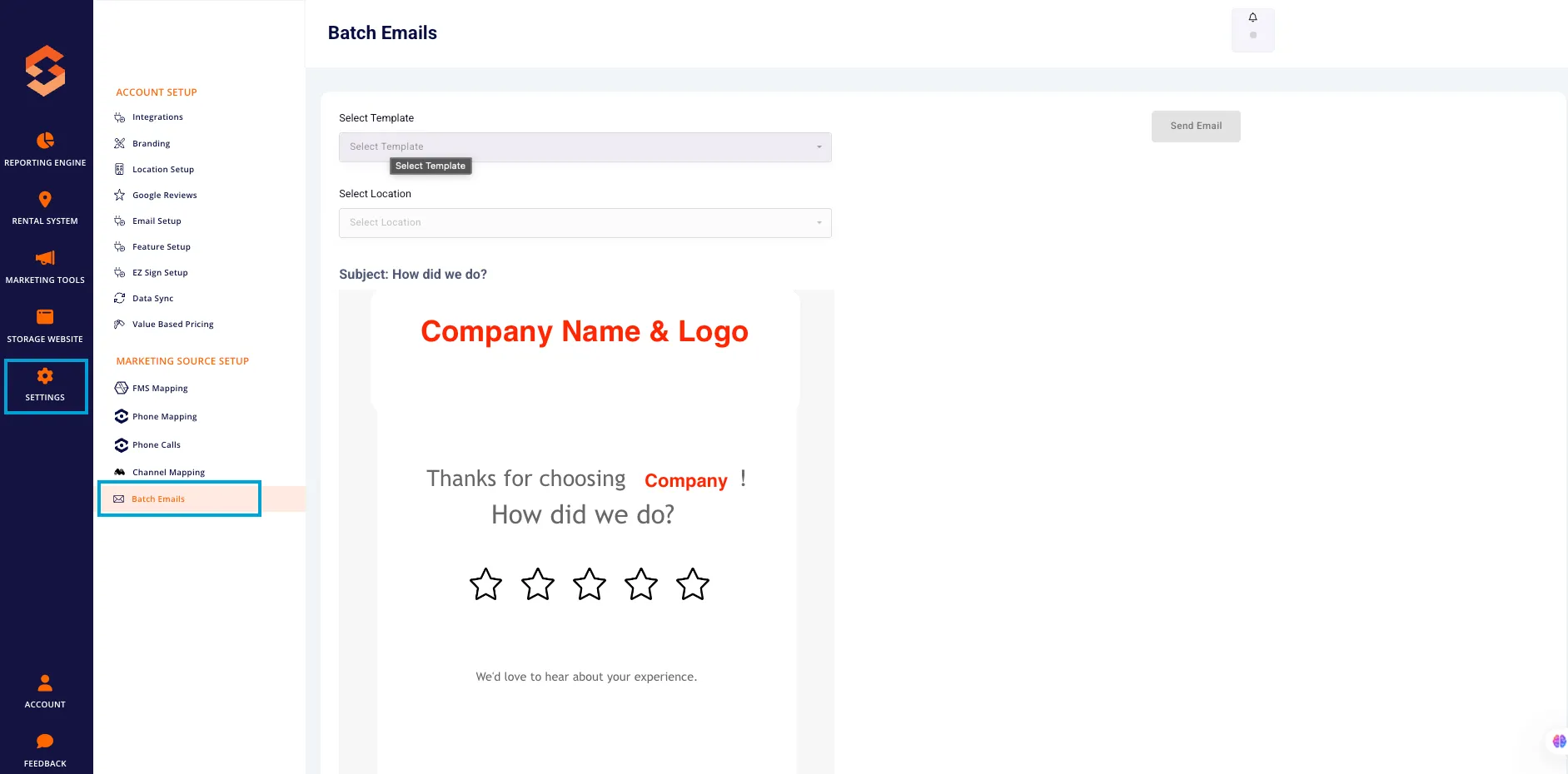
- If access is denied, contact your Storagely Dashboard Administrator to request permissions.
3. Sending a Batch Email for Google Reviews
Step 1: Select Email Template
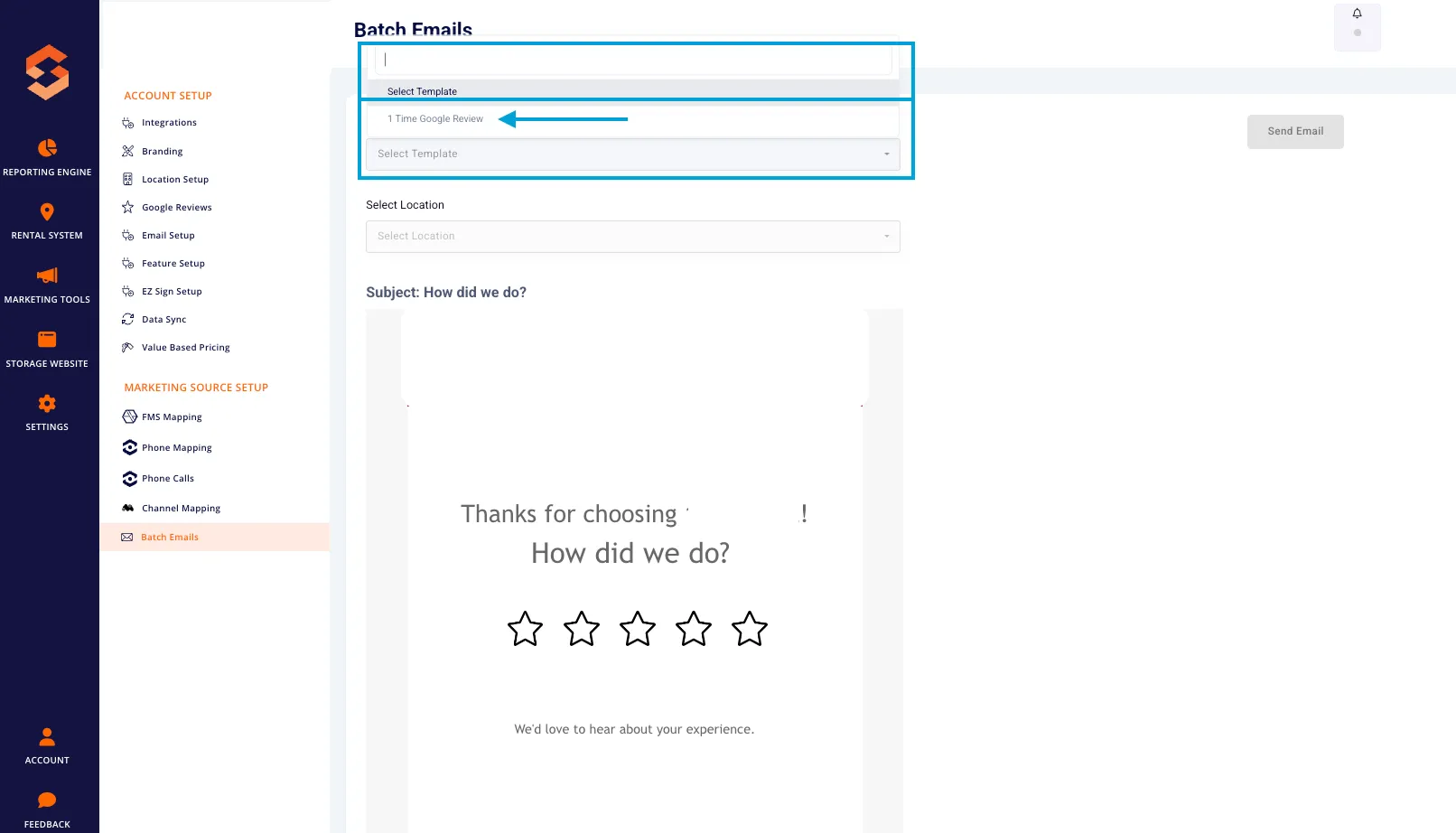
- In the Select Template dropdown, choose:
- "1 Time Google Review" for a one-time request.
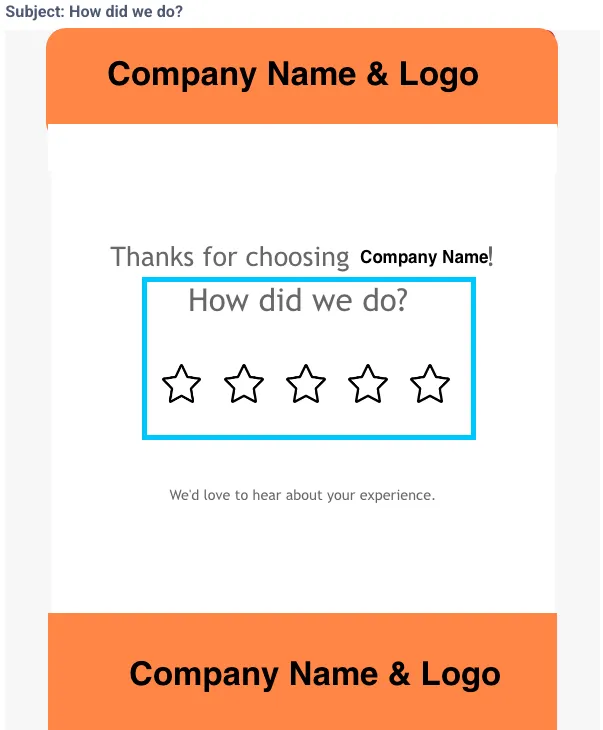
- This template includes a preformatted email with a 5-star rating system and a direct link to leave a review.
Step 2: Select the Property
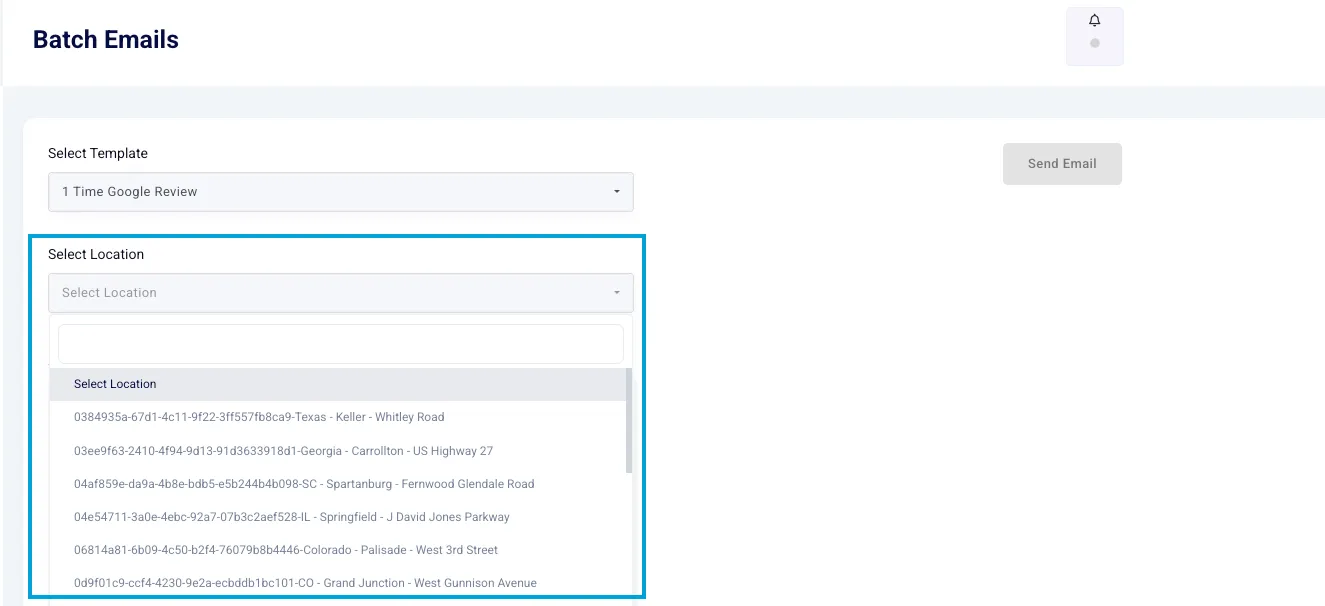
- In the Select Location dropdown, choose the facility that needs review requests.
- Ensure the correct property name and address appear in the email preview.
Step 3: Upload a CSV File (Tenant List)
- Click "Upload CSV" to import a list of tenants.
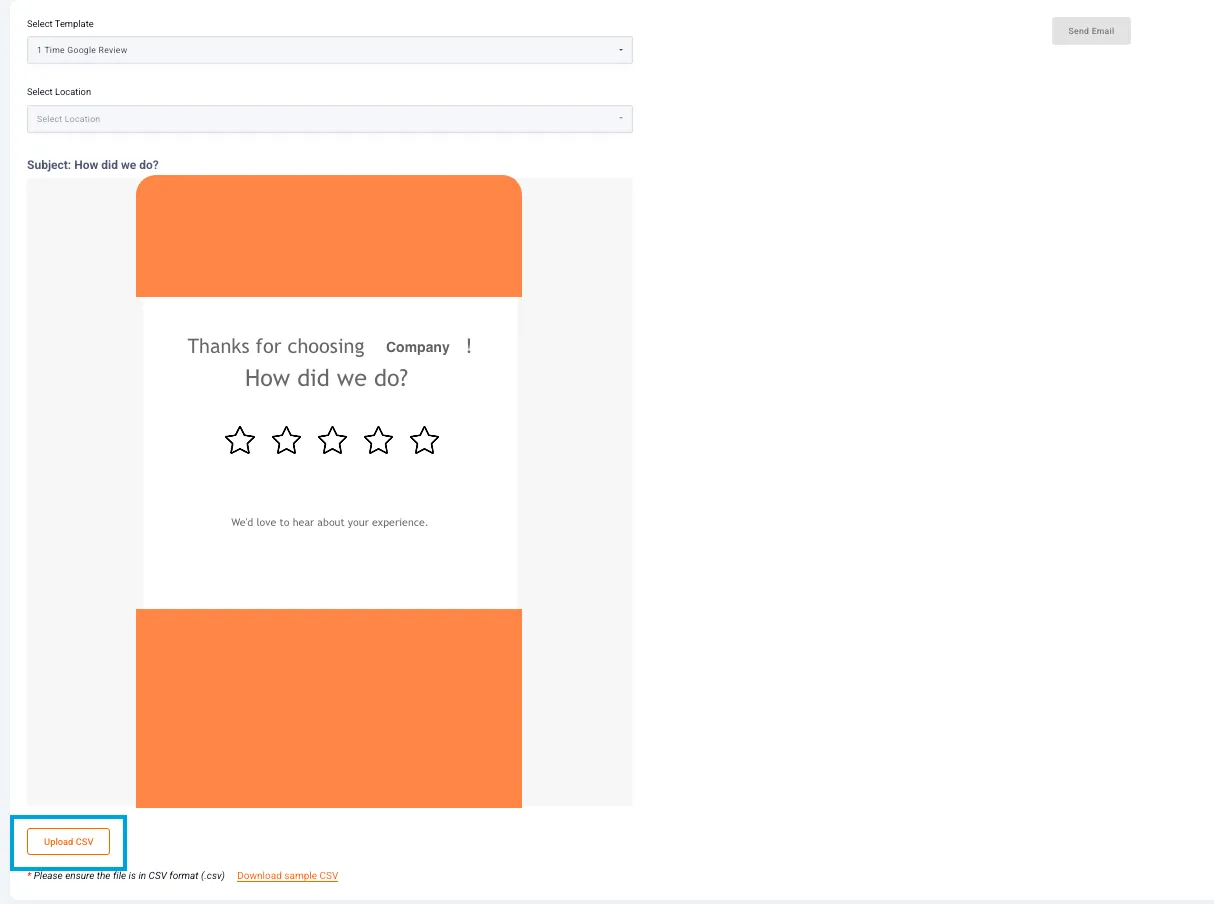
- Ensure the file format is CSV (check the sample CSV for reference).
- A successful upload message will appear at the bottom when the list is ready.
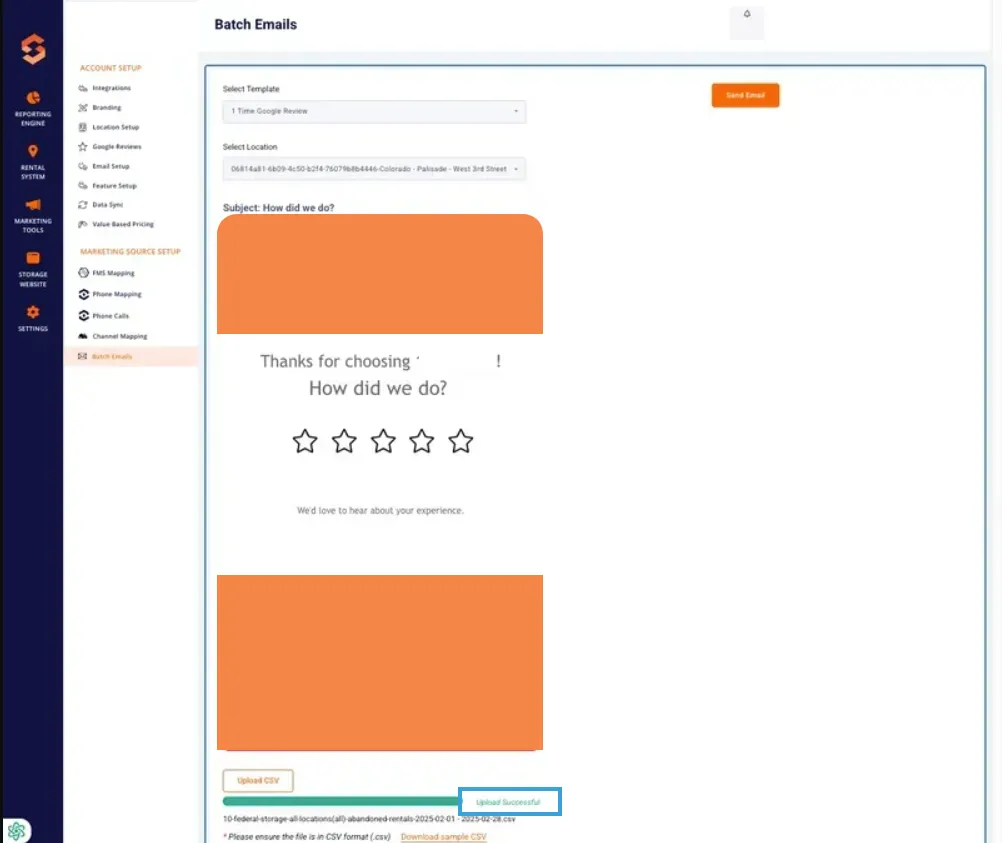
Step 4: Send the Email
- Click the "Send Email" button.
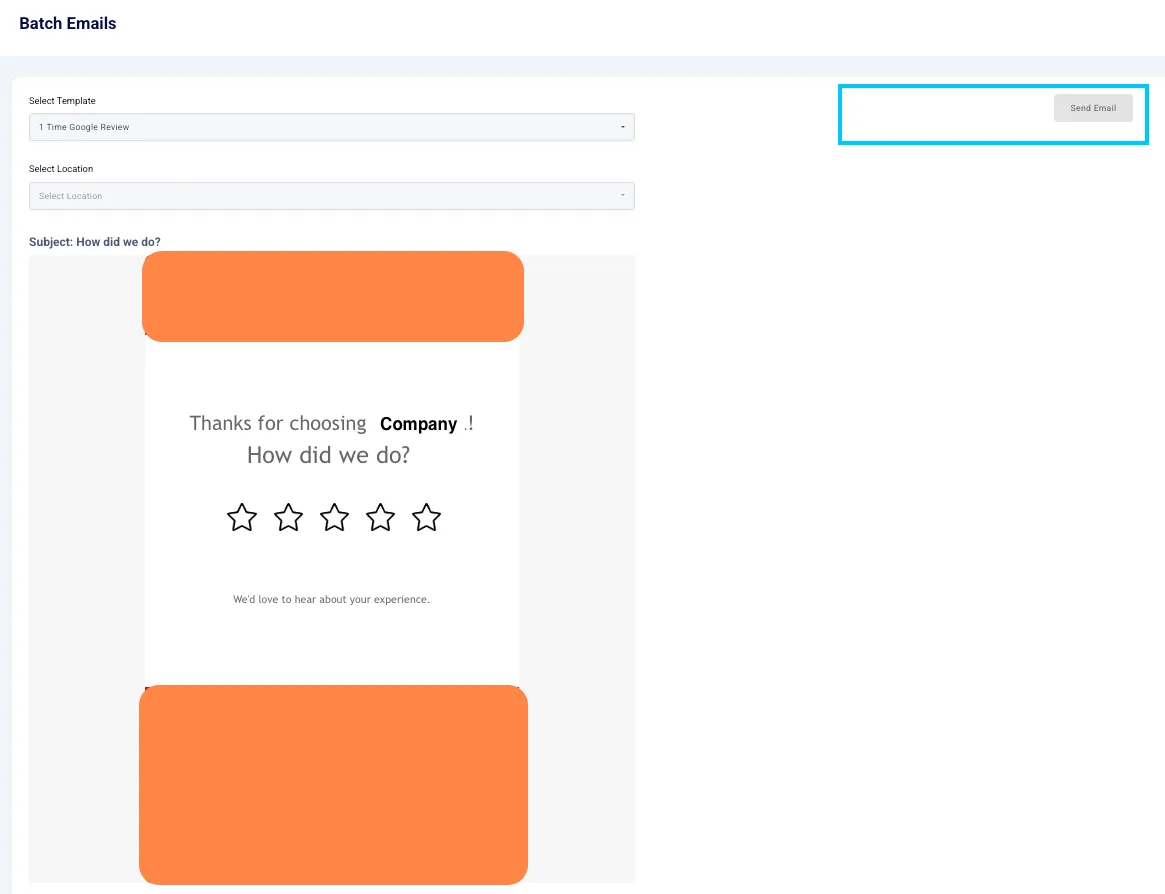
- The system will process the batch and send requests to all tenants in the uploaded CSV file.
4. Best Practices for Google Review Requests
✅ Send review requests strategically when you need a ratings boost. ✅ Target satisfied tenants to improve the average review score. ✅ Ensure accurate facility details before sending requests. ✅ Use personalized fields to make the email more engaging. ✅ Monitor review responses and follow up as needed.
5. Troubleshooting & FAQs
Issue | Possible Cause | Solution |
|---|---|---|
Emails Not Sending | Incorrect CSV format | Ensure the file is in CSV format |
Low Response Rate | Poor timing or impersonal message | Personalize requests and test different send times |
Wrong Location in Review Link | Incorrect mapping in template | Verify location settings before sending |
Access Denied | User permissions issue | Request admin access from an Account Manager |
As always, if you have any questions during this process, our Customer Success Team is here to help. The best way to reach us is by submitting a support ticket.