How to Use the Marketing Source Report
1 min
Step-by-Step Guide
1️⃣ Access the Dashboard
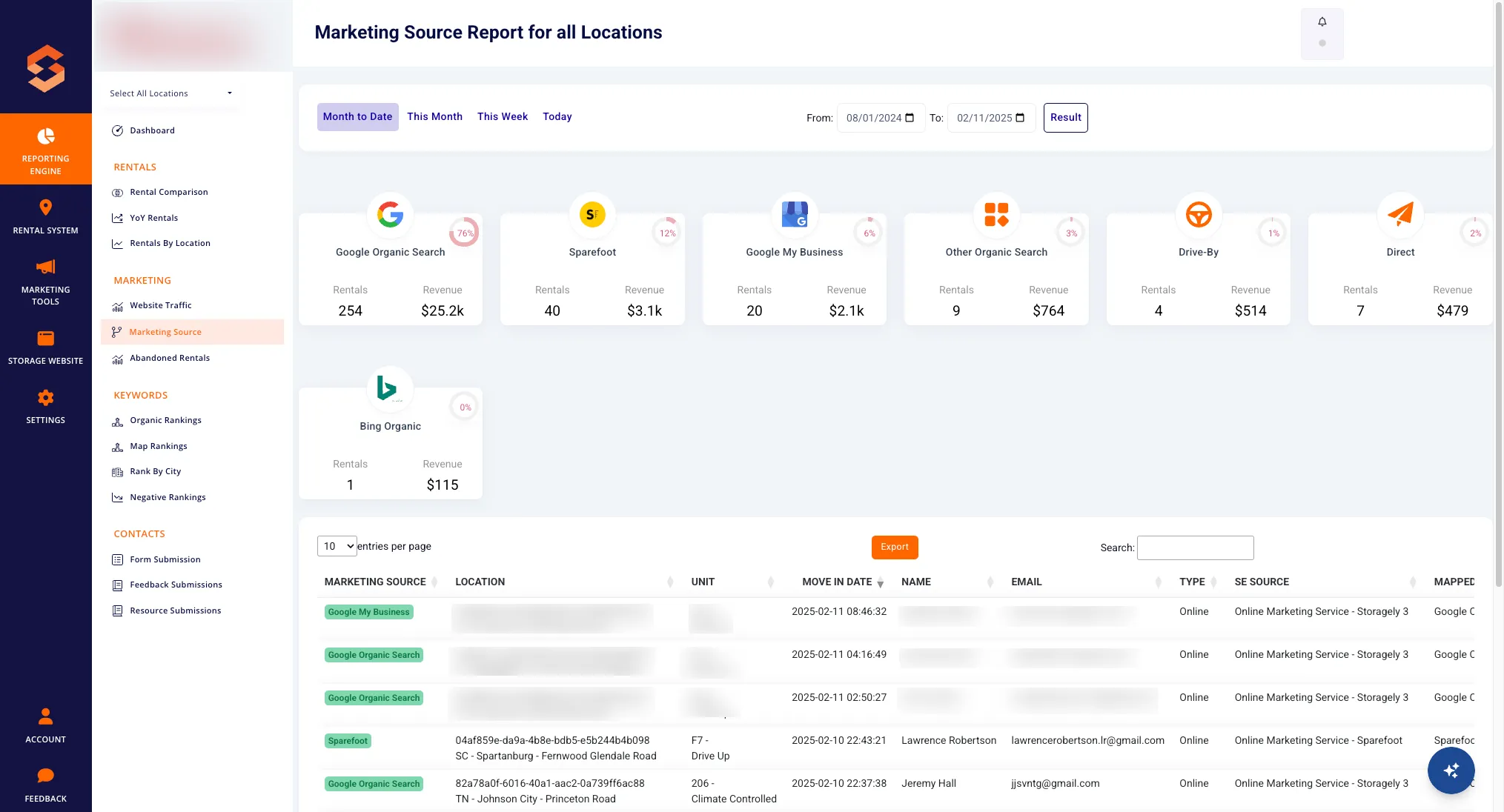
- Log in to Storagely and navigate to the Marketing Source Report under the Reporting Engine section.
2️⃣ Review Key Metrics
- Analyze total rentals, revenue, and the percentage share of each marketing source.
- Use the date filter to compare trends over different time periods.
3️⃣ Analyze Channel Performance
- Identify which channels (Google Organic Search, Sparefoot, Direct, etc.) are driving the most rentals.
- Look for patterns in customer behavior to refine your marketing approach.
4️⃣ Adjust Marketing Strategies
- Focus more on high-performing channels by increasing ad spend or optimizing content.
- Modify or discontinue investments in channels that show low conversion rates.
5️⃣ Monitor and Export Data
- Regularly check the report to track changes over time.
- Use the Export button to download data for further analysis or team discussions.
By leveraging this report, self-storage businesses can ensure their marketing efforts are efficient and results-driven. 🚀
As always, if you have any questions during this process, our Customer Success Team is here to help. The best way to reach us is by submitting a support ticket.
Have a question?
Our super-smart AI, knowledgeable support team and an awesome community will get you an answer in a flash.
To ask a question or participate in discussions, you'll need to authenticate first.