Integrate and Grant Storagely Access to SiteLink
Storagely is natively integrated with Sitelink to ensure that units, prices, availability, and info is always up-to-date in real-time and we can access all reports in real-time.
❗️In order for Storagely to integrate with your Sitelink account, you will need to edit or create a user for Storagely within Sitelink.
How to provide Storagely All Reports Access:
Step 1
Login to Sitelink Corporate Control Center
Step 2
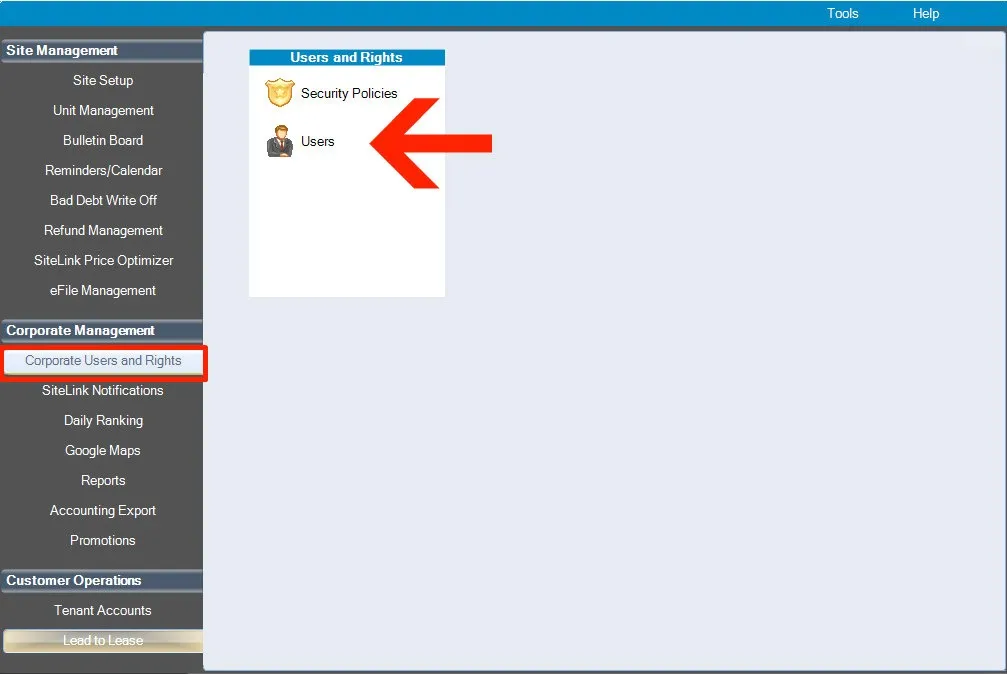
Click "Users" under the "Corporate Users and Rights" tab in the Corporate Management section.
Step 3
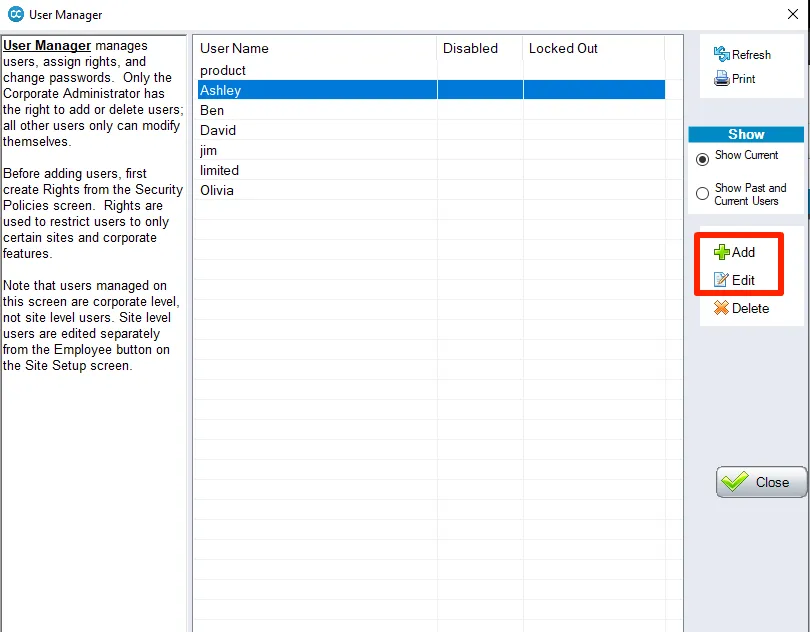
Click "Add" to create a new user or "Edit" if already exists
Step 4
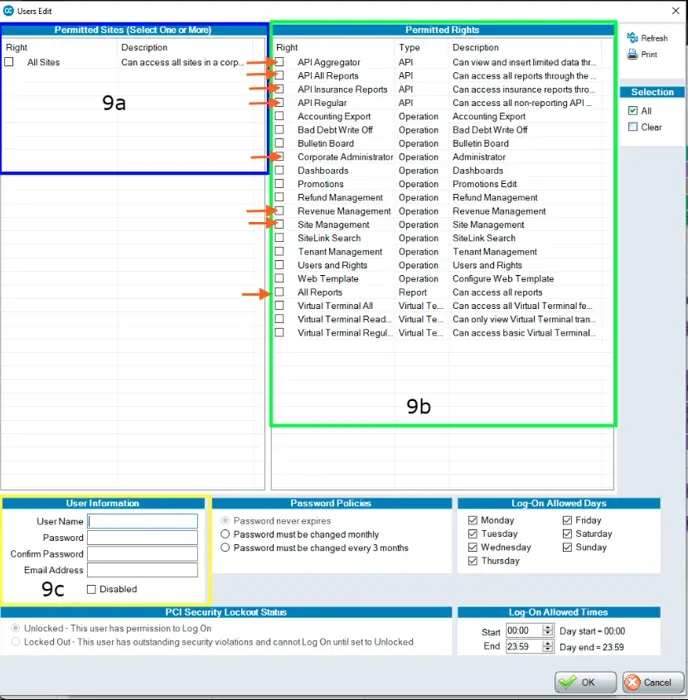
(see below figures)
- In the 9a box select "All Sites"
- In the 9b box select:
- API Aggregator
- API All Reports
- API Insurance Reports
- API Regular
- Corporate Administrator
- Revenue Management
- Site Management
- All Reports
- In the 9c box:
- Enter a username: enter "storagely"
- Enter password: make sure the password is strong. Generate strong password here.
- ❗️Make sure you save this password somewhere so you can send it to Storagely.
- Confirm Password: enter the same password from the previous field
- Email Address: enter "[email protected]"
- Then click "OK" in the bottom Right.
FINAL STEP
Once you've completed this step, please add the login credentials to your Account Manager. Or add the login credentials to your Onboarding Questionnaire in the "INTEGRATION REQUIREMENTS" section if onboardingto Storagely.
As always, if you have any questions during this process, our Customer Success Team is here to help. The best way to reach us is by submitting a support ticket.