How To: Enable Role Permissions in EDGE for Reporting
4 min
Overview
To allow Storagely to access reporting data from Storable EDGE, specific API permissions must be enabled. This process ensures reporting, analytics, and integrations function correctly and securely.
This guide walks you through where to find the API settings in Storable EDGE and which permissions must be enabled.
Step-by-Step: Enable Report View in Storable EDGE
- Log in to Storable EDGE at storedgefms.com using your Admin credentials.
- Click “Corporate” in the top-right corner, then select the “Settings” icon.
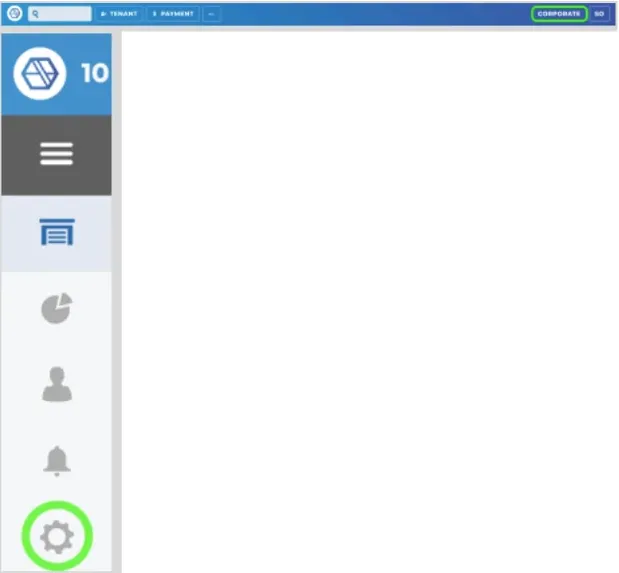
-
- Under the "User Management" section, click “Roles.”
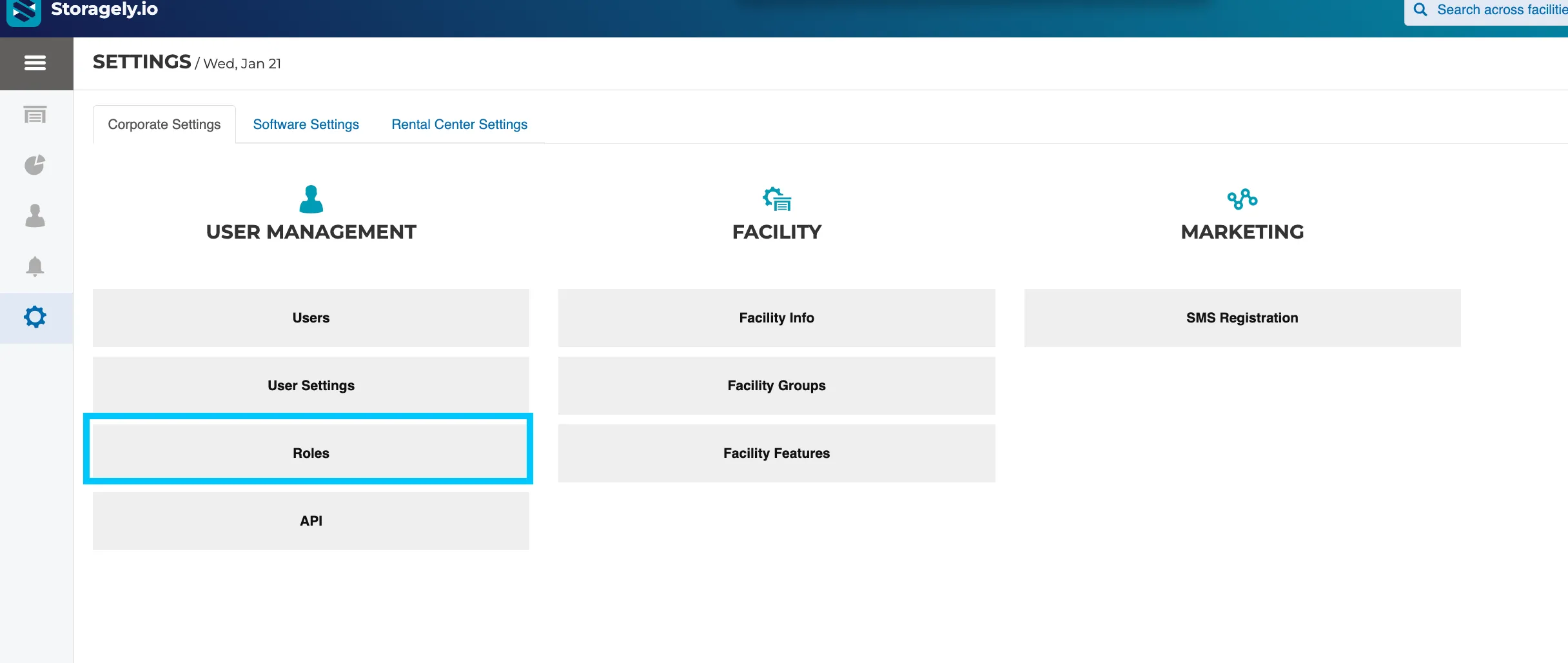
- Search for the “Storagely” role and toggle the setting “Edit.”
- If you encounter issues enabling this setting, contact Storable EDGE support for assistance.
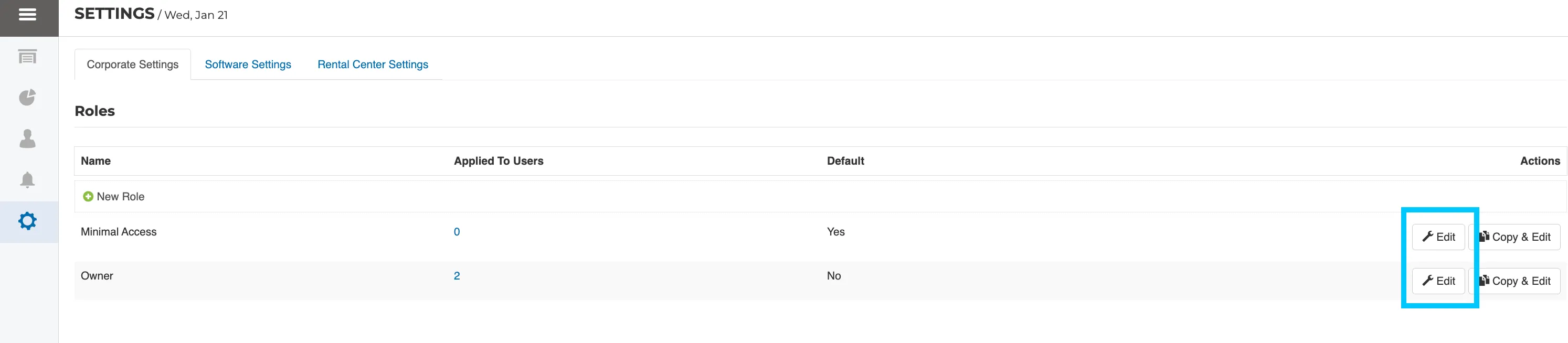
- Under the "Corporate Permissions".
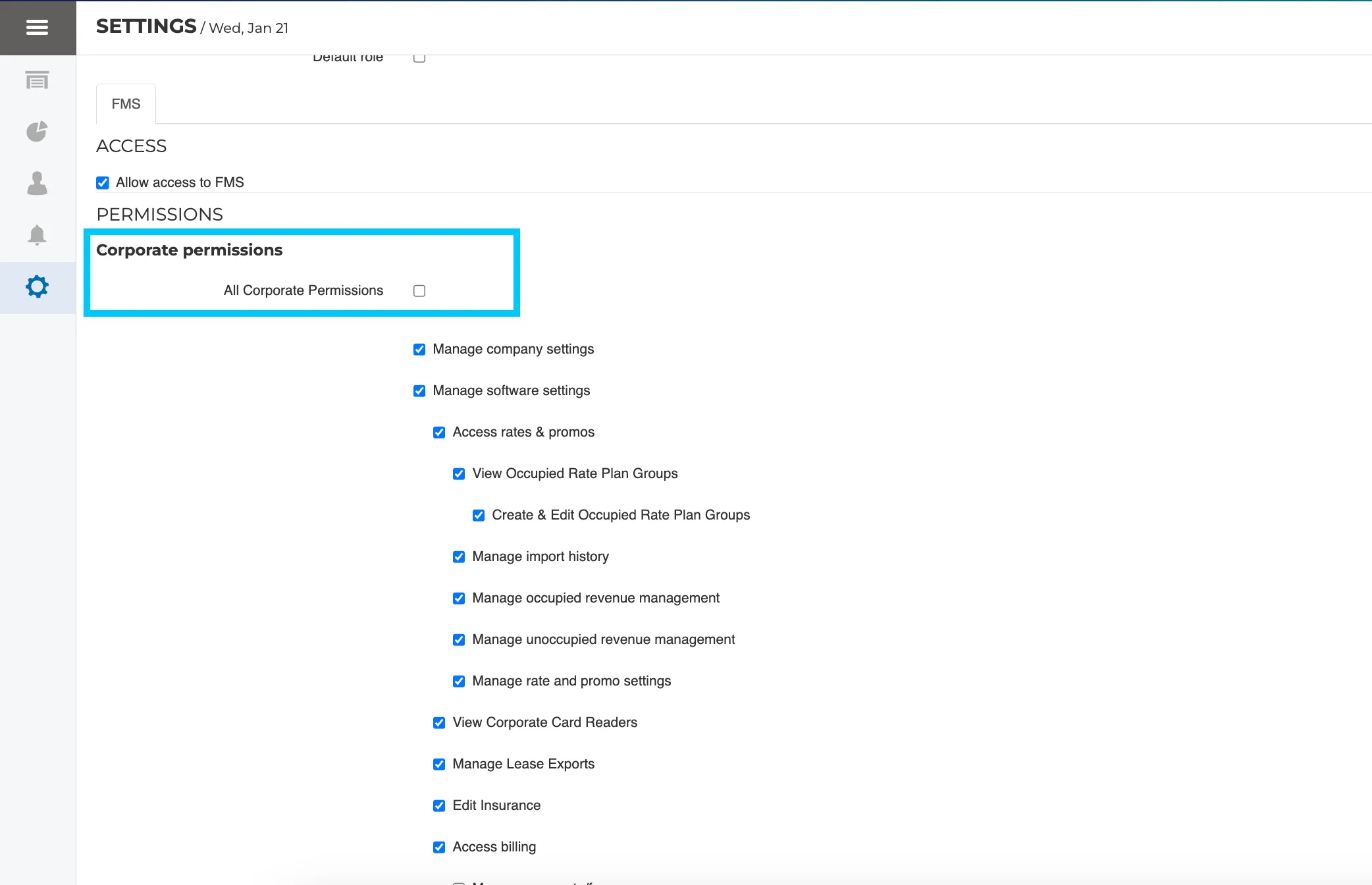
- Ensure there is a check mark for “View Corporate Reports”
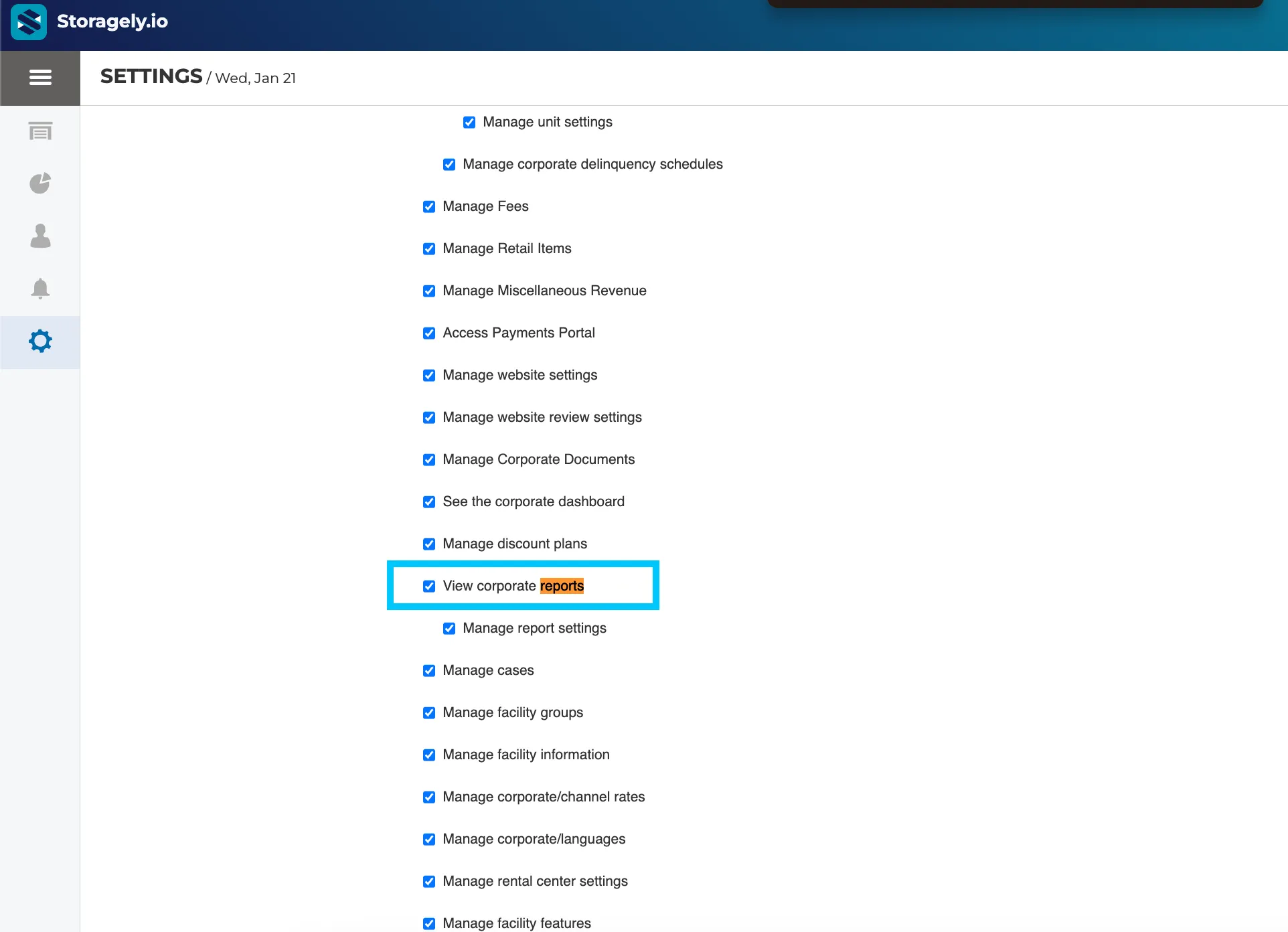
- Click "Update Role" at the bottom of the page.
Best Practices & Notes
- Only users with Admin access can update API permissions.
- Do not disable API access once enabled, as this may interrupt reporting.
- These permissions are read-only and do not allow data modification.
As always, if you have any questions during this process, our Customer Success Team is here to help. The best way to reach us is by submitting a support ticket.