How To: Provide Storagely Delegate Access to your Domain on Network Solutions
3 min
To streamline the process of launching your new site and ensure a smooth transition, Storagely can manage your DNS records on your behalf. This can be done by delegating access to Storagely from within your Network Solutions account. Follow the steps below to grant access.
Step-by-Step Instructions
- Go to the Network Solutions Login Page and sign in to your admin account.
- Click on your profile icon in the top-right corner of the page.
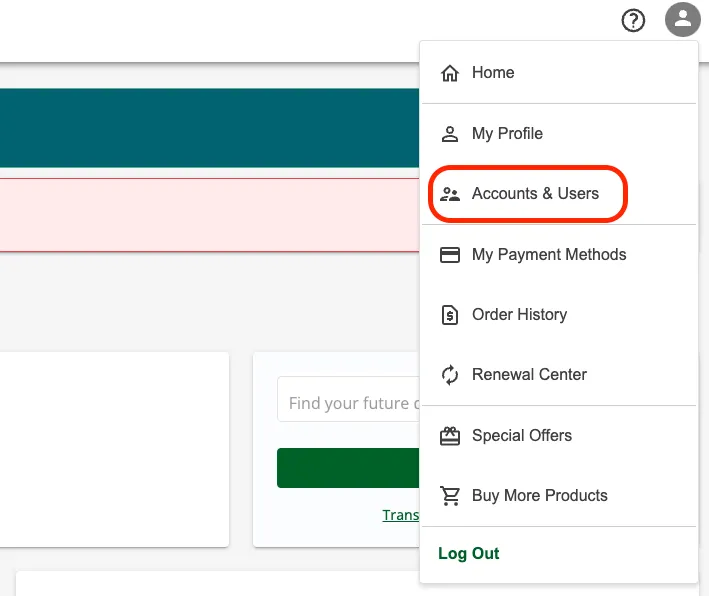
- Select Accounts and Users from the dropdown menu.
- In the list of domains, find the domain you want to update.
- Select Manage next to the domain name.
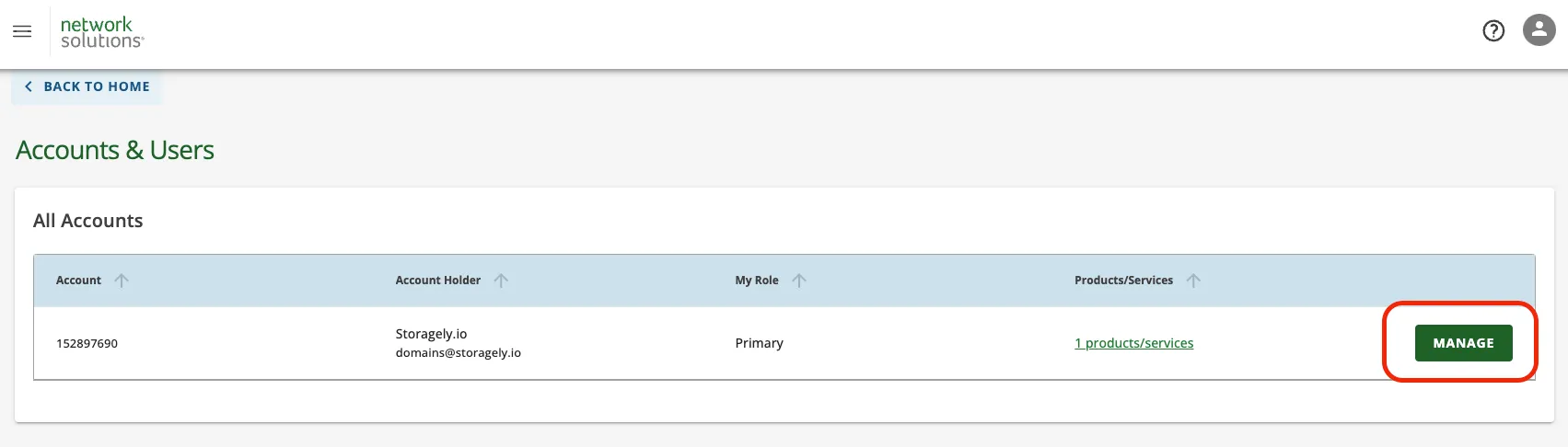
- Scroll down to the User Roles & Permissions section.
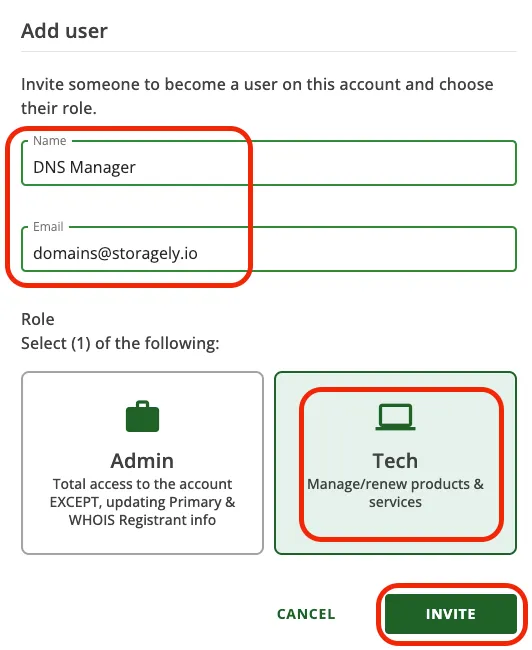
- Click + ADD USER to add a new user.

- Name: DNS Manager
- Email Address: [email protected]
- Role: Select Tech from the available roles.
- Click Invite to send the access invitation to Storagely.
Next Steps
Once you’ve invited Storagely, notify your Storagely representative. They will confirm access and begin managing your DNS settings to prepare for the site launch.