How To: Authorize Storagely to Access your Google Business Profile
5 min
Follow these simple steps to provide Storagely with access to your Google Business Profile. This will allow us to manage and optimize your listing effectively.
Step 1: Log In to Your Google Business Profile
- Visit Google Business Profile.
- Log in using the Gmail address associated with your Google Business Profile.
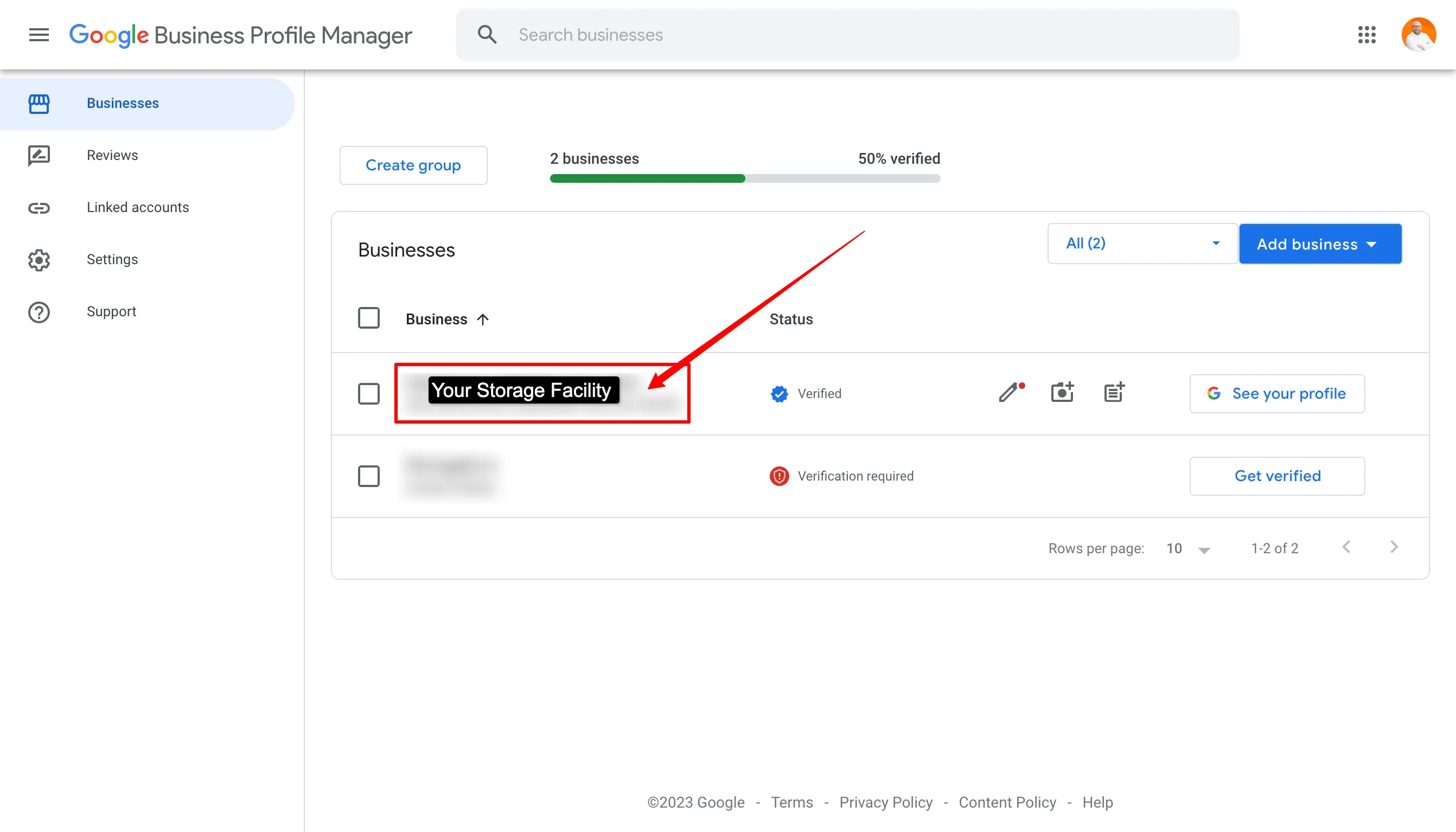
Step 2: Select Your Facility
- In the list of businesses, locate your self-storage facility.
- Click the name of your facility to open its profile.
Step 3: Access Business Profile Settings
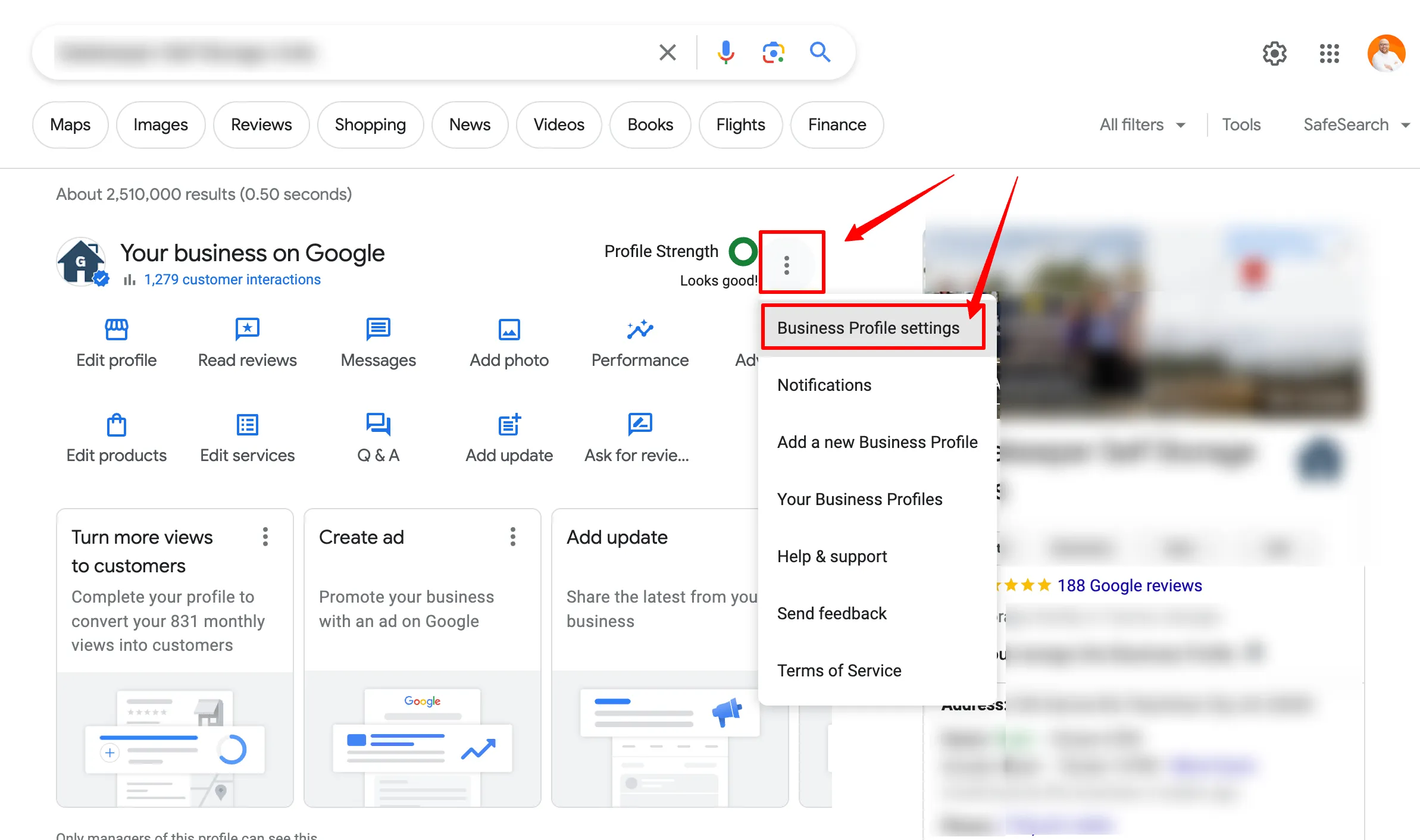
- Click the 3 dot Menu under Your Business on Google.
- Select Business Profile Settings from the dropdown.
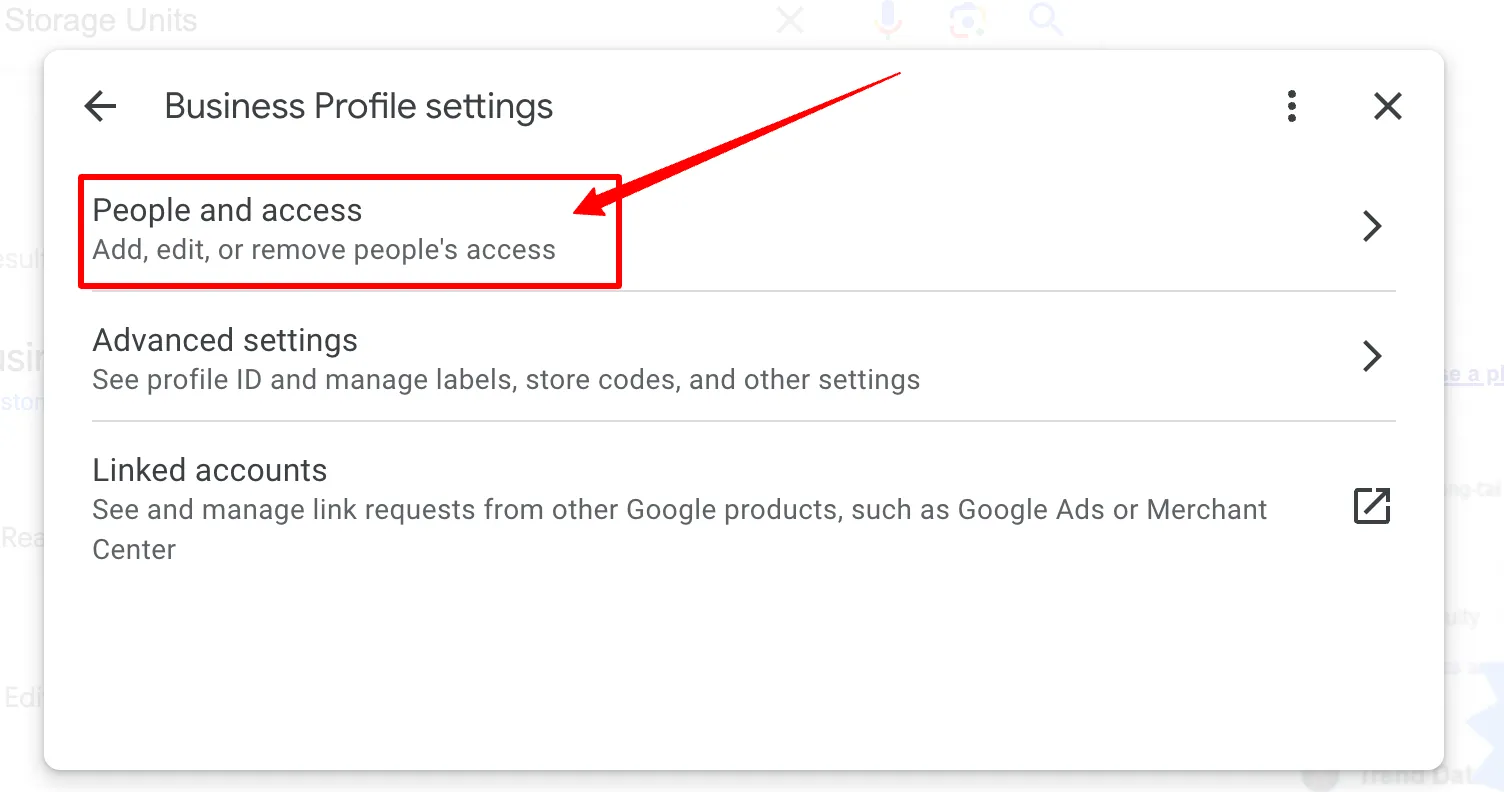
Step 4: Navigate to People and Access
- In the settings menu, click People and Access.
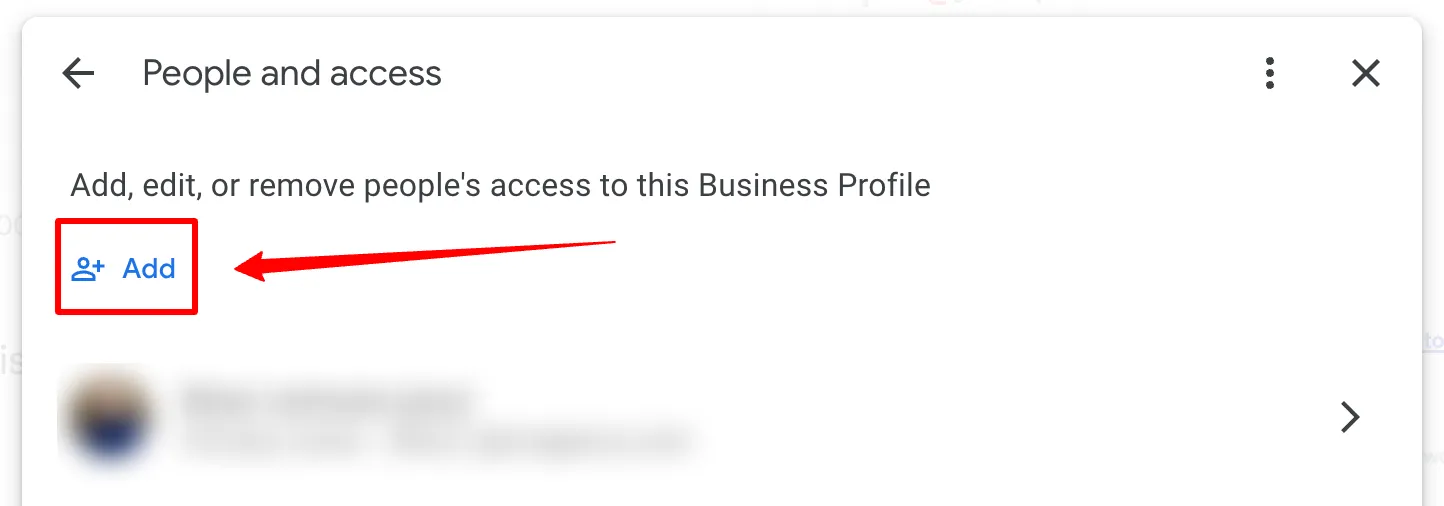
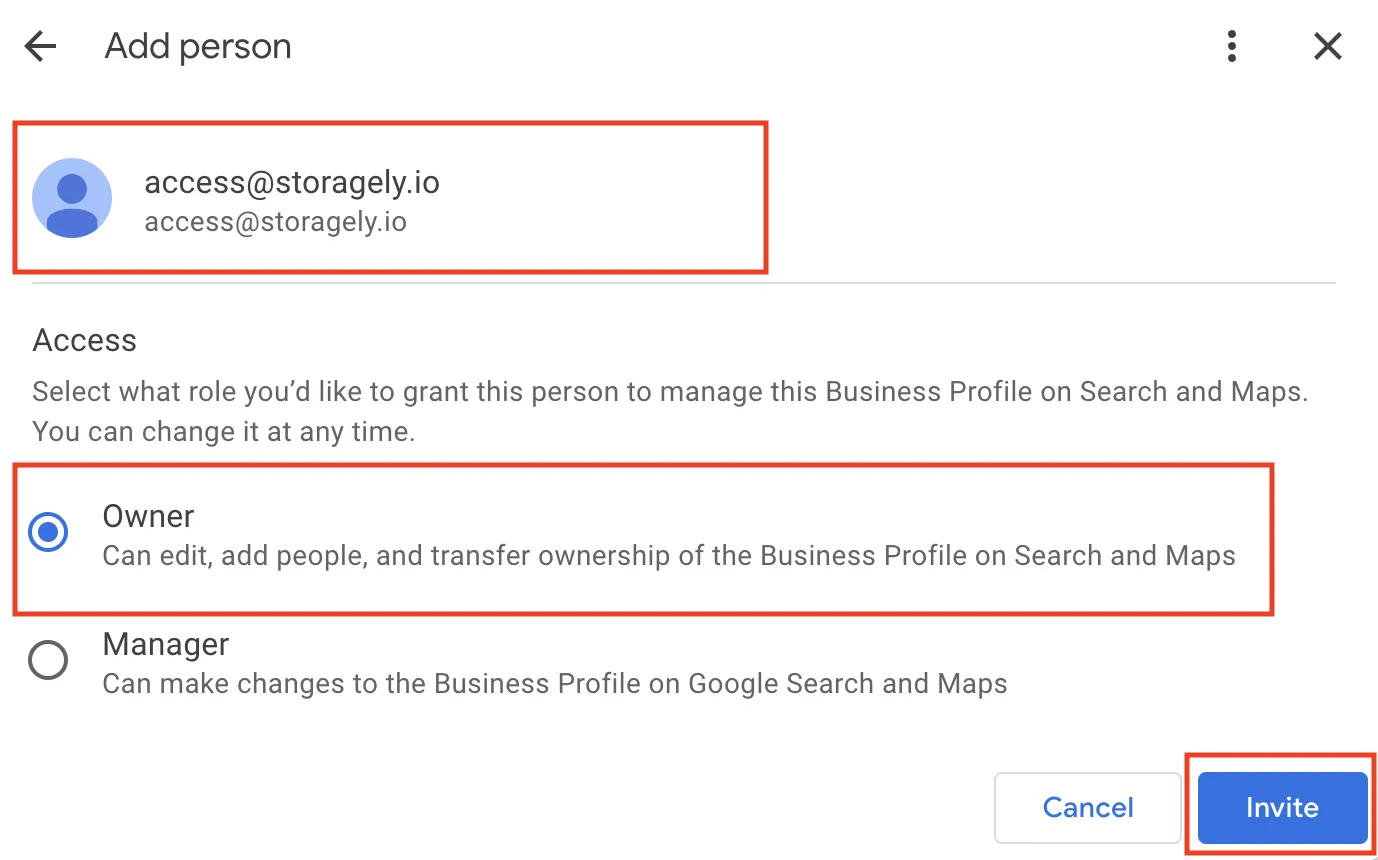
Step 5: Add Storagely as a User
- Click the Add button.
- Enter the following details:
- Email: [email protected]
- Role: Select Owner.
- Click Invite to send the access invitation.
Next Steps
Once the invitation is sent, Storagely will accept it and confirm access. If you encounter any issues during the process, feel free to contact us for assistance.