Q&A
Overview
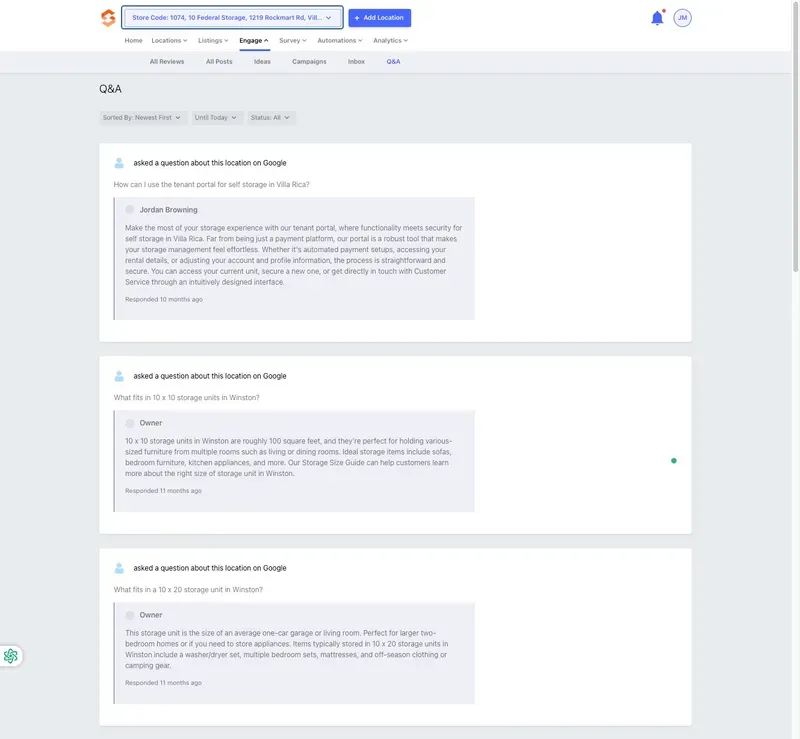
The Q&A section in the Engage menu allows operators to view and respond to customer inquiries submitted through Google regarding their storage facility locations. This section is crucial for maintaining engagement, addressing customer concerns, and providing accurate information to potential renters.
Accessing the Q&A Section
To access this section:
- Log in to the Listings Tool.
- Navigate to the Engage menu.
- Click on Q&A.
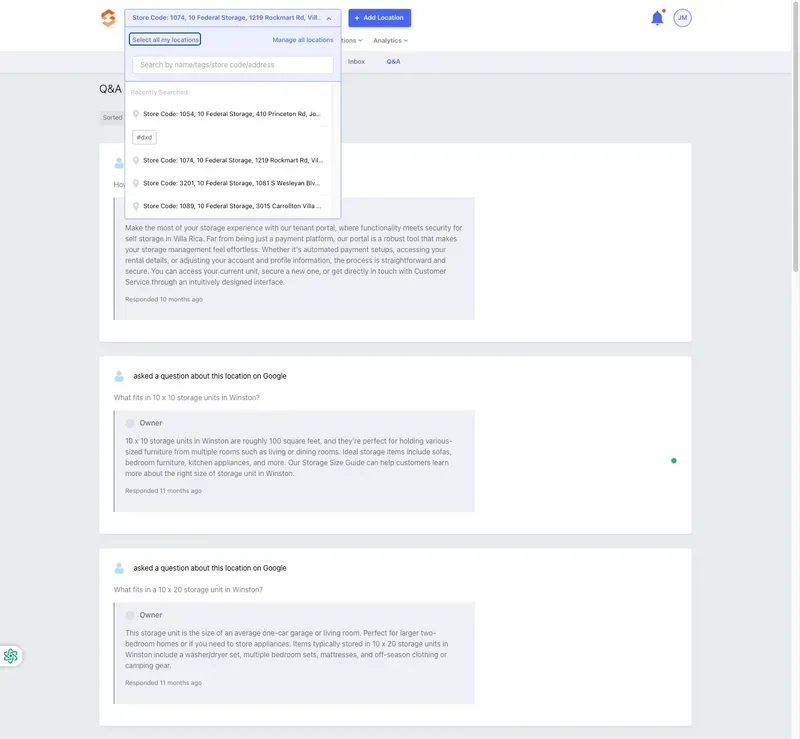
Operators can choose to view Q&A for:
- Select a specific location by selecting it from the dropdown at the top left.
- Select all locations by selecting the All Locations option from the dropdown.
Features and Functionalities
1. Viewing Questions
- Customer questions submitted via Google appear in this section.
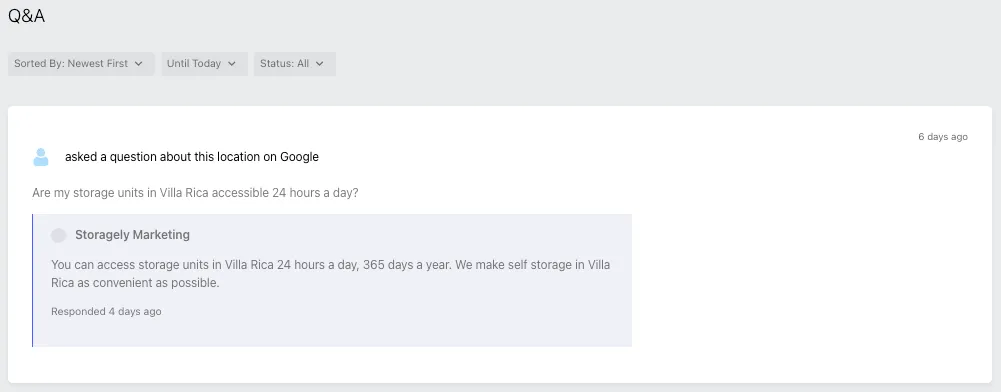
- Questions can be sorted by Newest First, filtered by date (Until Today), or status (Answered / Unanswered).
- Each question displays:
- The customer’s question.
- The storage facility location associated with the question.
- The operator’s response (if available) along with the date it was answered.
2. Responding to Questions
- Operators can provide informative answers to assist potential renters.
- Responses should be:
- Clear and professional.
- Concise yet informative.
- Relevant to the question.
3. Best Practices for Answering Q&A
✅ Provide factual information about unit availability, pricing, and policies. ✅ Keep responses professional and polite, as they are public. ✅ Answer promptly to improve engagement and trust. 🚫 Avoid sharing sensitive information like pricing discounts that may change over time. 🚫 Do not ignore unanswered questions, as they impact credibility.
Limitations
- Operators cannot delete questions—they can only respond.
- Google controls what questions are displayed, so irrelevant or misleading questions may still appear.
- Abuse or spam questions must be reported to Google via the Google My Business dashboard.
As always, if you have any questions during this process, our Customer Success Team is here to help. The best way to reach us is by submitting a support ticket.