Features for Storage Defender Mutual Customers
4 min
Storage Defender is a big advocate for us because we make it easy for their customers to upsell their product within the checkout process and educate tenants about the benefit of smart units.
These are the features and things we can do to highlight Storage Defender throughout our customers' site:
General Notes
- We don't refer to our service as StorageDefender to tenants because our brand name doesn't mean anything to them. Instead we say Smart Units, Smart Unit Monitoring, Smart Storage Units, Smart Unit Storage, etc.
- Only the text message is tenant facing, so we refrain from showing the dashboard or device itself
- Smart Zones are for owners and operators only and not advertised to tenants
- The temperature and humidity monitoring is not communicated to the tenant, so we refrain from mentioning that
Smart Units Storage Type Page
- Here is an example of a Smart Units page
- Download to the StorageDefender Smart Unit Website Assets zip file to access the graphics needed on that page. There is a document with the content for that page within the zip file as well:
- This page should have a section that lists out which locations have Smart Units available and link to those city pages or location pages
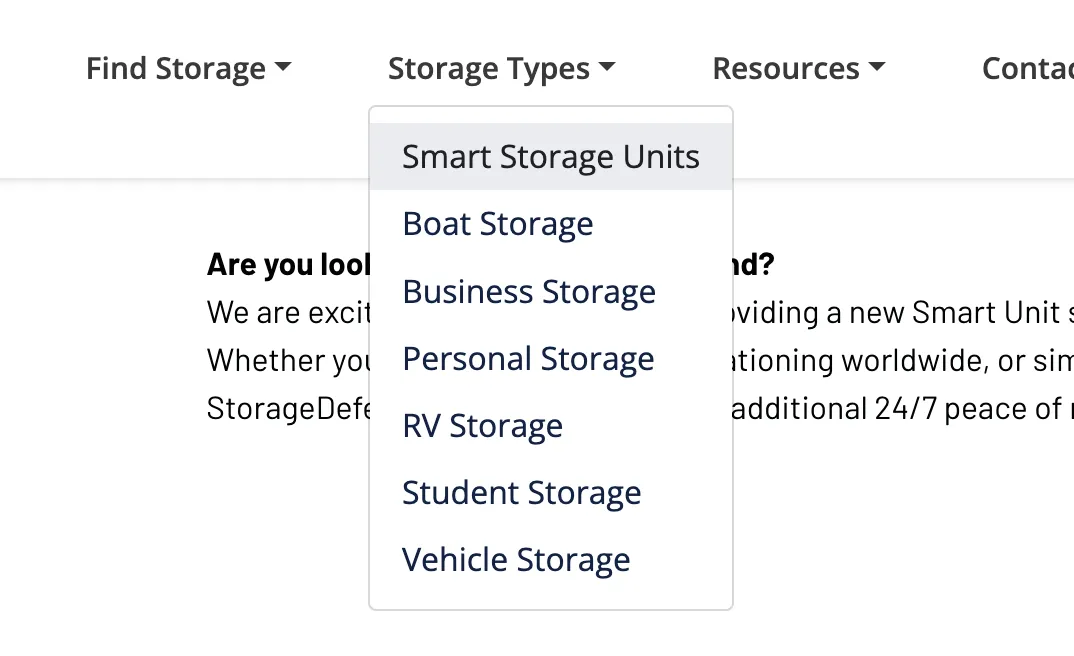
- This page should be added to the navigation of the client's website at the top of the dropdown:
Info Bar
- The Storage Defender logo can be found in the zip folder above.
- The Learn More button should link to the Smart Units page

Smart Unit Upgrade at Checkout
These are the things that need to be set up in the Management Software in order for this feature to function correctly:
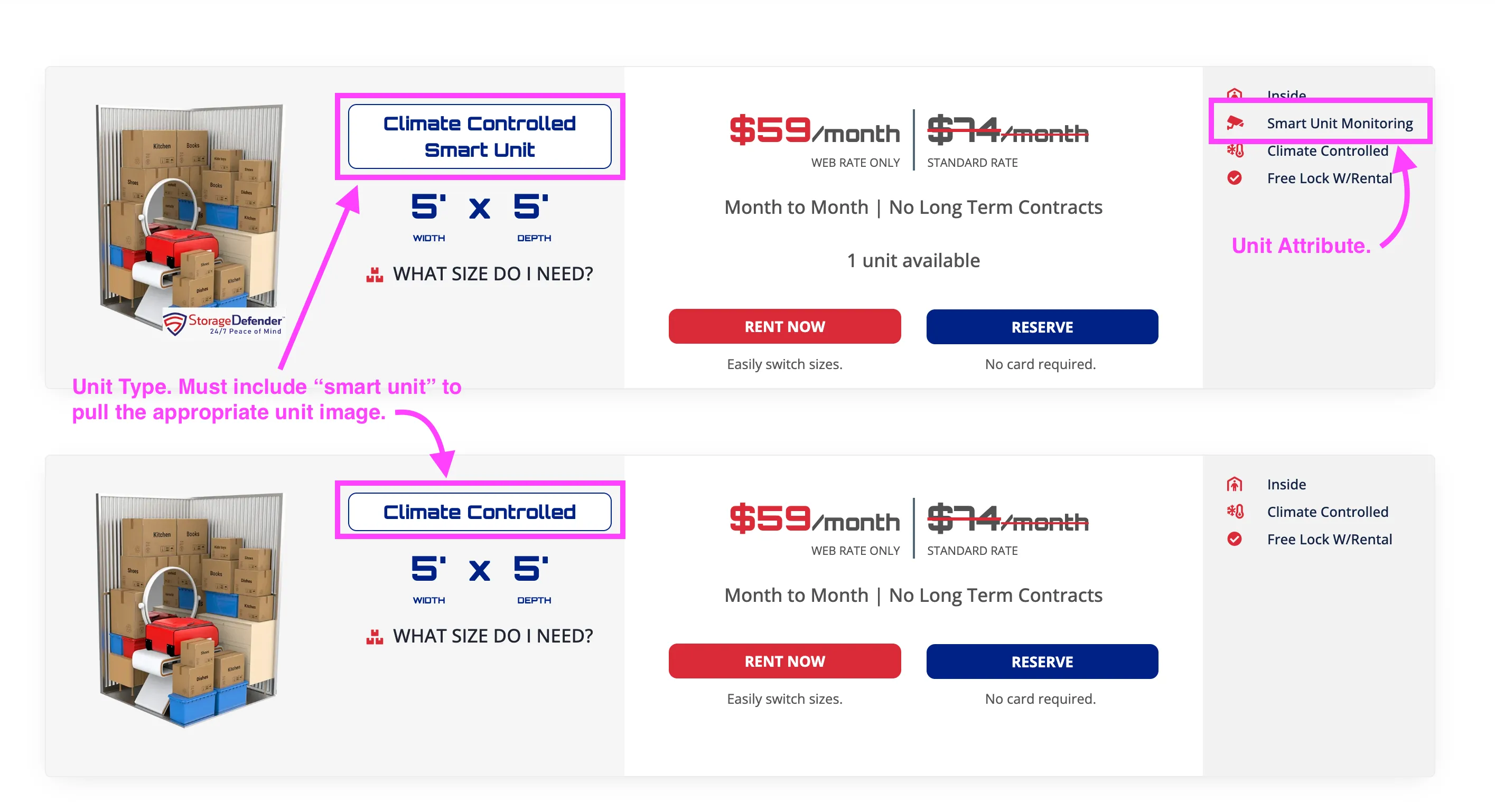
- Unit Type: if the unit type includes "smart unit" in it, we can apply a specific image to it that has an overlay indicating it is a smart unit. You can find these overlayed images in this drive folder.
- Unit Attribute: add a unit attribute called "Smart Unit Monitoring" for applicable units
- service upgrade / charge added: include "Smart Unit Service" as the name for this upgrade and this will add the charge to the ledger at checkout
Have a question?
Our super-smart AI, knowledgeable support team and an awesome community will get you an answer in a flash.
To ask a question or participate in discussions, you'll need to authenticate first.