Storage Defender Smart Unit Monitoring Website Configuration Options
Overview
Storagely integrates with Storage Defender to provide Smart Unit Monitoring as part of the online rental experience.
Smart Unit Monitoring allows tenants to receive real-time text message alerts when activity is detected inside their storage unit, providing additional visibility and peace of mind.
There are two primary ways Smart Unit Monitoring can be presented on your website:
- Tenant Choice – Customers choose whether to add Smart Unit Monitoring during the rental process.
- All Smart Auto-Enroll – Smart Unit Monitoring is automatically included with rentals and may be optional or required depending on your facility's configuration.
This article outlines the available website configuration options and customer experiences for each implementation.
Shared Website Requirements
Regardless of the implementation method selected, it is recommended to add educational content throughout the website to help customers understand the benefits of Smart Unit Monitoring.
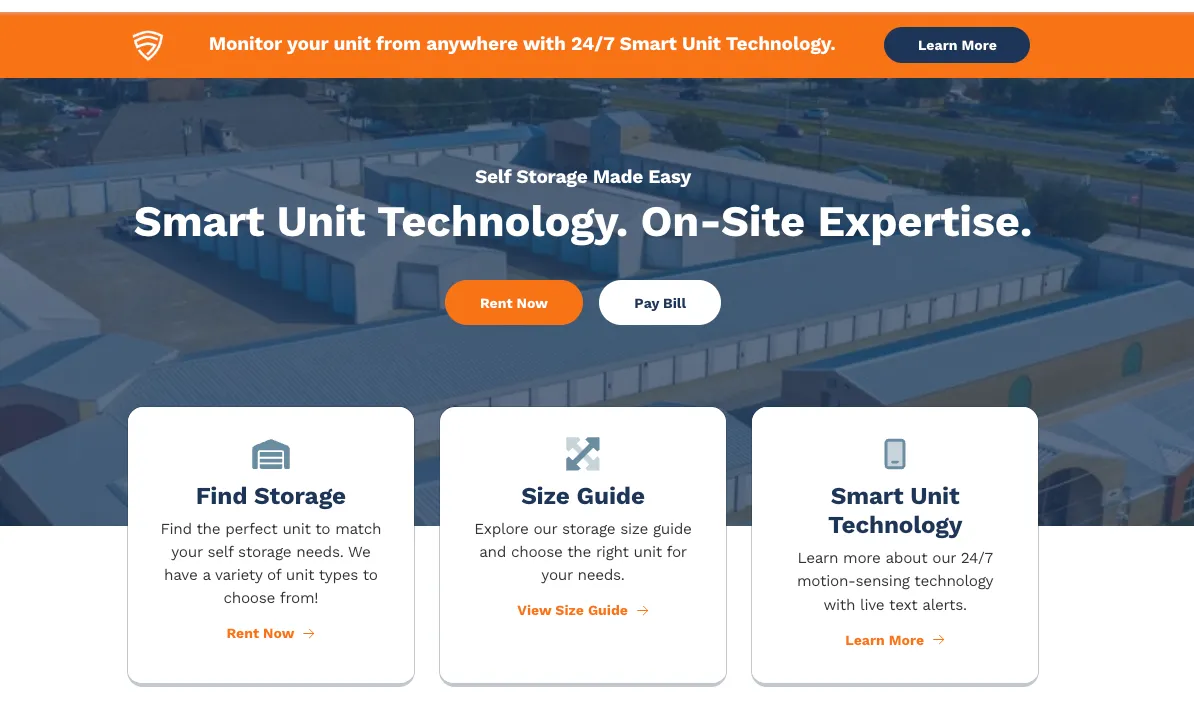
Homepage or Location Page Banner
A banner can be added to increase visibility and awareness of Smart Unit Monitoring.
Recommended Placement
Portfolio-Wide Deployment
- Add the promotion to the homepage if Smart Unit Monitoring is available at most or all locations.
Location-Specific Deployment
- Add the promotion to individual location pages if only select facilities offer the service.
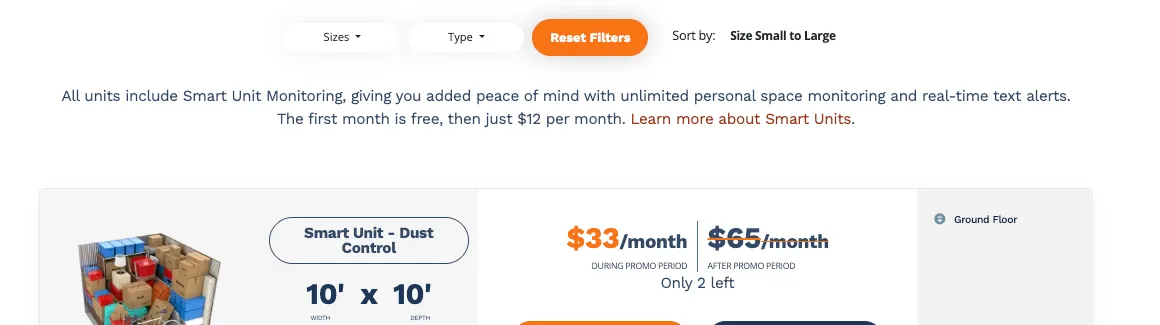
Example Messaging
Tenant Choice
Monitor Your Unit While Away — Now Offering Smart Units at Select Locations!
Auto-Enroll
Monitor Your Unit While Away — Now Offering Smart Unit Monitoring with New Rentals!
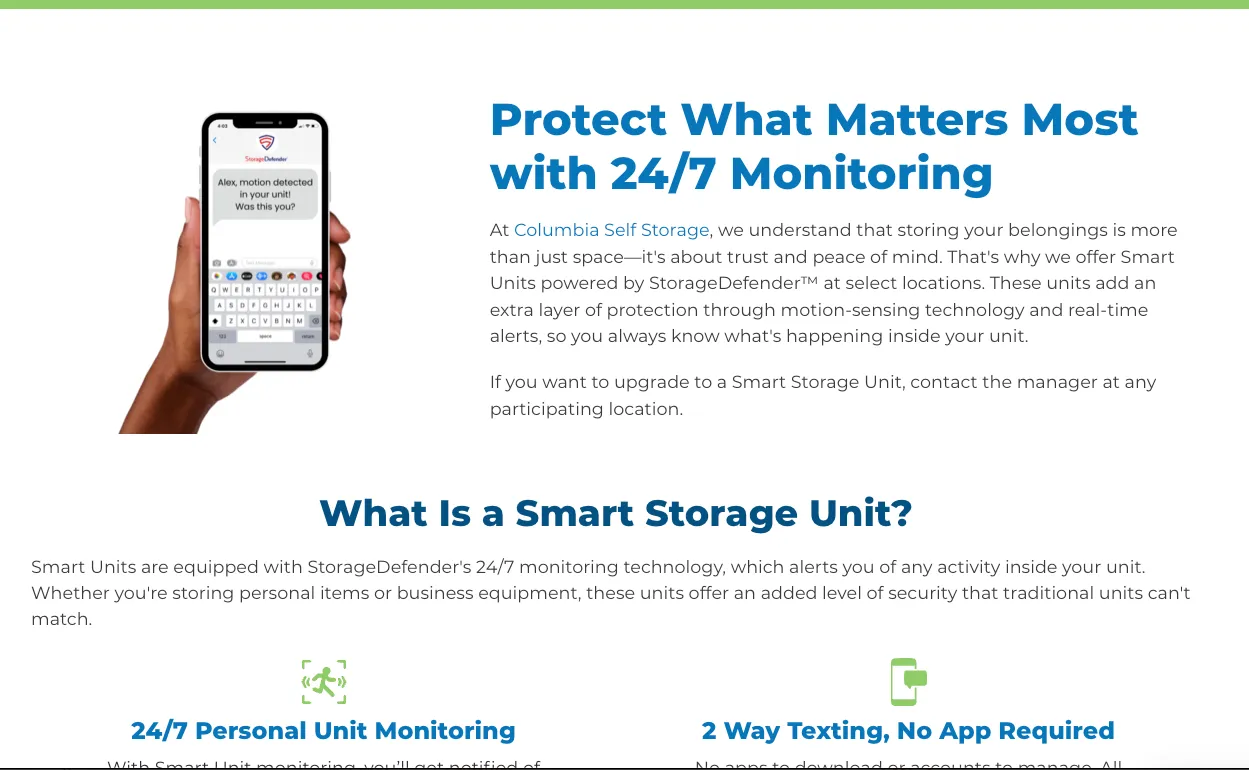
Smart Unit Landing Page
Creating a dedicated Smart Unit Monitoring page that explains:
- What Smart Unit Monitoring is
- How the service works
- Benefits of activity monitoring
- Frequently asked questions
- Participating locations
This page can be linked from:
- Homepage promotions
- Location pages
- Navigation menus
- FAQ sections
Frequently Asked Questions
Adding Smart Unit Monitoring information to your FAQ page can help answer common customer questions before they begin the rental process.
Example FAQ
What is Smart Unit Monitoring?
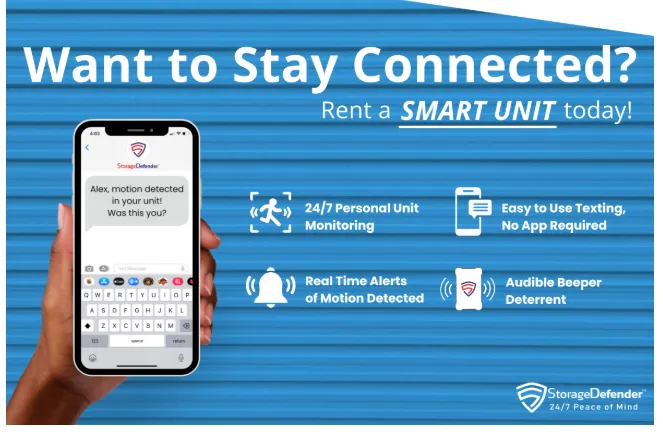
Storage Defender Smart Units help you stay connected to your belongings by sending real-time text message alerts whenever activity is detected inside your storage unit. No app, Bluetooth connection, or Wi-Fi is required.
Option 1: Tenant Choice
Overview
The Tenant Choice configuration allows customers to decide whether they would like to add Smart Unit Monitoring to their rental.
This option works well for facilities that offer both standard storage units and Smart Unit Monitoring storage units.
Website Experience
Location Page Promotion
A Smart Unit Monitoring section can be displayed on the homepage or location page highlighting the service and benefits.
Recommended messaging should explain:
- Real-time activity alerts
- Peace of mind while away
- Monitoring benefits
- Enrollment options
Rental Flow Options
There are several ways Smart Unit Monitoring can be offered during the rental process.
Option A: Separate Smart Unit Types
Smart Units and Standard Units are displayed separately within the pricing grid.
Examples:
- 10x10 Standard Unit
- 10x10 Smart Unit
The Smart Unit cost may either:
- Be included in the rental rate
- Appear as a separate monthly service fee during checkout
Option B: Checkout Upgrade Option
Customers are presented with an upgrade opportunity during checkout.
Example:
Would you like to add 24/7 Smart Unit Monitoring to your rental?
Customers can then choose:
- Yes, add Smart Unit Monitoring
- No, continue without monitoring
If selected, the monitoring fee appears as a separate line item in the order summary.
Option C: Value-Based Pricing Integration
Facilities using Value-Based Pricing may associate Smart Unit Monitoring with premium unit offerings.
Example:
- Basic
- Deluxe
- Premium
The premium tier can automatically include Smart Unit Monitoring while lower tiers provide an optional upgrade during checkout.
Option 2: Auto-Enroll
Overview
The Auto-Enroll configuration automatically includes Smart Unit Monitoring as part of the rental experience.
This approach helps maximize enrollment while maintaining consistent presentation across all rentals.
Location Page Requirements
When using Auto-Enroll, location pages should clearly communicate:
- Smart Unit Monitoring availability
- Pricing details
- Enrollment information
- Opt-out options (if applicable)
This information should appear above the pricing grid and within supporting content sections on the page.
Promotional Section
Storagely recommends adding a Smart Unit Monitoring section beneath the pricing grid to help customers understand the service before beginning checkout.
This section should highlight:
- Real-time text alerts
- Activity monitoring
- Peace of mind benefits
- Promotional offers
- Enrollment details
Checkout Experience
During checkout, customers should receive a clear explanation that Smart Unit Monitoring has been added to their rental.
Example messaging may include:
Your rental includes Smart Unit Monitoring, providing real-time activity alerts and additional peace of mind while storing with us.
If the service is optional, customers should also be informed of their ability to opt out.
Order Summary
The order summary should clearly display:
- Smart Unit Monitoring as a separate line item
- Any promotional pricing or free trial period
- Ongoing monthly service fees
This helps ensure transparent pricing throughout the rental experience.
Auto-Enroll Configuration Options
Facilities may choose from one of three enrollment models.
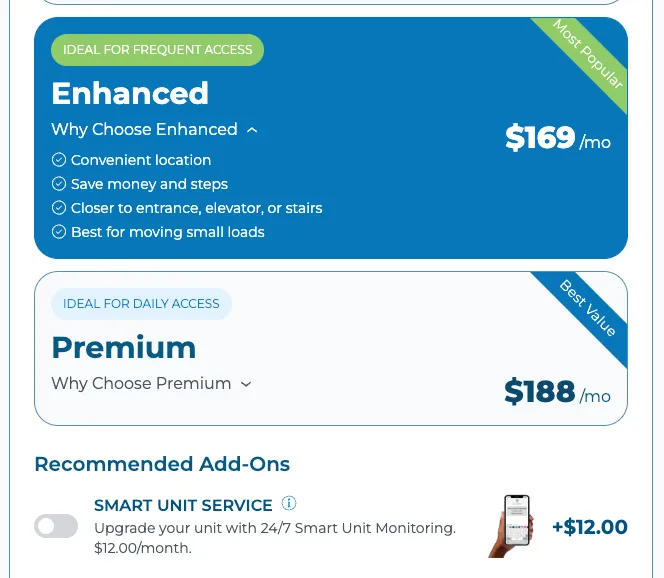
Default Off
- Smart Unit Monitoring is available but not pre-selected.
- Customers must actively choose to enroll.
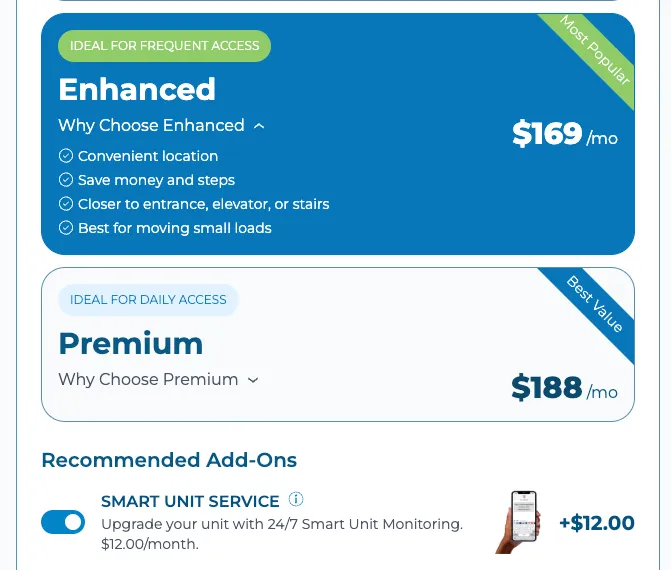
Default On with Opt-Out
- Smart Unit Monitoring is pre-selected during checkout.
- Customers may remove the service before completing their rental.
This is the most commonly recommended configuration because it balances enrollment rates with customer flexibility.
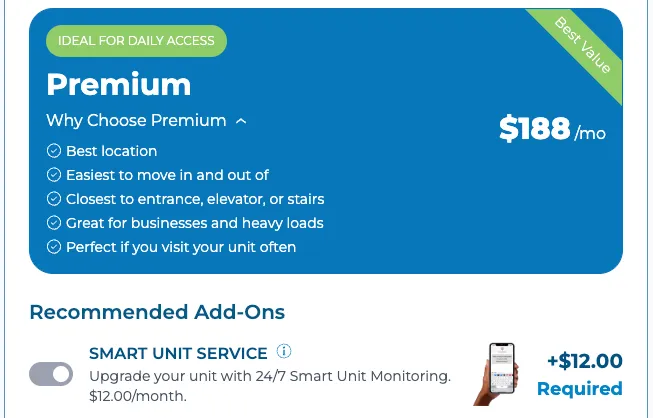
Default On with No Opt-Out
- Smart Unit Monitoring is automatically included and cannot be removed during checkout.
- This option is generally used when Smart Unit Monitoring is part of the facility's standard rental offering.
Configuration Options
Tenant Choice
- Optional upgrade during checkout
- Separate pricing line item
- Clear customer messaging
Auto-Enroll
- Default On with Opt-Out
- Transparent disclosures
- Separate order summary line item
These configurations provide a strong customer experience while maintaining pricing transparency and enrollment flexibility.
Need Help?
The Storagely Onboarding and Support teams can assist with:
- Website messaging recommendations
- Smart Unit landing page setup
- Checkout configuration
- Auto-enrollment settings
- Value-Based Pricing implementation
- Storage Defender integration guidance
If you are unsure which configuration is best for your facility, contact the Storagely team for assistance.
As always, if you have any questions during this process, our Customer Success Team is here to help. The best way to reach us is by submitting a support ticket.