Overview
1. Introduction
The Listings Overview section under Listings > Overview in the Storagely Listings Tool provides operators with a high-level dashboard displaying the status, performance, and health of their business listings across multiple online directories. This section helps operators monitor, optimize, and improve their business visibility on platforms such as Google Business Profile, Apple Maps, Bing, Yelp, and over 70+ additional directories.
2. Accessing the Listings Overview
- Log in to the Storagely Dashboard.
- Navigate to Marketing Tools > Listings.
- Click on Listings > Overview to access the main dashboard for listings management.
3. Features of the Listings Overview Section
A. Listings Performance Metrics
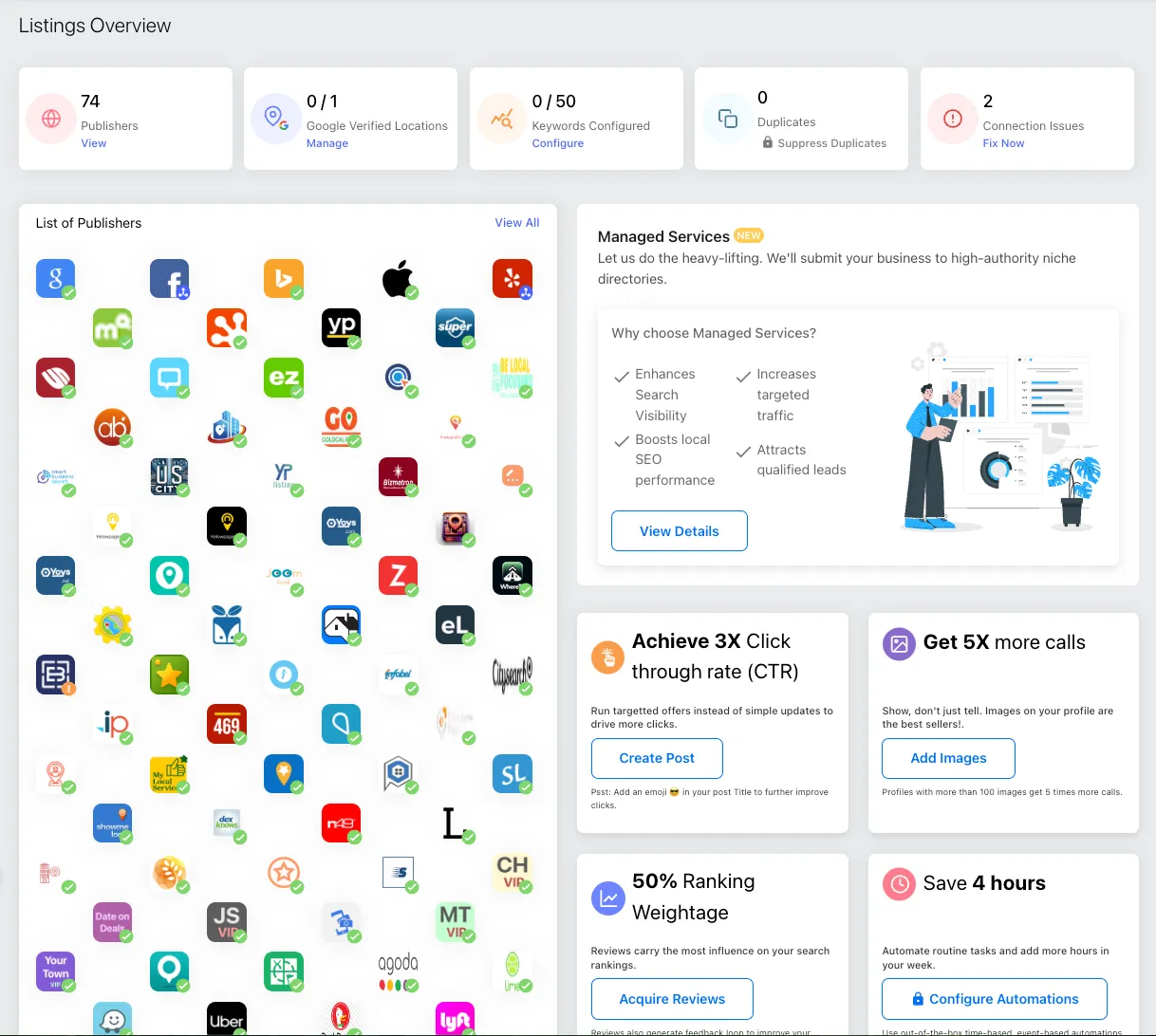
At the top of the Listings Overview, operators will see key metrics that provide insights into the health of their business listings:
- Publishers (View) – Displays the number of directories where the business is listed.
- Google Verified Locations (Manage) – Shows the number of locations that have been verified on Google Business Profile.
- Keywords Configured (Configure) – Displays the number of SEO keywords configured for optimization.
- Duplicates (Suppress Duplicates) – Identifies duplicate listings that need to be addressed.
- Connection Issues (Fix Now) – Highlights any listing errors or sync issues requiring operator action.
Tip: If any section is marked 0 or showing issues, operators should take corrective actions or contact their Storagely Account Manager for assistance.

B. List of Publishers
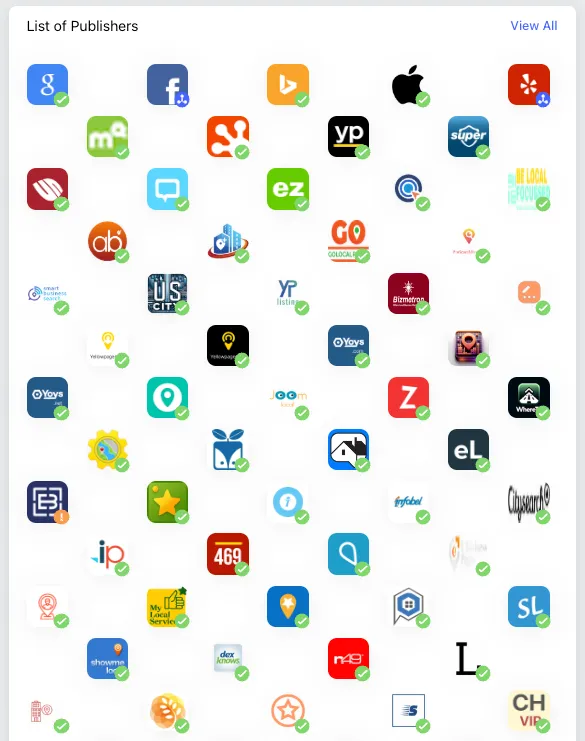
This section displays the directories and platforms where the business is listed. Operators can:
- Click "View All" to see a detailed breakdown of directories.
- Identify which platforms are actively syncing with the Listings Tool.
- Review which platforms may require manual verification or corrections.
Supported Listings Publishers
The Storagely Listings Tool distributes and syncs your business information across a wide network of search engines, maps, social platforms, and online directories. This network helps ensure your business details remain accurate and consistent wherever customers search.
Important: Not all publishers connect in the same way. Some require account authentication, while others receive updates through Storagely’s extended publisher network.
Listings Publishers & Connection Types
Publisher | Category | Connection Type | Notes |
|---|---|---|---|
Google Maps (Google Business Profile) | Search & Maps | Direct Connection | Requires connecting your Google Business Profile for full sync |
Social / Business Profiles | Direct Connection | Requires Facebook Page admin access | |
Bing | Search Engine | Network Distribution | Data distributed via partner network |
Apple Maps | Search & Maps | Network Distribution | Managed through Apple Maps partner ecosystem |
Yelp | Reviews & Local Search | Direct Connection | Requires Yelp account connection |
MapQuest | Maps & Navigation | Network Distribution | Receives core business data updates |
Hotfrog | Business Directory | Network Distribution | High-authority business directory |
BeLocalFocussed | Business Directory | Network Distribution | Regional directory |
ArriveBusiness | Business Directory | Network Distribution | General business directory |
CityOptimum | Business Directory | Network Distribution | Local discovery platform |
GoLocalPages | Business Directory | Network Distribution | Local listings site |
ProSearchDirectory | Business Directory | Network Distribution | Business search directory |
SmartBusinessSearch | Business Directory | Network Distribution | Search-focused directory |
YpListing | Business Directory | Network Distribution | Yellow Pages–style directory |
Bizmetron | Business Directory | Network Distribution | Business listings platform |
MyLocalEdge | Business Directory | Network Distribution | Local business directory |
LocaList360 | Business Directory | Network Distribution | Location-based directory |
Yoys (US & Canada) | Business Directory | Network Distribution | International directory |
Local Mint | Business Directory | Network Distribution | Hours-focused directory |
JoomLocal | Business Directory | Network Distribution | Local search directory |
Zoom Local Search | Business Directory | Network Distribution | Local listings platform |
WhereToApp | Business Directory | Network Distribution | Location discovery app |
iBegin | Business Directory | Network Distribution | Global directory |
iGlobal | Business Directory | Network Distribution | International listings site |
Infobel | Business Directory | Network Distribution | Business data provider |
Local469 | Business Directory | Network Distribution | Local directory |
EBusinessPages | Business Directory | Network Distribution | Business directory |
LocalizedListings | Business Directory | Network Distribution | Local search directory |
OpenDi | Business Directory | Network Distribution | Open business directory |
PassPages | Business Directory | Network Distribution | Local listings site |
ShowMeLocal | Business Directory | Network Distribution | Local business directory |
Speedy Local | Business Directory | Network Distribution | Local discovery site |
N49 | Business Directory | Network Distribution | Canadian business directory |
YellowPages (US & Network Variants) | Traditional Directory | Network Distribution | Digital Yellow Pages ecosystem |
SuperPages | Traditional Directory | Network Distribution | Legacy directory platform |
Chamber of Commerce | Business Directory | Network Distribution | Local business association listings |
Judy’s Book | Business Directory | Network Distribution | Reviews and listings site |
EZLocal | Business Directory | Network Distribution | Local business directory |
BubbleLife | Local Community Directory | Network Distribution | Community-focused directory |
eLocal | Business Directory | Network Distribution | Lead-generation directory |
Enroll Business | Business Directory | Network Distribution | Business listings site |
InsiderPages | Reviews & Local Search | Network Distribution | Consumer review platform |
CitySearch | Local Search | Network Distribution | Local discovery platform |
CitySquares | Business Directory | Network Distribution | Business listings site |
MyLocalServices | Business Directory | Network Distribution | Service-based directory |
DexKnows | Business Directory | Network Distribution | Legacy directory platform |
NetLocalBiz | Business Directory | Network Distribution | Local business directory |
Sediora | Business Directory | Network Distribution | Business listings site |
GalacticVibe | Business Directory | Network Distribution | Niche discovery platform |
LoclFocus | Business Directory | Network Distribution | Local discovery site |
Social / Business Profiles | Network Distribution | Receives location data from connected platforms | |
Uber | Navigation & Mobility | Network Distribution | Location visibility support |
Lyft | Navigation & Mobility | Network Distribution | Location data visibility |
Waze | Navigation & Mobility | Network Distribution | Map-based discovery |
DuckDuckGo | Search Engine | Network Distribution | Search visibility via partners |
Runtastic | Location-Based App | Network Distribution | Fitness & location discovery |
Agoda | Travel Directory | Network Distribution | Travel & location discovery |
Geocaching | Location-Based App | Network Distribution | Location data presence |
Lime | Location-Based App | Network Distribution | Mobility platform |
Localtunity | Business Directory | Network Distribution | Local discovery platform |
YourTownVIP | Local Community Directory | Network Distribution | Community directory |
MoorestownVIP | Local Community Directory | Network Distribution | Community directory |
CherryHillVIP | Local Community Directory | Network Distribution | Community directory |
JerseyShoreVIP | Local Community Directory | Network Distribution | Community directory |
DateOnDeals | Local Deals Directory | Network Distribution | Local promotions directory |
MerchantsNearby | Local Discovery | Network Distribution | Nearby business discovery |
How Listings Syncing Works
Keeping your business information accurate across the internet is essential for visibility, trust, and local search performance. The Storagely Listings Tool helps by distributing your business details across both direct publisher connections and an extended directory network.
Direct Connections vs. Network Distribution
Direct Connections Some major platforms allow direct, account-level syncing.
Examples: Google Business Profile, Facebook, Yelp
What this means:
- You must connect or authenticate your account
- Updates sync faster and more reliably
- Additional features (posts, reviews, enhanced data) may sync
- You may see options like Switch Account or Disconnect
Network Distribution Most directories receive updates through Storagely’s publisher network.
Examples: YellowPages, MapQuest, Infobel, CitySearch, and many regional directories
What this means:
- No login or credentials required
- Storagely distributes your data on your behalf
- Updates may take several weeks to appear
- Syncing is typically one-way (publish + monitor)
Why Some Listings Say “Connect Account”
When a listing shows Connect Account, it means:
- The publisher requires ownership verification
- Storagely needs permission to manage the listing
- The listing may already exist but is not yet synced
Until connected:
- The listing may appear as unclaimed
- Updates may be limited
- Review responses may not sync
How Long Updates Take to Appear
Update timing varies by publisher:
- Direct connections: Minutes to a few hours
- Network-distributed listings: 1–4 weeks
- Legacy directories: May update less frequently
Delays are normal and do not indicate a syncing issue.
Best Practices for Listings Syncing
- Connect all available direct publishers
- Keep your core business information accurate and consistent
- Avoid editing listings manually outside of Storagely
- Allow time for network updates to fully propagate
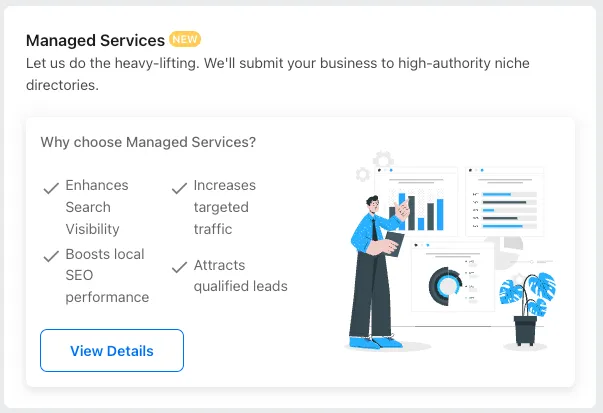
C. Managed Services (NEW) - Not Applicable to Self-Storage
Operators may see an option to enroll in Managed Services, which submits businesses to niche directories. However, these directories are not relevant to self-storage and include:
- Financial Directories – Zillow, Realtor.com, Trulia
- Healthcare Directories – WebMD, Healthgrades, RateMDs, Vitals
- Home Service Directories – HomeAdvisor, Thumbtack, Houzz
Self-storage operators do not need to enroll in these services. If unsure, contact your Storagely Account Manager for guidance.
D. Performance Insights & Optimization Tools
The Listings Overview provides actionable insights to help businesses improve their local search rankings:
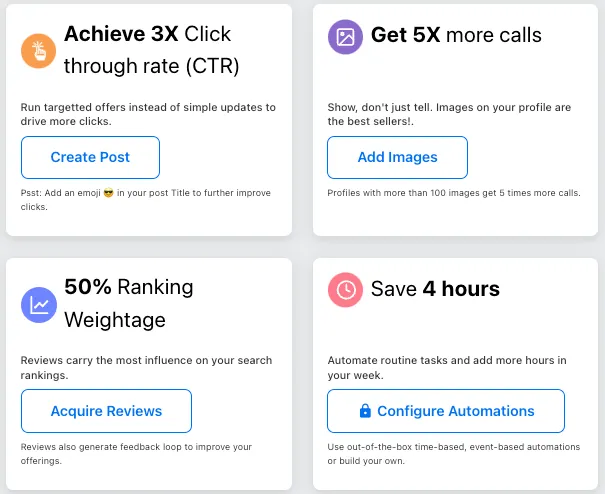
- Achieve 3X Click-Through Rate (CTR)
- Encourages businesses to add offers and promotions to their listings to increase customer engagement.
- Operators can click "Create Post" to add targeted offers.
- Get 5X More Calls
- Suggests adding images to listings to improve customer engagement.
- Operators can click "Add Images" to upload visuals that enhance business visibility.
- 50% Ranking Weightage (Acquire Reviews)
- Emphasizes the importance of customer reviews in improving search rankings.
- Operators can click "Acquire Reviews" to request feedback from customers.
- Save 4 Hours (Configure Automations - Requires Storagely Support)
- This feature requires assistance from a Storagely Account Manager.
- Allows automation of routine listing updates, such as time-based changes.
- Operators needing automation assistance should contact Storagely Support.
4. What Operators Can & Cannot Do in the Listings Overview
✅ Operators CAN: ✔ View sync statuses, listing performance, and publisher coverage. ✔ Identify duplicate listings and connection issues. ✔ Monitor Google verification and keyword configuration status. ✔ Post offers and promotions to improve click-through rates. ✔ Request customer reviews to enhance local rankings.
❌ Operators CANNOT: ✘ Directly manage listings for all platforms (some require manual verification). ✘ Resolve technical sync issues without support from Storagely Support. ✘ Remove or create new listings without contacting their Storagely Account Manager. ✘ Set up or configure automations without assistance from Storagely Support.
5. Best Practices for Listings Management
✅ Regularly check the Listings Overview to monitor listing health. ✅ Ensure Google verification is completed to maximize search visibility. ✅ Monitor and suppress duplicate listings to avoid confusion. ✅ Update images and business details regularly to improve ranking. ✅ Request customer reviews consistently to build credibility and SEO authority. ✅ Contact Storagely Support if connection issues persist, listings are not syncing, or automation is required.
As always, if you have any questions during this process, our Customer Success Team is here to help. The best way to reach us is by submitting a support ticket.